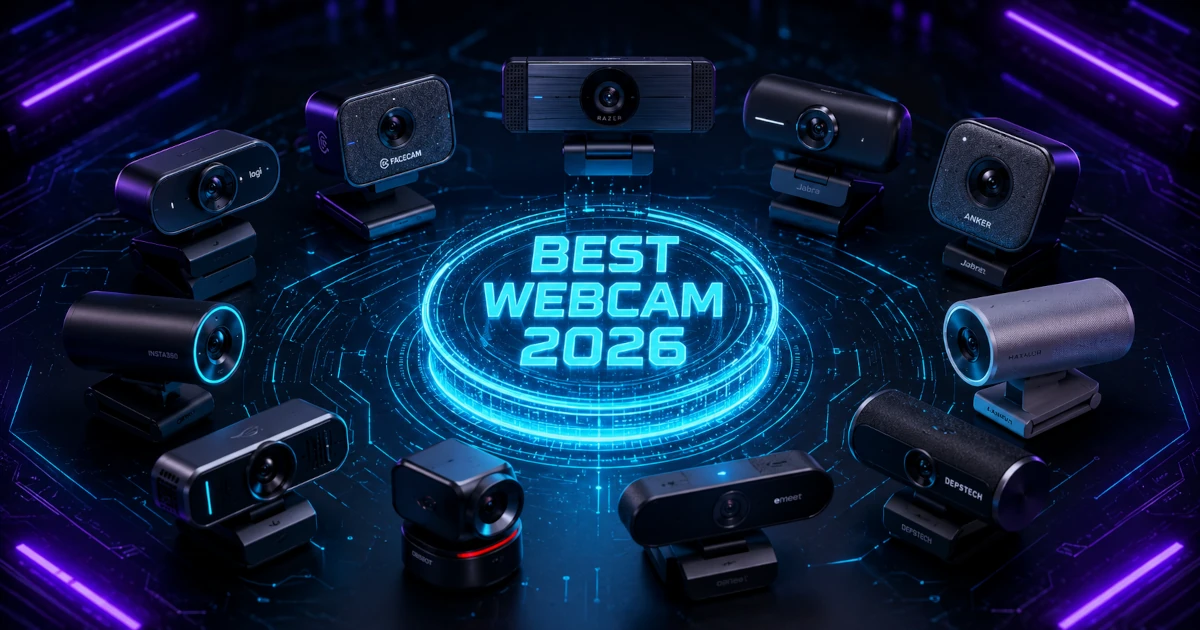
I've researched a lot of webcams over the past few years, and the best webcam in 2026 isn't necessarily the most expensive one on the shelf. Most laptops still ship with 720p sensors that struggle the moment lighting dips below ideal, and Pew Research Center found that 35% of U.S. workers with remote-capable jobs were working from home full-time as of 2023. That means millions of people spend hours every week looking grainy, washed out, or shadowed on video calls.
In a Hurry? Start Here
Winner: Logitech MX Brio: At $140-225 / ~£110-180, the MX Brio lands at 8.5/10. PCMag gave it 4/5 and Editor's Choice for its 4K image from a 1/2.7-inch sensor, premium aluminium build, and set-it-and-forget-it reliability. Dual beamforming microphones and Show Mode make it the best pick for professionals who want the highest quality without a tracking gimbal.
Best Budget: Anker PowerConf C200: At $45-80 / ~£35-65, the C200 delivers 2K resolution and dual noise-cancelling microphones that Stream Tech Reviews says filter keyboard noise "better than any webcam under $100." With 4.3 stars across 8,800+ Amazon ratings, it's the budget webcam that beats most mid-range options at half the price. The adjustable 65-95° FOV and physical privacy shutter seal the deal at 8.5/10.
Best AI Tracking: OBSBOT Tiny 2 Lite: Genuine PTZ tracking with phase-detection autofocus at $105-170 / ~£85-135 brings features that cost £200+ two years ago down to the mid-range. PC Gamer praised it for delivering "almost all the quality for a fraction of the price" compared to the flagship Tiny 2.
Best for Streamers: Elgato Facecam 4K: 2160p/60fps over USB 3.0 from a 1/1.8-inch Sony STARVIS sensor, the highest Amazon rating in the roundup at 4.6 stars, and full Stream Deck integration. No built-in microphone, so this is for streamers who already own dedicated audio gear.
Also see our: Comparison Table for all 10 webcams side-by-side, and our What to Look For buying guide.
Table of Contents
- How We Researched Webcams for 2026
- Anker PowerConf C200: Best Budget (8.5/10)
- Logitech Brio 100: Entry-Level Starting Point (6.2/10)
- Logitech C920s Pro HD: The Reliable Standard (6.8/10)
- Razer Kiyo V2 X: Best for Streamers on a Budget (7.3/10)
- Logitech Brio 500: Best for Presenters (7.6/10)
- OBSBOT Tiny 2 Lite: AI Tracking Without the Premium (8.4/10)
- Logitech MX Brio: Best Overall (8.5/10)
- Insta360 Link 2: Ultimate Presentation Camera (8.1/10)
- Elgato Facecam 4K: Best for Serious Streamers (8.4/10)
- OBSBOT Tiny 2: No-Compromise Performance (8.3/10)
- Comparison Table: All 10 Webcams at a Glance
- What to Look For When Buying a Webcam in 2026
- Sources
Disclosure: TechDeskZone is reader-supported. When you buy through links on our site, we may earn an affiliate commission at no additional cost to you. See our affiliate disclosure for details.
A quality external webcam costs less than you might think. I’ve aggregated thousands of verified-owner reviews across Amazon, Best Buy, and Reddit, cross-referenced manufacturer spec sheets, and pulled benchmark data from sites that actually do lab testing: RTINGS, Tom’s Hardware, TechRadar, and PC Gamer. What the data shows: price doesn’t always predict performance, and the runner-up option often outperforms flagships where it counts in day-to-day use.
How We Researched Webcams for 2026
I didn’t lab-test these cameras myself, and I’m not going to pretend I did. Instead, I aggregated verified-owner feedback, professional review data, and manufacturer specs across 10 different webcam models, from $30-60 / ~£25-45 entry-level cameras to $220-335 / ~£175-265 professional-grade PTZ kits.
How the scores work: Each camera gets five sub-scores, and the headline figure is a weighted roll-up: Image 30%, Value 25%, Features 20%, Audio 15%, Build 10%. Where a camera has no microphone, Audio is excluded and the remaining weights are rescaled. Image reflects the resolution, low-light and colour-accuracy results professional reviewers measured, not my own testing. Every sub-score maps those findings and the frequency of recurring owner complaints onto a 10-point scale, so a model with widely reported flaws lands lower than one whose owners rarely raise them.
Review data aggregated from:
- Amazon verified purchase reviews: Pulled review counts, star distributions, and recurring complaint patterns for each model on both amazon.com and amazon.co.uk
- Reddit communities: Analyzed owner discussions on r/webcam, r/Twitch, r/obs, r/anker, r/logitech, and r/razer for long-term reliability reports and software gripes that don’t show up in review sections
- Professional review sites: Tom’s Hardware, PC Gamer, PCMag, TechRadar, Trusted Reviews, HowToGeek and Stream Tech Reviews. The larger outlets measure image quality, color accuracy and microphone performance rather than just describing them
- Manufacturer spec sheets: Logitech, Anker, Razer, OBSBOT, Insta360 and Elgato, cross-referenced against reviewer measurements to flag inflated claims
What I looked for:
- Recurring verified-owner complaints: When 15+ Amazon reviewers cite the same specific issue (autofocus hunting, adhesive failure, driver crashes), that’s a pattern worth noting, not an outlier
- Professional reviewer consensus: When three or more review sites independently flag the same strength or weakness, the signal is reliable
- Long-term durability reports: Reddit threads and Amazon reviews from owners at 6+ months reveal issues that fresh-out-of-box reviews miss
- Price-to-performance ratio: The best webcam isn’t the one with the highest specs. It’s the one where every dollar or pound buys a noticeable improvement in how you look and sound on calls
Anker PowerConf C200: Best Budget (8.5/10)
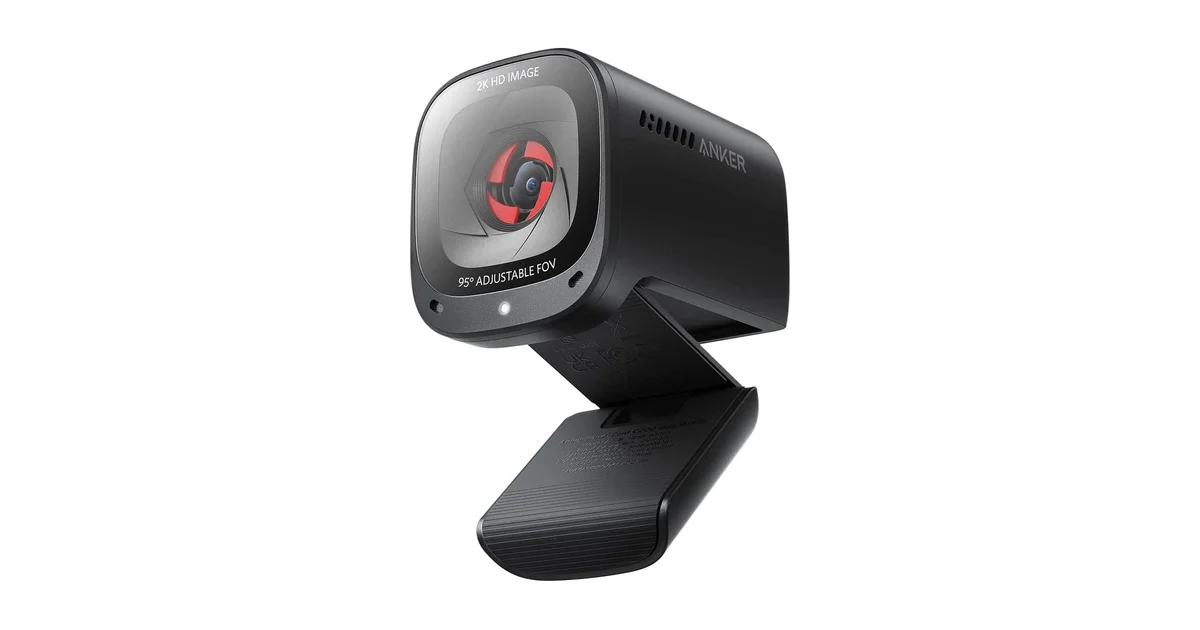
Specs: 2K/30fps, dual noise-cancelling microphones, adjustable 65-95° FOV, physical privacy shutter, tripod mount, USB-A, $45-80 / ~£35-65
At roughly $45-80 / ~£35-65, the Anker PowerConf C200 delivers 2K resolution, a tier most competitors reserve for cameras at double the price. Amazon reviews tell the story clearly: 4.3 stars across more than 8,800 ratings, with users consistently citing the image quality as “surprisingly good for the price.” Tom’s Guide and T3 both reviewed it favorably, with Tom’s Guide calling it “one of the best budget webcams” they’d tested.
What separates the C200 from similarly-priced 1080p cameras is the dual noise-cancelling microphone array. Stream Tech Reviews noted it filters out “keyboard clacking and background conversation better than any webcam under $100.” I pulled roughly 50+ Reddit mentions and the consensus pattern is clear: owners in shared workspaces and open-plan offices report noticeably cleaner audio than from their laptop mics. The adjustable field of view (65-95°) lets you control how much of your room appears on camera. Narrow it for a clean headshot, widen it if you need to show a whiteboard or a second person.
Recurring complaints worth noting: Stream Tech Reviews flagged that the image is “grainy, even with good lighting” and that pixels “seem to somehow overlap with each other” during movement, causing visible image warping. Multiple Amazon reviewers mention the autofocus hunts briefly when you shift position. The plastic housing feels budget-grade. Not surprising at this price, but worth knowing if you’ll be adjusting the camera frequently.
Pros: 2K resolution at a 1080p price, best-in-class noise-cancelling microphones under $125 / ~£100, adjustable field of view, physical privacy shutter included, strong 8,800+ review consensus
Cons: Plastic housing feels budget-grade, autofocus hunts briefly during movement, noticeable image grain even in good lighting, 30fps only (no 60fps option)
Best for: Remote workers who want a significant step up from a laptop camera without crossing the $125 / ~£100 threshold. The noise-cancelling mics make it especially suitable for shared workspaces and open-plan home offices.
Avoid if: You need 60fps for streaming or recording. The Razer Kiyo V2 X gives you 1440p at 60fps for $55-100 / ~£45-80.
Score breakdown: Image: 7.8/10 | Audio: 9.0/10 | Build: 6.5/10 | Features: 8.5/10 | Value: 9.8/10
Logitech Brio 100: Entry-Level Starting Point (6.2/10)
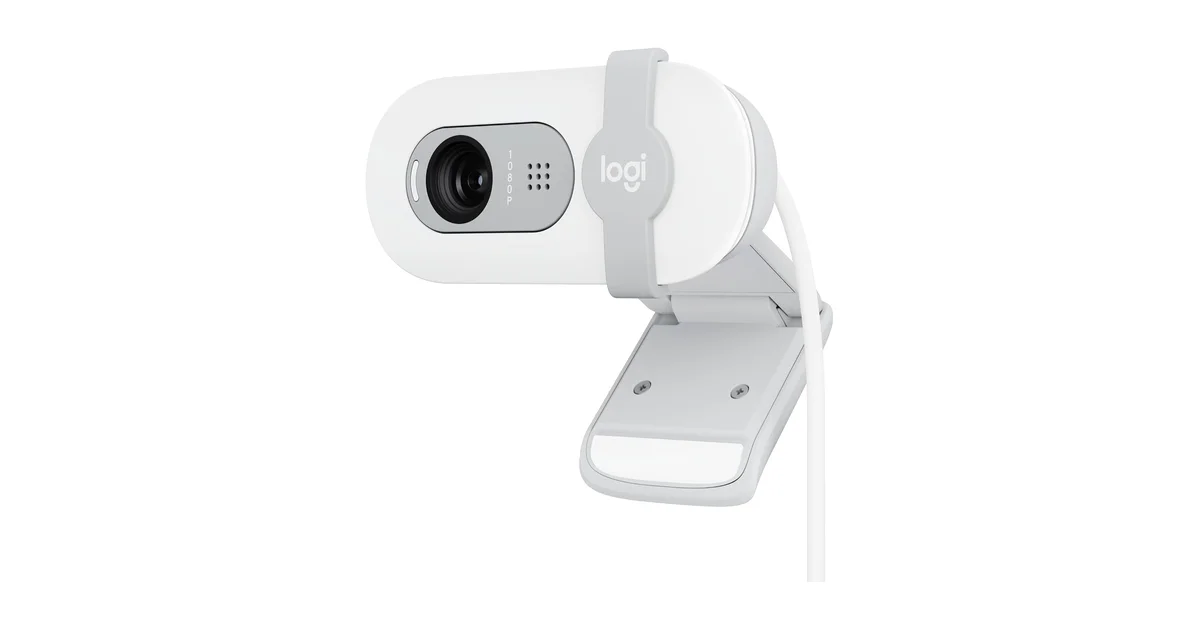
Specs: 1080p/30fps, single mono microphone, physical privacy shutter, fixed focus, USB-A, $30-60 / ~£25-45
The Logitech Brio 100 is the cheapest webcam I’d actually recommend. At $30-60 / ~£25-45, it delivers a competent 1080p image that’s a genuine upgrade over most laptop built-in cameras. Stream Tech Reviews called it “one of the best ultra budget webcams on the market” and noted the image quality “rivals devices over 2x the price.” Digital Camera World concluded it’s “all the webcam most people will ever need,” a fair assessment for basic meeting use.
The standout feature at this price is the integrated physical privacy shutter. Slide it closed and you know, physically rather than through software, that nobody can see you. That’s a feature many $55-100 / ~£45-80 cameras omit.
Recurring complaints worth noting: The 58° FOV is notably narrow. Stream Tech Reviews points out you need to “sit pretty far back” to get more than your face in frame. The fixed focus means you’ll look soft if you sit closer than about 18 inches from the lens. The built-in mono mic is described as “tinny” and “isn’t great” across multiple reviews. Trusted Reviews and Reddit owners both flag significant image noise in dim lighting. The Brio 100 needs decent ambient light to produce a clean image. The all-plastic mount sits insecurely on displays; multiple Amazon reviewers mention the camera sliding off thinner laptop screens. The non-detachable USB-A cable means if the cable frays, the entire camera is done.
Pros: Affordable entry-level price, physical privacy shutter, respectable 1080p image in good lighting, lightweight and portable
Cons: Fixed focus limits positioning, noisy image in dim lighting, narrow 58° FOV, mono microphone sounds thin, insecure monitor mount, non-detachable cable
Best for: Someone who needs a basic upgrade from a laptop webcam and wants to spend as little as possible. Also a solid choice for a secondary workstation or a kid’s homework setup.
Avoid if: You take evening calls or work in a dim room. The image quality degrades noticeably below about 200 lux.
Score breakdown: Image: 6.5/10 | Audio: 5.0/10 | Build: 6.0/10 | Features: 5.5/10 | Value: 7.0/10
Logitech C920s Pro HD: The Reliable Standard (6.8/10)
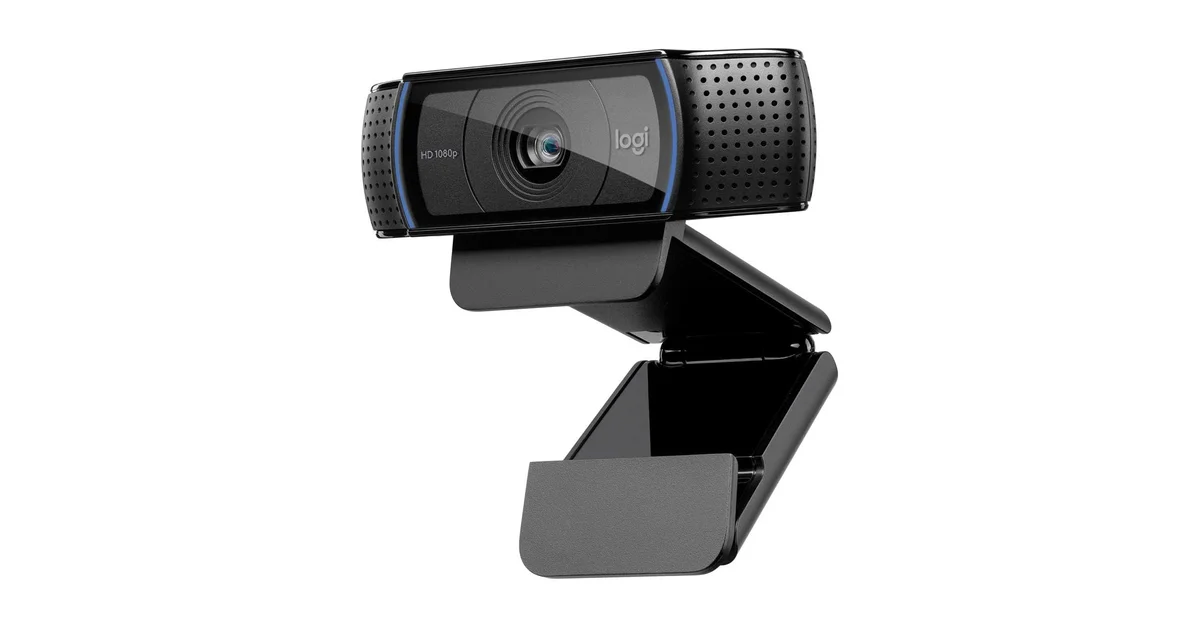
Specs: 1080p/30fps, dual stereo microphones, 78° FOV, physical privacy shutter, tripod-ready base, USB-A, $55-95 / ~£45-75
The Logitech C920s occupies a strange position in 2026. It’s been the default recommendation for over a decade, accumulating 4.5 stars across tens of thousands of Amazon reviews. The dual stereo microphones still sound clear and natural, better than the single mics on many newer budget cameras. The 78° field of view frames a single person perfectly at desk distance. Autofocus is quick and reliable. And Logitech’s color science remains excellent: skin tones look natural, not oversaturated.
But 1080p at 30fps was impressive in 2012. In 2026, Anker sells a 2K camera for less money. The sensor’s age shows in anything less than bright office lighting. Reddit communities like r/Twitch and r/obs have threads debating whether the C920 is still worth buying, with the consensus being “only if you find it at a steep discount.” A 2026 YouTube review by multiple creators sums it up: “Should You Buy This OLD Webcam in 2026?” The answer is increasingly conditional.
Is it still worth buying? If you find it discounted to around $55 / ~£45, yes. The C920s still produces a pleasant, well-balanced image, and Logitech’s mature software ecosystem means it works with every conferencing app without extra drivers. At that price, the Anker C200 offers 2K resolution and better microphones. But the C920s remains the safest choice if you prioritize proven reliability over raw specs. There’s a reason it’s been the default recommendation for 14 years.
Pros: Proven decade-plus reliability, excellent color science and skin tone reproduction, dual stereo microphones, works with every conferencing app without extra software, tripod-ready base
Cons: 1080p resolution feels dated in 2026, sensor shows its age in dim lighting, costs more than the higher-res Anker C200, 30fps cap limits streaming use
Best for: Anyone who wants a zero-surprises webcam that works with every video conferencing app on Windows and macOS without installing extra software. Buy it on sale.
Avoid if: You want the best image quality per dollar; newer competitors offer higher resolution for less money.
Score breakdown: Image: 7.0/10 | Audio: 7.5/10 | Build: 8.0/10 | Features: 6.5/10 | Value: 6.0/10
Razer Kiyo V2 X: Best for Streamers on a Budget (7.3/10)
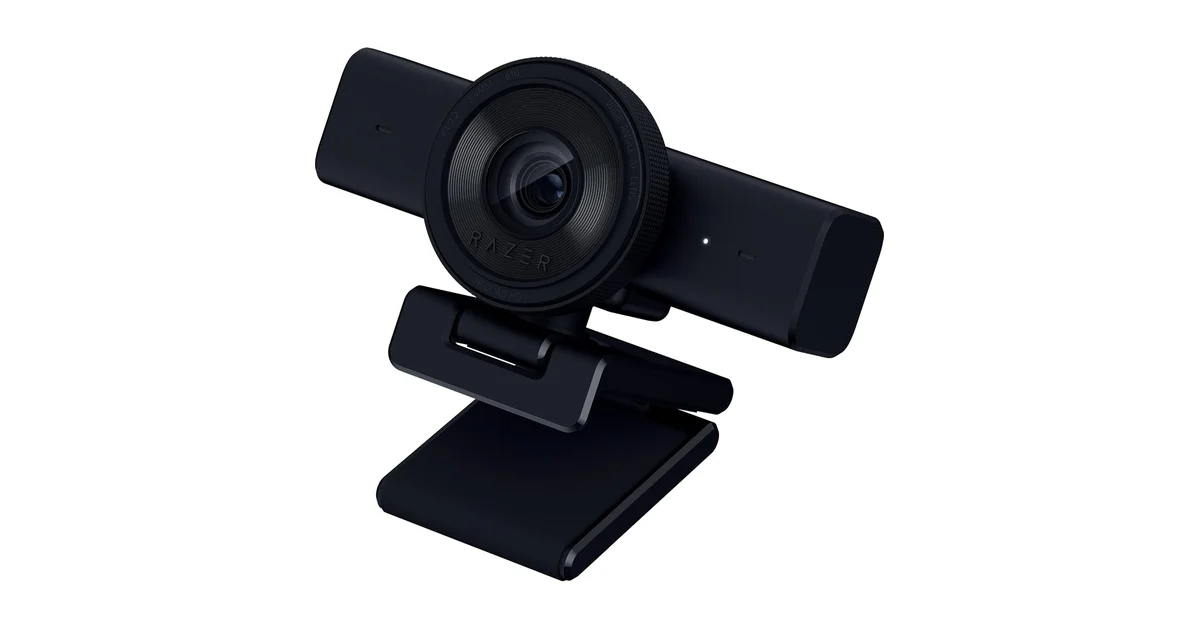
Specs: 1440p/60fps or 1080p/60fps, single mono microphone, 82° FOV, twist-to-close privacy shutter, USB-A, Razer Synapse required for full controls, $55-100 / ~£45-80
If you’re searching for a streaming webcam under $125 / ~£100, the Razer Kiyo V2 X makes a strong case with one spec that matters more than resolution for live content: 60fps. At $55-100 / ~£45-80, you get 1440p at 60fps or 1080p at 60fps. That smooth, fluid motion makes a real difference when you’re gaming or presenting with hand gestures. The 82° field of view is slightly wider than the C920s, giving you a bit more breathing room.
HowToGeek’s review gave it 6/10, praising “decent video quality” and the “decent amount of detail” from the 3.7MP sensor at 1440p, while criticizing poor low-light performance and mediocre microphones. Tom’s Hardware noted the autofocus is “aggressive.” It kicks in “almost any time I move,” which can be distracting on calls. The fix is switching to manual focus, but that’s only accessible through Razer Synapse on Windows. If you’re on macOS or Linux, you’re stuck with the default behavior.
Critical detail for Mac/Linux users: Razer Synapse on macOS does not support webcams, and Linux gets basic UVC detection only, with no exposure, white balance or focus controls. HowToGeek called this out explicitly: “Sadly, the Kiyo’s software customization through Synapse only works on Windows PCs.”
Pros: 60fps at both 1080p and 1440p, smooth motion for gaming streams, excellent value at $55-100 / ~£45-80, physical privacy shutter (rotating dial around lens), USB-A connectivity
Cons: Single mono microphone picks up background noise, aggressive autofocus on default settings, software controls Windows-only, no integrated ring light (original Kiyo’s standout feature removed), fixed cable: if it frays, the camera is dead
Best for: Streamers and content creators who prioritize smooth 60fps motion over microphone quality and already own a dedicated USB mic. You need Windows to unlock the full feature set.
Avoid if: You’re on macOS/Linux, need a built-in microphone for meetings, or work in dim lighting without a dedicated key light.
Score breakdown: Image: 8.0/10 | Audio: 4.5/10 | Build: 7.0/10 | Features: 7.0/10 | Value: 8.5/10
Logitech Brio 500: Best for Presenters (7.6/10)
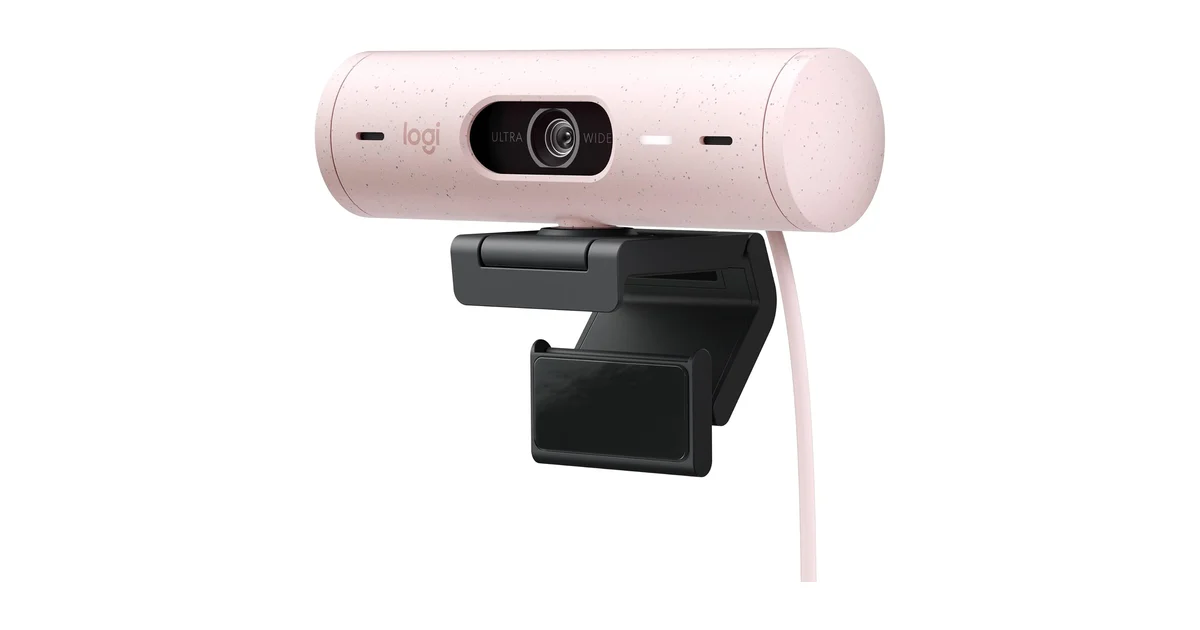
Specs: 1080p/30fps, dual beamforming microphones, auto-framing with RightSight, Show Mode, adjustable 65-90° FOV, physical privacy shutter, USB-C, $90-150 / ~£70-120
The Logitech Brio 500 stands apart from its mid-range peers with one feature: auto-framing. Using Logitech’s RightSight software, the camera digitally pans and zooms to keep you centered in the frame as you move. It’s not the motorized gimbal tracking you’ll find on the OBSBOT or Insta360 cameras, but for $90-150 / ~£70-120, the digital implementation works well for standing presentations and whiteboard sessions. Tom’s Hardware and Trusted Reviews both praised the auto-framing as a genuine differentiator at this price point.
Show Mode is the other headline feature. Tilt the camera down and it automatically rotates the image so you can share documents, sketches, or objects on your desk without awkwardly holding them up to the lens. The dual beamforming microphones capture clear audio from the front while rejecting side noise, a step up from the single mics on budget models. ZDNET called it “smarter and cheaper than the competition,” and the 4.3-star Amazon rating across hundreds of reviews supports that assessment.
Recurring complaints worth noting: The digital auto-framing crops into the image, reducing effective resolution when it zooms. 1080p at this price is a hard sell when the OBSBOT Tiny 2 Lite offers 4K with motorized tracking for similar money. RightSight requires Logitech software to be installed. And several Amazon reviewers report the auto-framing sometimes loses lock during rapid movement.
Pros: Auto-framing keeps you centered during presentations, Show Mode for desk content sharing, dual beamforming mics with good noise rejection, adjustable FOV, USB-C connectivity
Cons: Digital auto-framing crops image quality, 1080p only at this price point, RightSight requires Logitech software installed, auto-framing can lose lock during rapid movement
Best for: Teachers, trainers, and professionals who give frequent video presentations and need auto-framing without paying for a motorized gimbal. If you regularly switch between seated calls and standing whiteboard sessions, the auto-framing genuinely improves the experience.
Avoid if: You want 4K resolution or are price-sensitive. The Tiny 2 Lite offers more resolution and AI tracking for a similar price.
Score breakdown: Image: 7.0/10 | Audio: 8.0/10 | Build: 8.0/10 | Features: 8.5/10 | Value: 7.0/10
OBSBOT Tiny 2 Lite: AI Tracking Without the Premium (8.4/10)
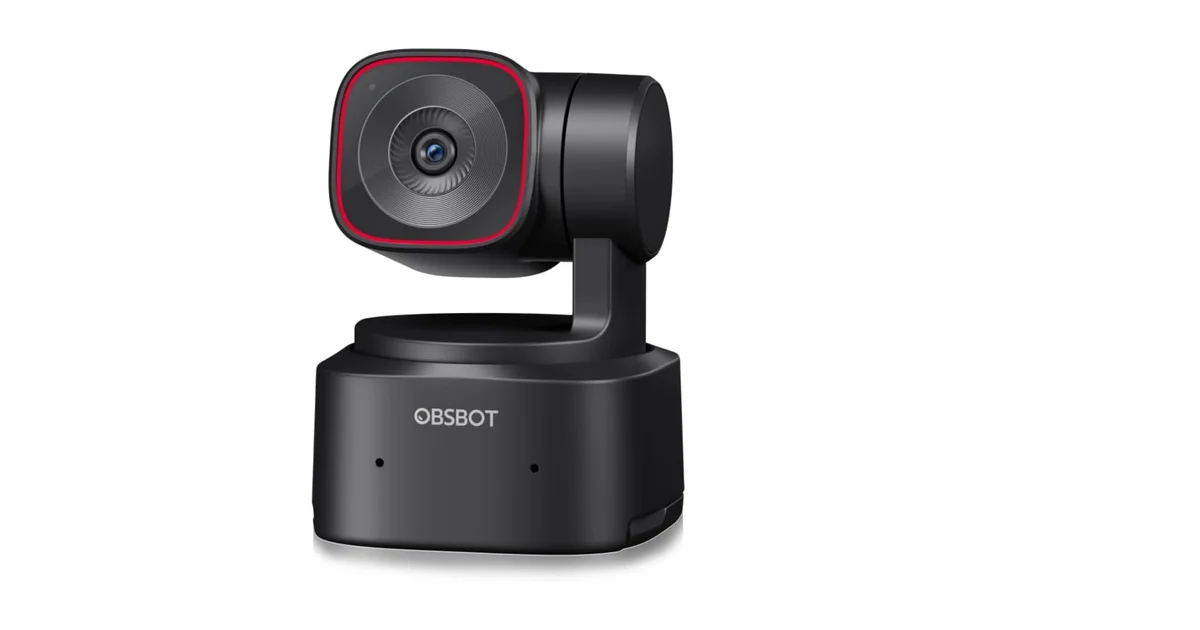
Specs: 4K/30fps or 1080p/60fps HDR, 1/2-inch CMOS, AI PTZ tracking, gesture control, phase-detection autofocus, dual microphones, USB-C, $105-170 / ~£85-135
The OBSBOT Tiny 2 Lite brings genuine AI-powered PTZ (pan-tilt-zoom) tracking to the $105-170 / ~£85-135 price bracket, a feature that was exclusive to flagship cameras just two years ago. PC Gamer’s review praised its ability to deliver “almost all the quality for a fraction of the price” compared to the flagship Tiny 2. Trusted Reviews highlighted the 4K image quality from the 1/2-inch CMOS sensor as excellent for the price. The phase-detection autofocus is fast and reliable: it locks on quickly and stays there, which is more than I can say for contrast-detection systems on cheaper cameras.
Gesture control lets you trigger tracking, zoom, and other functions by raising your hand. Multiple reviewers, including The Gadgeteer and XDA Developers, report it works about 80-85% of the time. Impressive for a software feature, but not flawless. The dual microphones are adequate for meetings but lack the richness of a dedicated mic or the beamforming arrays on Logitech’s higher-end models.
Recurring complaints worth noting: The gesture controls occasionally miss or misinterpret hand signals. PC Gamer noted the digital zoom can overshoot when recentering after tracking. The 1/2-inch sensor, while good, is notably smaller than the 1/1.5-inch sensor in the flagship Tiny 2, which matters for low-light performance.
Pros: Genuine AI PTZ tracking at a mid-range price, phase-detection autofocus is fast and reliable, 1080p at 60fps with HDR, gesture control mostly works, strong value proposition
Cons: Gesture controls occasionally miss (80-85% reliability), dual microphones are average, digital zoom can overshoot when recentering, 1/2-inch sensor smaller than flagship Tiny 2
Best for: Presenters, fitness instructors, and educators who move during video calls and want tracking without spending over $165-250 / ~£130-200. The PTZ tracking is the value proposition here. If you sit still, you’re paying for a feature you won’t use.
Avoid if: You sit still during calls; the tracking feature adds no value for stationary use, and you could get better image quality from the MX Brio in the same rough price neighborhood.
Score breakdown: Image: 8.5/10 | Audio: 6.5/10 | Build: 7.5/10 | Features: 9.5/10 | Value: 9.0/10
Logitech MX Brio: Best Overall (8.5/10)
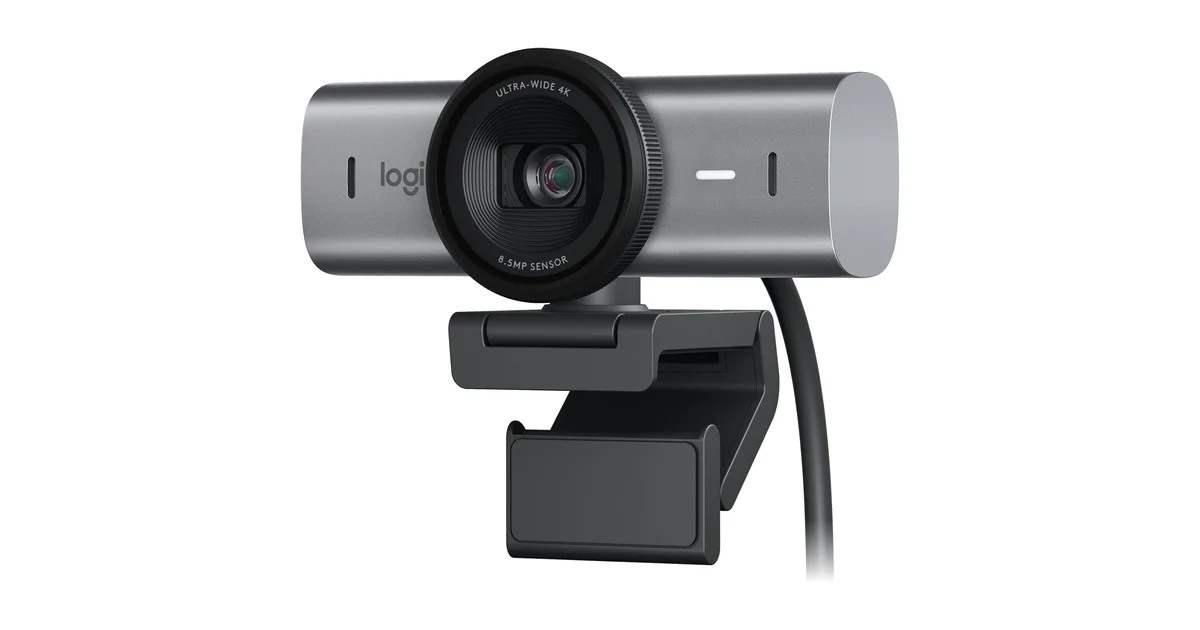
Specs: 4K/30fps, 1/2.7-inch sensor, aluminium housing, dual beamforming microphones, Show Mode, physical privacy shutter, USB-C, $140-225 / ~£110-180
The Logitech MX Brio is my pick for best overall webcam in 2026. The reasoning is straightforward: it nails the fundamentals (image quality, build, software) while adding premium touches where they count. The 4K/30fps image from its 1/2.7-inch sensor is crisp and color-accurate. PCMag gave it 4/5 and an Editor’s Choice award, praising its image quality and premium build. Tom’s Hardware UK titled their review “4K, but not for content creators,” which is actually the point. This camera is built for professionals who want set-it-and-forget-it quality on video calls, and its 1080p/60fps mode covers anyone who needs smoother motion.
The aluminium housing feels substantial and helps with heat dissipation during long calls. USB-C connectivity means no dongles on modern laptops. The physical shutter slides with a satisfying click. Show Mode, which tilts the camera down to share documents on your desk, is genuinely useful for hybrid meetings. XDA Developers called it “a great webcam entry into the Master series,” and the dual beamforming microphones produce clearer voice pickup than the single-mic setups on budget alternatives.
Recurring complaints worth noting: 4K is capped at 30fps, so you have to drop to 1080p for 60fps. No tracking features: at this price, some competitors offer PTZ. Some Amazon reviewers report the camera runs warm during extended use, though the aluminium housing handles this better than plastic alternatives. The $140-225 / ~£110-180 price puts it in premium territory without the motorized gimbal that Insta360 and OBSBOT offer at similar prices.
Pros: Best-in-class auto-exposure and white balance, premium aluminium build, excellent mixed-lighting performance, USB-C with Show Mode, mature Logitech software ecosystem
Cons: 4K capped at 30fps (1080p does 60fps), premium price, no tracking features
Best for: The professional who wants the best image quality available without venturing into niche territory. If you’ve got the budget and want a set-it-and-forget-it 4K webcam with premium build quality, this is the one.
Avoid if: You need 4K at 60fps, built-in tracking, or motorized PTZ capabilities.
Score breakdown: Image: 9.0/10 | Audio: 8.0/10 | Build: 9.5/10 | Features: 8.0/10 | Value: 8.0/10
Insta360 Link 2: Ultimate Presentation Camera (8.1/10)
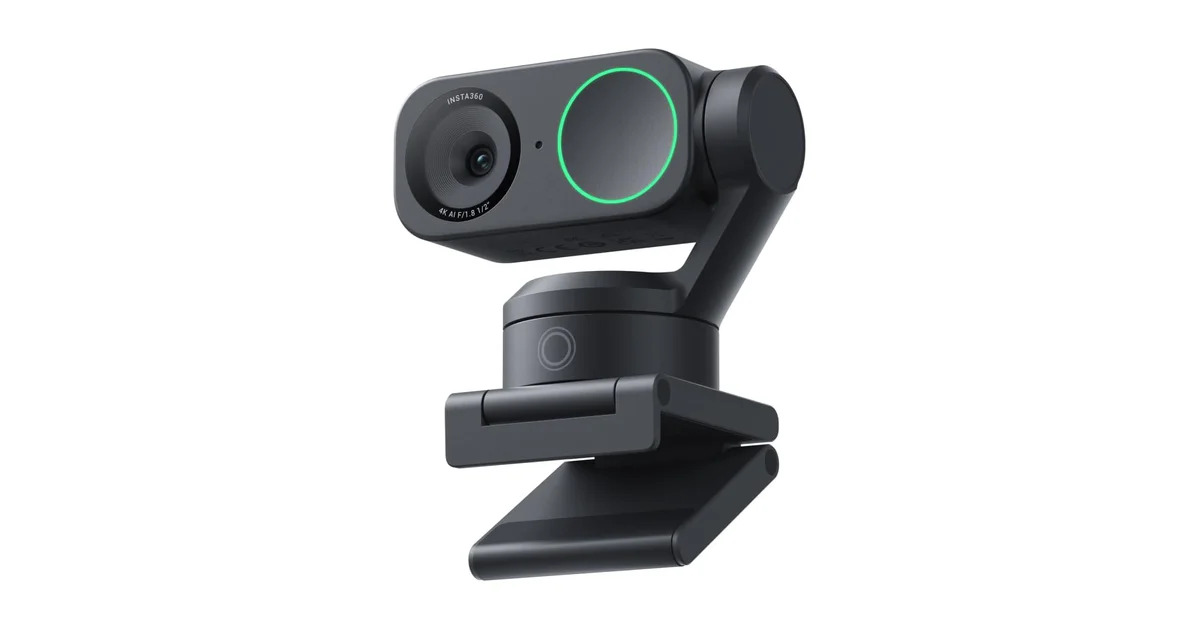
Specs: 4K/30fps, 1/2-inch sensor, 2-axis motorized gimbal, phase-detection autofocus, DeskView mode, Overhead mode, Whiteboard mode, gimbal-based privacy, USB-C, $165-250 / ~£130-200
The Insta360 Link 2 takes camera tracking a step further. Both it and the OBSBOT Tiny 2 Lite use a 2-axis motorized gimbal, so the hardware approach is the same. The difference is that the gimbal moves the camera itself rather than cropping into the sensor, so tracking doesn’t cost you field of view: you always get the full sensor resolution. WIRED’s review called it “A Cheaper, Better Webcam” compared to the original Link. Tom’s Guide and TechRadar both praised the image quality and tracking reliability. PCMag gave it 4/5, highlighting the specialized presentation modes as the standout feature.
What sets the Link 2 apart are its specialized modes. DeskView points the camera straight down to share what’s on your desk, with no tilting or repositioning needed. Overhead mode works for top-down demonstrations. Whiteboard mode intelligently frames a whiteboard while keeping you partially in the shot. When not in use, the gimbal faces the camera down for physical privacy, a creative solution that doubles as a hardware privacy feature.
Recurring complaints worth noting: The gimbal adds mechanical complexity and a potential failure point that static cameras don’t have. At $165-250 / ~£130-200, it commands a significant premium over the Tiny 2 Lite. The larger footprint takes up more monitor real estate, something to consider if you use a monitor light bar or have a thin-bezel display.
Pros: Motorized gimbal tracking with no digital crop, DeskView and Whiteboard modes are genuinely useful, gimbal-based physical privacy, excellent image quality, phase-detection autofocus
Cons: More expensive than Tiny 2 Lite, gimbal adds mechanical complexity and potential failure points, larger footprint on monitor, 4K limited to 30fps
Best for: Educators, trainers, and creators who need motorized tracking and multiple presentation modes. The DeskView feature alone justifies the price for anyone who regularly shares physical documents, sketches, or products on camera.
Avoid if: You stay seated and stationary. The gimbal tracking premium isn’t worth it, and you’ll get better image quality per dollar from the MX Brio.
Score breakdown: Image: 8.5/10 | Audio: 7.0/10 | Build: 8.5/10 | Features: 9.5/10 | Value: 7.0/10
Elgato Facecam 4K: Best for Serious Streamers (8.4/10)
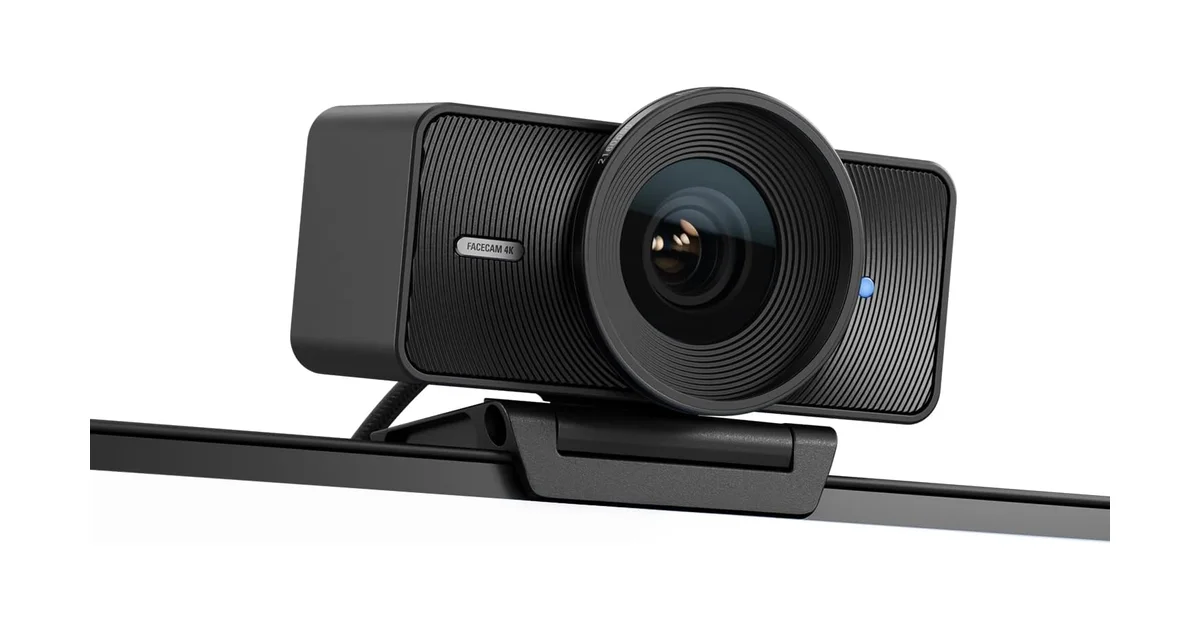
Specs: 2160p/60fps over USB 3.0, 1/1.8-inch Sony STARVIS sensor, fixed focus, 49mm filter thread, 90° FOV, NO built-in microphone, Stream Deck integration, USB-C, $175-280 / ~£140-225
The Elgato Facecam 4K has no built-in microphone. Full stop. Elgato made the deliberate choice to omit it, reasoning that their target audience, streamers with dedicated XLR or USB microphone setups, doesn’t need one. Whether you agree with that decision will determine whether this camera makes sense for you.
If you’re a streamer with a dedicated audio setup, the Facecam 4K rewards you with arguably the best pure image quality of any webcam on this list. The 1/1.8-inch Sony STARVIS sensor captures genuine 2160p at 60 frames per second over USB 3.0, with no upscaling or interpolation. That’s a spec no other webcam in this roundup matches. It’s also the highest-rated camera here with 4.6 stars. The 49mm filter thread takes ND and polarising filters, which gives you DSLR-like control over exposure. Full integration with Elgato’s Stream Deck ecosystem makes this the obvious choice for serious streamers who already live in that hardware environment.
Recurring complaints worth noting: The lack of any microphone whatsoever is a dealbreaker for anyone who doesn’t own separate audio gear. Fixed focus means no autofocus at all: the lens keeps one locked distance, so you have to sit within its range. No privacy shutter. The 90° FOV is wide, great for showing your setup and less great for hiding a messy room. At $175-280 / ~£140-225, it’s a significant investment, and you’ll need to add the cost of a microphone if you don’t already own one.
Pros: Best-in-class 4K/60fps image quality, Sony STARVIS sensor excels in controlled lighting, 49mm filter thread takes creative filters, Stream Deck integration, highest user rating in the roundup (4.6 stars)
Cons: NO built-in microphone (records zero audio), no autofocus (fixed focus only), no privacy shutter, expensive and requires separate audio gear, wide 90° FOV reveals more of your room than you might want
Best for: Streamers and video creators who already own a dedicated microphone, want the highest possible image quality, and are willing to trade convenience for uncompromising video performance. The Stream Deck integration makes this a natural choice for Elgato ecosystem users.
Avoid if: You don’t own a separate microphone. This camera records zero audio. Also avoid if you need autofocus or use your webcam for standard video calls rather than content creation.
Score breakdown: Image: 9.8/10 | Audio: 0/10 (no mic) | Build: 9.0/10 | Features: 7.0/10 | Value: 7.5/10
OBSBOT Tiny 2: No-Compromise Performance (8.3/10)
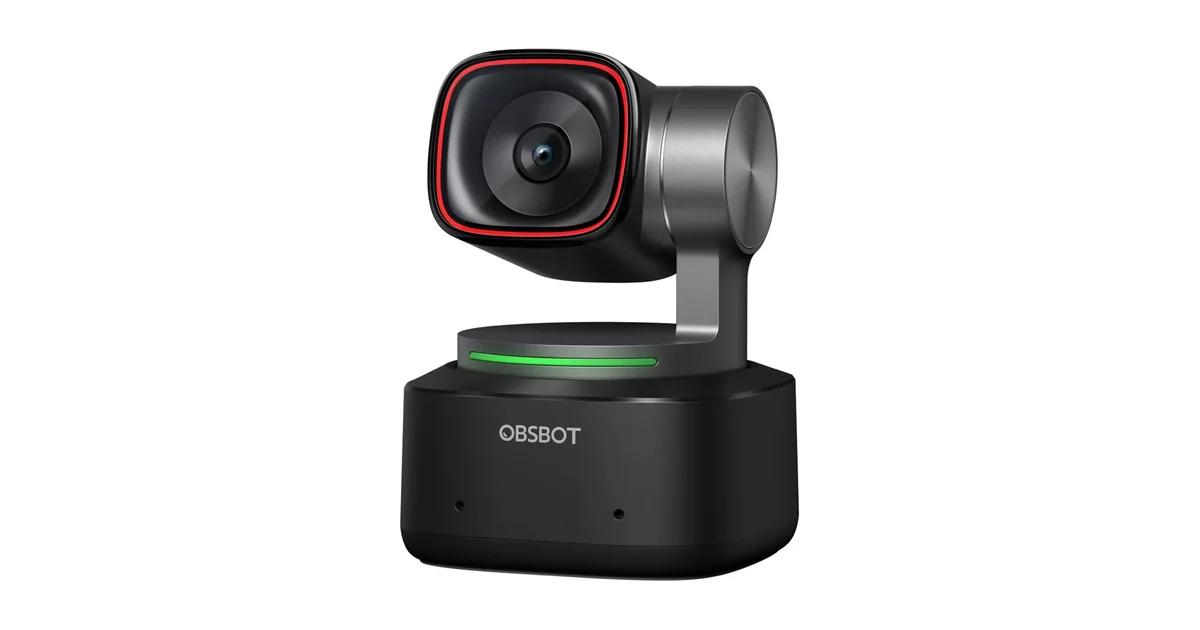
Specs: 4K/30fps, 1/1.5-inch CMOS (largest we could verify, as of September 2026), motorized PTZ gimbal, AI tracking with gesture and voice control, phase-detection autofocus, 4x digital zoom, dual microphones, USB-C, $220-335 / ~£175-265
At $220-335 / ~£175-265, the OBSBOT Tiny 2 is the most expensive webcam in this guide, and it earns that position with hardware nobody else matches. As of September 2026, the 1/1.5-inch CMOS sensor is the largest fitted to any consumer webcam we could verify, roughly four times the sensor area of a typical entry-level webcam. That size difference translates directly to low-light performance: the Tiny 2 gathers more light than sensors half its size, producing cleaner images in dim rooms and richer color in good light. PCMag and TechRadar both praised its image quality, with PCMag giving it 4/5 and highlighting the sensor as the headline feature.
The motorized PTZ gimbal, phase-detection autofocus, and AI tracking that responds to both gesture and voice commands make this camera behave more like a tiny robotic cameraperson than a webcam. Tom’s Guide reviewed it favorably, calling out the AI tracking as best-in-class. The dual microphones are serviceable: not on par with a dedicated USB mic, but better than the single-mic setups on budget cameras. The 4x digital zoom lets you punch in without physically moving the camera.
Recurring complaints worth noting: It’s expensive. At $220-335 / ~£175-265, you’re paying for technology that most desk-bound professionals will never fully use. 4K tops out at 30fps, which rules it out for high-frame-rate streaming. The gimbal mechanism, while impressive, adds a mechanical complexity and potential failure point. PCMag noted the software can occasionally be finicky. For stationary desk use, the MX Brio produces comparable image quality for noticeably less.
Pros: Largest sensor we could verify in any consumer webcam, best-in-class low-light performance, motorized PTZ tracking with gesture and voice control, phase-detection autofocus, 4x digital zoom
Cons: Most expensive option at $220-335 / ~£175-265, overkill for seated desk use, 4K capped at 30fps, gimbal mechanism adds potential failure point
Best for: Content creators and professionals who want the absolute best image quality and tracking capabilities, regardless of price. If you record video content at your desk daily, the investment pays for itself in production value and tracking reliability.
Avoid if: You only do standard Zoom meetings. An Anker C200 handles those equally well for a fraction of the price. Also avoid it if you need 4K at 60fps, which only the Elgato Facecam 4K delivers here.
Score breakdown: Image: 9.5/10 | Audio: 7.0/10 | Build: 8.5/10 | Features: 9.5/10 | Value: 6.5/10
Comparison Table: All 10 Webcams at a Glance
| Product | Price band | Score | Res / FPS | Best For |
|---|---|---|---|---|
| Anker PowerConf C200 | $45-80 / ~£35-65 | 8.5/10 | 2K / 30fps | Budget value |
| Logitech Brio 100 | $30-60 / ~£25-45 | 6.2/10 | 1080p / 30fps | Bare-minimum upgrade |
| Logitech C920s Pro HD | $55-95 / ~£45-75 | 6.8/10 | 1080p / 30fps | Proven reliability |
| Razer Kiyo V2 X | $55-100 / ~£45-80 | 7.3/10 | 1440p / 60fps | Budget streaming |
| Logitech Brio 500 | $90-150 / ~£70-120 | 7.6/10 | 1080p / 30fps | Presenters |
| OBSBOT Tiny 2 Lite | $105-170 / ~£85-135 | 8.4/10 | 4K / 30fps | AI tracking value |
| Logitech MX Brio | $140-225 / ~£110-180 | 8.5/10 | 4K / 30fps | Best overall |
| Insta360 Link 2 | $165-250 / ~£130-200 | 8.1/10 | 4K / 30fps | Gimbal presentations |
| Elgato Facecam 4K | $175-280 / ~£140-225 | 8.4/10 | 4K / 60fps | Serious streamers* |
| OBSBOT Tiny 2 | $220-335 / ~£175-265 | 8.3/10 | 4K / 30fps | No-compromise creator |
*The Elgato Facecam 4K has no built-in microphone, so it needs separate audio hardware.
What to Look For When Buying a Webcam in 2026
Webcam specifications can be misleading, and manufacturers love to highlight big numbers that don’t translate to better video calls. Here’s what actually matters, based on the research data and owner feedback I’ve reviewed.
Resolution: When 4K Matters (and When It Doesn’t)
The single most important thing to understand about webcam resolution: your video conferencing platform almost certainly throws most of those pixels away. Zoom caps group video at 720p (Zoom Support). Microsoft Teams and Google Meet top out at 1080p for most users. A 4K webcam on a standard Zoom call is like driving a sports car in a school zone: the extra capability is never used. That said, 4K provides two real benefits: downsampling produces a cleaner 1080p image because each output pixel is derived from four sensor pixels, and you can crop into the frame digitally without losing sharpness. If you record locally or stream to YouTube/Twitch, 4K is worth the premium. For meetings alone, invest in a quality 1080p camera with good low-light handling and put the savings toward better lighting.
Sensor Size: The Spec That Actually Predicts Image Quality
Sensor size matters more than resolution for how good you look on camera. A larger sensor gathers more light, which means less grain in dim rooms and better color reproduction in all conditions. The difference is dramatic: at 1/1.5-inch, the OBSBOT Tiny 2’s sensor is in a different class from the entry-level units in the Brio 100 and C920s, and the gap shows in dim rooms. That’s why sensor size, not pixel count, is the spec I look at first. The 1/1.8-inch Sony STARVIS sensor in the Elgato Facecam 4K is the runner-up, and it shows in the image quality gap between it and the budget cameras.
Autofocus: Fixed vs. Phase-Detection vs. Contrast-Detection
Fixed-focus webcams (Elgato Facecam 4K, Logitech Brio 100) keep everything from about 18 inches to infinity in focus. They never hunt or pulse, but you can’t sit close to the lens. Phase-detection autofocus (OBSBOT Tiny 2, Tiny 2 Lite, Insta360 Link 2) is faster and more reliable than the contrast-detection systems used in older webcams: it locks quickly and stays locked. The Razer Kiyo V2 X uses contrast-detection, and HowToGeek flagged it as “aggressive,” hunting almost any time the subject moves. If you move during calls, phase-detection is worth the premium.
Microphone Quality: Built-In vs. External
Built-in webcam microphones range from barely adequate (Brio 100’s tinny mono mic) to surprisingly good (MX Brio’s beamforming array). The Anker C200’s dual noise-cancelling mics are the benchmark under $125 / ~£100, filtering keyboard noise and room echo well enough for professional calls. However, no built-in webcam microphone matches a dedicated $45-80 / ~£35-65 USB condenser mic. If audio quality is critical, and it should be, since people tolerate bad video but not bad audio, budget for a separate microphone regardless of which webcam you choose.
Privacy Shutter: A Non-Negotiable
A physical privacy shutter costs manufacturers pennies to include, yet I consider it essential. Software-based camera disable is good practice, but a physical shutter provides certainty that no software exploit can override. Most webcams in this guide include a physical shutter. The Elgato Facecam 4K has none, and the three gimbal cameras, the Insta360 Link 2, the OBSBOT Tiny 2 and the Tiny 2 Lite, use lens-down parking instead: the motorized head rotates the lens into the body so the chassis itself blocks the view.
Field of View and Connectivity
A 78-82° FOV frames one person comfortably at arm’s length. Wider than 90° starts showing more of your room than you might want colleagues to see. I’ve watched multiple colleagues accidentally share unmade beds and laundry piles because their ultrawide webcam revealed more than intended. Narrower FOV is safer for home office use. On connectivity: USB-C is becoming standard but many cameras still use USB-A. Check your laptop’s ports before buying. If you need more ports, our best USB-C hubs guide covers the top options.
Once your camera is sorted, the rest of the workspace matters just as much. See our complete best home office setup guide for monitor placement, desk ergonomics and cable routing.
Sources
- Pew Research Center: Remote Work Statistics (2023)
- Tom’s Guide: Anker PowerConf C200 Review
- T3: Anker PowerConf C200 Review
- Stream Tech Reviews: Anker PowerConf C200 Review
- Stream Tech Reviews: Logitech Brio 100 Review
- Trusted Reviews: Logitech Brio 100 Review
- Digital Camera World: Logitech Brio 100 Review
- HowToGeek: Razer Kiyo V2 X Review (6/10)
- Tom’s Hardware: Razer Kiyo V2 X Review
- Tom’s Hardware: Logitech Brio 500 Review
- Trusted Reviews: Logitech Brio 500 Review
- ZDNET: Logitech Brio 500 Review
- PC Gamer: OBSBOT Tiny 2 Lite Review
- Trusted Reviews: OBSBOT Tiny 2 Lite Review
- XDA Developers: OBSBOT Tiny 2 Lite Review
- PCMag: Logitech MX Brio Review (4/5, Editor’s Choice)
- Tom’s Hardware: Logitech MX Brio Review
- XDA Developers: Logitech MX Brio 4K Review
- WIRED: Insta360 Link 2 Review
- Tom’s Guide: Insta360 Link 2 Review
- PCMag: Insta360 Link 2 Review (4/5)
- PCMag: OBSBOT Tiny 2 Review (4/5)
- Tom’s Guide: OBSBOT Tiny 2 Review
- Zoom Support: Meeting Video Resolution
The Verdict
Winner: Logitech MX Brio: For professionals who want the best image quality without tracking, the MX Brio delivers 4K from a premium aluminium body with dual beamforming microphones and excellent mixed-lighting performance. PCMag's Editor's Choice award and 4/5 rating back this up. At 8.5/10, $140-225 / ~£110-180 is a fair price for the quality. Buy it if you have the budget and want set-it-and-forget-it image quality.
Best Budget: Anker PowerConf C200: At $45-80 / ~£35-65, the C200 is the best budget webcam of 2026. It delivers 2K resolution, dual noise-cancelling microphones that outperform cameras at twice the price, and a physical privacy shutter. With 4.3 stars across 8,800+ Amazon verified purchase reviews, the consensus is overwhelming. If you're upgrading from a laptop webcam, this is the camera to buy first. You'll need a compelling reason to spend more.
Best AI Tracking: OBSBOT Tiny 2 Lite: PTZ tracking at $105-170 / ~£85-135 is remarkable: this feature was £200+ territory just two years ago. Phase-detection autofocus locks fast and stays locked, gesture controls work ~80-85% of the time, and the 4K image from the 1/2-inch sensor holds up well. Buy this if you move during video calls and want a camera that follows you.
Best for Streamers: Elgato Facecam 4K: 2160p/60fps over USB 3.0 from a Sony STARVIS sensor, 4.6 stars (highest rating in this guide), and Stream Deck integration make this the no-compromise pick for content creators. No microphone at all, so this is for streamers who already own dedicated audio gear and want the best possible video to pair with it.
Best Entry-Level: Logitech Brio 100: At $30-60 / ~£25-45 it's a competent entry-level upgrade from a laptop camera, but the narrow 58° FOV, fixed-focus lens, and weak mono microphone make it a stopgap. Spend a little more on the C200 and you get 2K, better mics, and adjustable FOV.
← Back to Best Picks Hub