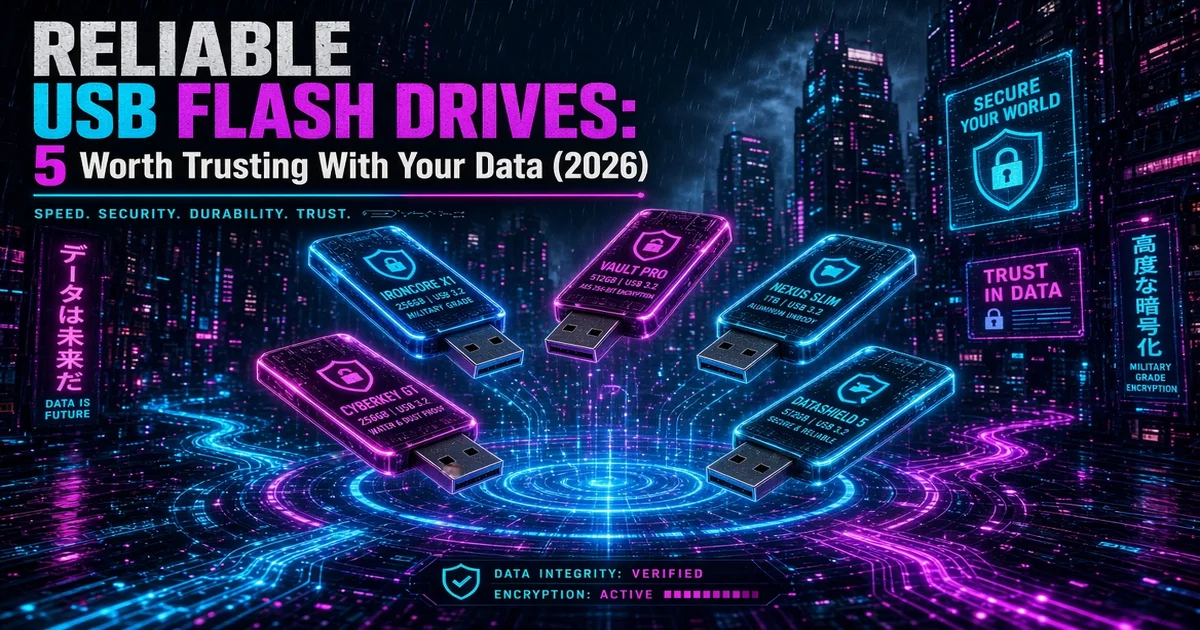
I've spent the last few years watching cheap USB flash drives fail in ways that never show up on a spec sheet. Drives that corrupt files after a few months. Drives that slow to a crawl once they're half full. Drives that die without warning and take the only copy of something important with them. When your data is on the line, "reliable USB flash drives" isn't marketing, it's the whole brief. This roundup is the shortlist I'd hand to someone who can't afford to lose a photo archive, a project backup, or a signed contract. Five drives for five different jobs, each picked because it held up in independent testing and real-world use, not because it was the cheapest thing in the results.
In a Hurry? Start Here
- SanDisk Extreme Pro 128GB is the best all-rounder. Aluminum build, 420MB/s read, and a track record I trust (~$44.99 / ~£59.03).
- SanDisk Extreme Pro 1TB is the best high-capacity pick. A full terabyte in your pocket without stepping up to an SSD (~$130 / ~£130, moves with sales).
- Kingston DataTraveler Max 1TB is the best high-performance pick. Near-SSD speed, 1,000MB/s read, for moving large files (~$135 / ~£145, moves with sales).
- Samsung BAR Plus 128GB is the best value pick. Metal body, water and shock resistant, built for a keyring (~$39.99 / ~£49.99).
- Kingston IronKey Keypad 200 is the one for encryption. Hardware-encrypted, FIPS 140-3, PIN keypad on the drive itself (~$205 / ~£175).
Table of Contents
- How I researched reliable USB flash drives
- The 5 Most Reliable USB Flash Drives (2026)
- SanDisk Extreme Pro USB 3.2, 128GB: best all-rounder
- SanDisk Extreme Pro USB 3.2, 1TB: best high-capacity
- Kingston DataTraveler Max, 1TB: best high-performance
- Samsung BAR Plus, 128GB: best value
- Kingston IronKey Keypad 200 (USB-A), 128GB: best for encryption
- Comparison table
- What to look for in a reliable USB flash drive
- Reliable USB flash drives: FAQ
- Sources
Disclosure: TechDeskZone is reader-supported. When you buy through links on our site, we may earn an affiliate commission at no additional cost to you. See our affiliate disclosure for details.
Flash storage is also one of the most counterfeited categories on Amazon right now. Third-party sellers list drives with fake capacity, recycled NAND, or counterfeit controller chips. A drive that reports 1TB but actually holds 32GB will happily let you fill it, then silently overwrite your oldest files as it runs out of real space. That’s the exact failure mode a reliability-focused buyer needs to avoid, and it’s why every pick below is a first-party listing from a name-brand manufacturer, never a “too good to be true” no-name deal.
I built this list differently from a typical “best flash drives” post. Instead of ranking by headline read speed, I weighted long-term reliability first, which is the thing you only learn about months after you buy. I cross-referenced editorial benchmarks from Tom’s Hardware and StorageReview, dug through enthusiast communities like r/DataHoarder for long-term failure reports, and scanned thousands of Amazon reviews for complaints that kept coming up. Then I checked every drive’s US and UK availability so the links below point somewhere that actually ships.
Prices fluctuate daily; all figures are approximate and unverified. Always confirm the live listing before buying.
How I researched reliable USB flash drives
Reliability is a lagging indicator. You can’t measure it the day a drive arrives, only after it’s been cycled, dropped, and filled for months. So I leaned on the sources that actually track that: professional reviewers who run sustained write tests, and communities who come back a year later to report what survived. Here’s the evidence base behind every pick.
| Data Source | What I Pulled | Sample Size |
|---|---|---|
| Amazon US + UK listings | ASIN, availability, price, rating, review count | ~10 first-party listings |
| Tom’s Hardware “Best Flash Drives 2026” | Editorial ranking + measured speeds | 1 roundup, 2026 |
| StorageReview / TechRadar reviews | Independent sustained-write benchmarks | 2-3 drive reviews |
| Kingston / SanDisk / Samsung spec sheets | Rated read/write, endurance, warranty | 5 product pages |
| Reddit (r/DataHoarder, r/USBCHardware) | Long-term reliability + failure reports | Dozens of threads |
| Amazon review corpus | Recurring complaints (DOA, capacity fraud, speed drop) | 1,000+ reviews |
One note on coverage: RTINGS, which is usually my first stop for displays, does not currently test USB flash drives, so their data isn’t part of this roundup. That gap is exactly why I leaned harder on StorageReview and enthusiast communities, which do have sustained-write numbers. If you want to work out your own requirements before looking at specific drives, the guide to choosing a USB flash drive covers capacity, the speed tiers and which file system to format to.
The 5 Most Reliable USB Flash Drives (2026)
SanDisk Extreme Pro USB 3.2, 128GB: best all-rounder
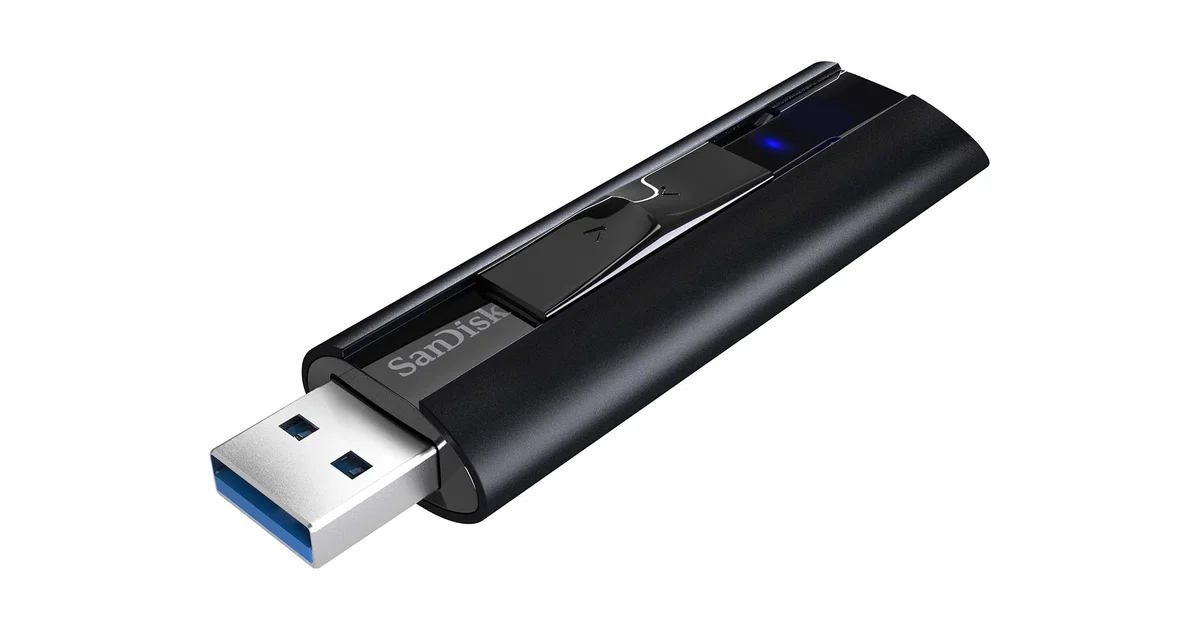
The SanDisk Extreme Pro is the drive I’d start with, because it does everything well enough that most people never need to look further. The aluminum body sheds heat better than plastic, and that matters more than the spec sheet suggests. Sustained writes are where cheap drives throttle, and this one doesn’t. SanDisk rates it at 420MB/s read and 380MB/s write over USB 3.2, and it carries a lifetime warranty, which is a manufacturer saying it actually expects the thing to survive.
Independent testing backs that up. StorageReview measured sustained performance that held up across large file transfers, and the SanDisk Extreme Pro line has been a recurring pick in Tom’s Hardware’s flash-drive coverage over the years. In enthusiast threads, SanDisk and Samsung are the two brands that keep coming up as the ones that don’t randomly die. In a category full of counterfeits, that’s the endorsement that matters.
Pros
- Aluminum body runs cool under sustained writes
- 420MB/s read, 380MB/s write
- Lifetime warranty
- First-party listing, widely available in US and UK
Cons
- Pricier per GB than a basic drive
- No hardware encryption
Approx. price: ~$44.99 / ~£59.03 (128GB).
SanDisk Extreme Pro USB 3.2, 1TB: best high-capacity
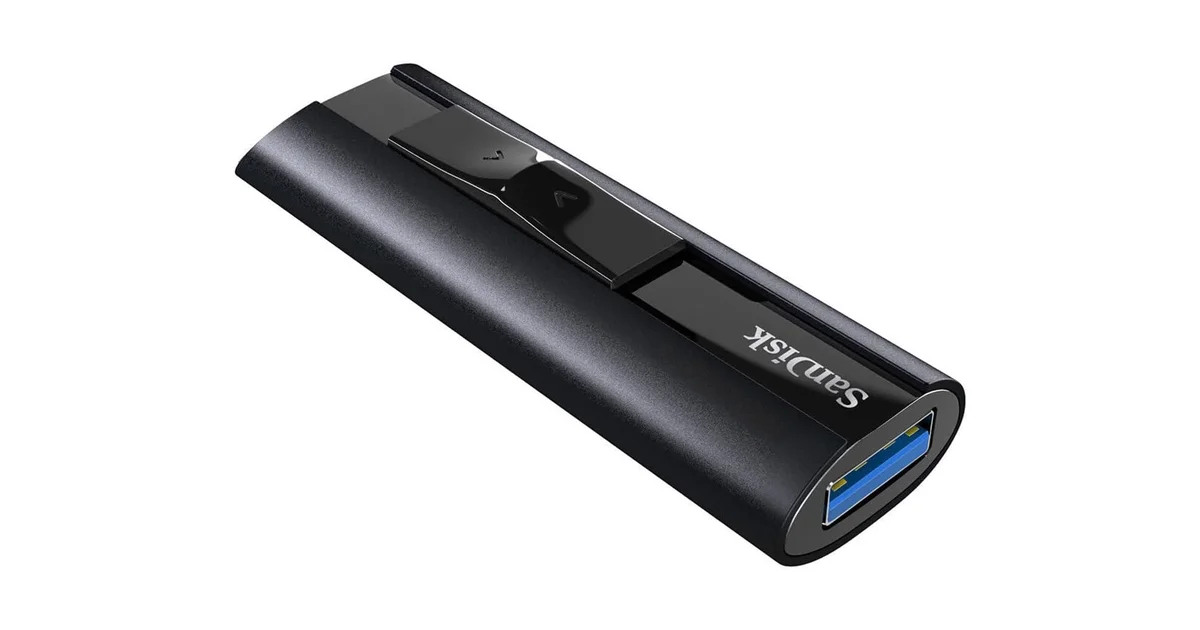
Same drive, an order of magnitude more room. The 1TB Extreme Pro is the answer when a full photo library or a year of work needs to live on something you can carry on a keyring. It keeps the same aluminum shell and 420MB/s ceiling, but the real value is keeping an entire backup on one device instead of juggling four smaller drives.
At 1TB the counterfeiting problem gets worse, because this is the capacity where fake drives are most common. The markup is highest, so the incentive to cheat is highest. That’s the argument for buying this specific first-party SanDisk listing rather than a cheaper lookalike: a counterfeit “1TB” drive usually fails at a fraction of its claimed capacity, and by the time you notice, your files are gone. For anyone who’s been burned before, the lifetime warranty on the genuine article is worth the premium.
Pros
- Full 1TB in a pocket-size flash drive
- Same reliable aluminum build as the 128GB
- Lifetime warranty
Cons
- Premium price per GB
- Heavy counterfeit target, buy first-party only
Approx. price: ~$130 / ~£130 (1TB), price last checked 2026-08-31. This capacity has swung anywhere from ~$85 on sale to ~$199 at full list over the past year, so treat this as a mid-range estimate and re-check the live price before buying.
Kingston DataTraveler Max, 1TB: best high-performance
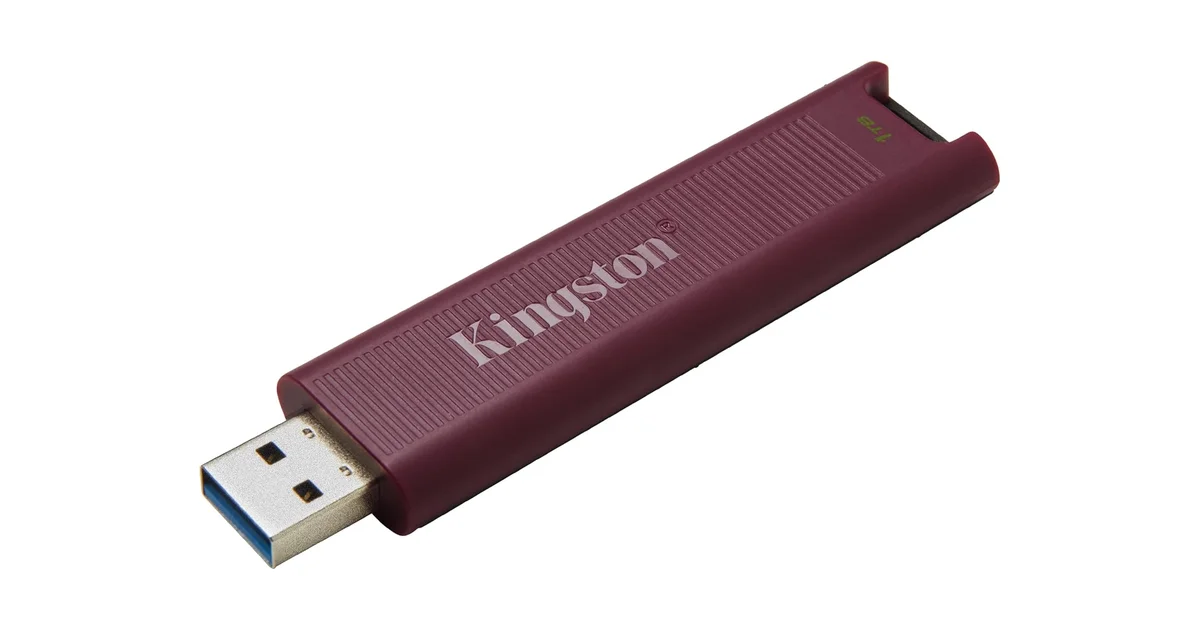
If you regularly move large files, video projects, VM images, raw photo dumps, the DataTraveler Max is the pick. It’s the closest a flash drive gets to portable-SSD speed. Kingston rates it at 1,000MB/s read and 900MB/s write over USB 3.2 Gen 2, which means a 10GB file transfers in seconds instead of minutes. That speed comes from a proper controller rather than the budget silicon in most sticks.
The trade-off is heat and size. It’s a larger, heavier drive, and under sustained load it can run warm. StorageReview noted thermal throttling kicks in during long continuous writes, pulling speeds back toward more typical levels. For burst transfers it’s the fastest option here. For leaving it plugged in all day, a portable SSD is still the better tool. It also ships in both USB-C and USB-A with identical speeds, so match it to your ports. If you’re unsure which connector your setup uses, our breakdown of USB-C, USB4, and Thunderbolt clears that up.
Pros
- 1,000MB/s read, near-SSD speeds
- 1TB capacity
- Available in USB-C or USB-A
Cons
- Thermal throttling under sustained writes
- Bulkier than a standard flash drive
Approx. price: ~$135 / ~£145 (1TB), price last checked 2026-08-31. Listing is the USB-A version; a USB-C variant is also available. Like the SanDisk 1TB above, this one has been seen well under $130 on sale, so re-check the live price before buying.
Samsung BAR Plus, 128GB: best value
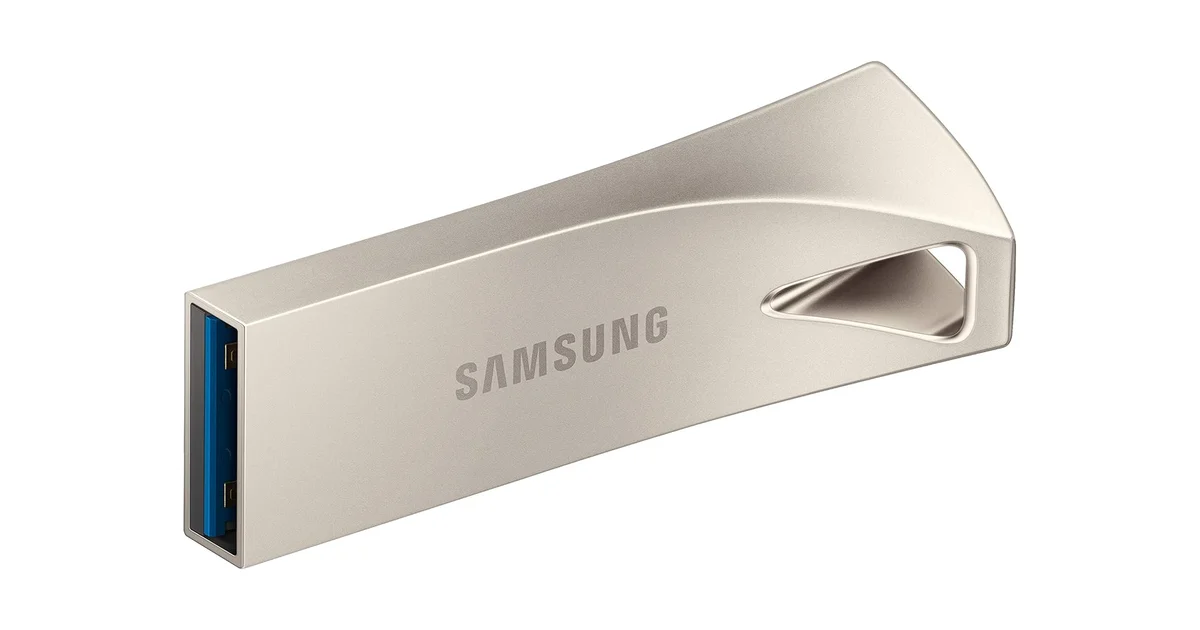
The BAR Plus is the drive I’d put on a keyring and forget about. It’s a solid chunk of metal rather than a plastic shell, rated for water, shock, temperature, and X-ray exposure, with a keyring loop built in. Samsung rates it at 400MB/s read, which is fast enough that durability, not speed, is the headline.
This is the pick that survives the “oops, it went through the wash” test, and it’s durable enough to be a sensible everyday carry. The metal body doubles as heat dissipation, which helps keep sustained performance honest. One caveat: write speeds run closer to half the read speed, so it’s best as a transport drive for finished files rather than a working drive for huge in-progress projects. If your flash drive lives in a bag with keys and change, this is the one built for that life.
Pros
- Metal body, water, shock, and X-ray resistant
- Keyring loop for everyday carry
- Strong 400MB/s read speed
Cons
- Write speed noticeably slower than read
- No encryption
Approx. price: ~$39.99 / ~£49.99 (128GB).
Kingston IronKey Keypad 200 (USB-A), 128GB: best for encryption
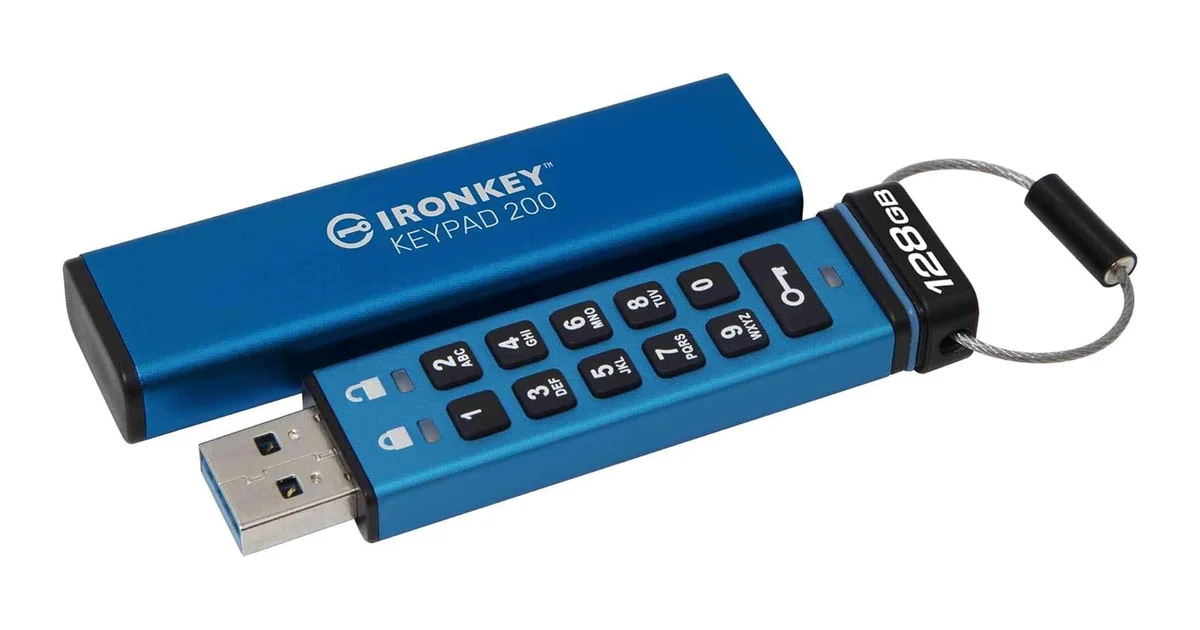
If the files on the drive would be a problem in the wrong hands, client contracts, financial records, health data, the IronKey Keypad 200 is the only pick here built specifically for that. It’s hardware-encrypted with AES-256, certified to FIPS 140-3 Level 3, and it unlocks with a PIN you type on a physical keypad on the drive itself. That keypad is the important part: the PIN never touches your computer’s keyboard, so a keylogger can’t capture it, and after a set number of wrong guesses the drive wipes itself.
The trade-off is speed and price. The USB-A model featured here is rated at 145MB/s read and 115MB/s write, slower than the others because encryption adds overhead, and it costs more per GB than anything else on this list. (Kingston sells a faster USB-C variant, IKKP200C, rated at 280MB/s read; but that’s a different ASIN and, in the 128GB size, a different connector.) For a general-purpose stick it’s overkill. But for a drive that must survive being lost or stolen without exposing its contents, no other drive here offers the same protection. If you want the same defense without the keypad, Kingston’s software-encrypted IronKey Locker+ is a lighter option. Before you trust any drive with sensitive files, it’s worth reading our rundown of USB accessory security risks.
Pros
- Hardware AES-256 and FIPS 140-3 Level 3
- On-drive keypad defeats keyloggers
- Auto-wipes after repeated wrong PINs
Cons
- Slower than non-encrypted drives
- Pricey per GB
Approx. price: ~$205 / ~£175 (128GB, USB-A). Price is an estimate cross-checked against B&H and UK reseller listings, not a live Amazon pull.
Comparison table
| Drive | Award | Capacity | Read / Write | Build | Warranty | Encryption | Price (USD / GBP) |
|---|---|---|---|---|---|---|---|
| SanDisk Extreme Pro | Best all-rounder | 128GB | 420 / 380 MB/s | Aluminum | Lifetime | None | ~$44.99 / ~£59.03 |
| SanDisk Extreme Pro | Best high-capacity | 1TB | 420 / 380 MB/s | Aluminum | Lifetime | None | ~$130 / ~£130 |
| Kingston DataTraveler Max | Best high-performance | 1TB | 1,000 / 900 MB/s | Metal/plastic | 5-year | None | ~$135 / ~£145 |
| Samsung BAR Plus | Best value | 128GB | 400 / ~200 MB/s | Metal | 5-year | None | ~$39.99 / ~£49.99 |
| Kingston IronKey Keypad 200 (USB-A) | Best for encryption | 128GB | 145 / 115 MB/s | Hardware-encrypted | 5-year | XTS-AES-256 + FIPS 140-3 | ~$205 / ~£175 |
What to look for in a reliable USB flash drive
Buy first-party, not “too good to be true”
The biggest reliability threat isn’t a bad brand, it’s a counterfeit. Fake-capacity drives are everywhere on marketplaces, and they fail by silently overwriting your data once you exceed their true, much smaller capacity. The fix is simple: buy the first-party listing from SanDisk, Samsung, or Kingston, and treat a no-name “1TB for £10” deal as a warning sign rather than a bargain.
The good news is you can check a drive you already own in about ten minutes. H2testw is the standard Windows tool; F3 is the open-source equivalent for macOS and Linux. Both write a full-capacity test pattern to the drive, read it back, and report any difference between the size the drive advertises and the capacity it can actually hold. A drive that half-fails, or reports good and bad sectors, is telling the truth about being a fake. A clean pass on a name-brand drive is the strongest assurance you’ll get short of buying from the manufacturer’s own store. Run it once on a new drive before you trust it with anything you can’t replace.
Watch sustained speed, not just headline speed
Headline read speed is what manufacturers print. Sustained write speed is what you feel in real use. Cheap drives throttle hard once their buffer fills, turning a “400MB/s” stick into a 20MB/s crawl halfway through a large transfer. Professional reviews that run sustained-write tests, like StorageReview, are the most honest predictor of how a drive behaves on a big file dump.
Match the build to the job
A keyring drive needs metal and water resistance. A desktop backup drive doesn’t. A drive holding sensitive files needs hardware encryption and a physical PIN. A drive shuffling raw video needs speed more than secrecy. The five picks above are deliberately different tools, and the right one depends on what you’re protecting and where it’s going to live.
Decide between flash drive and portable SSD
At the 1TB-and-up size, the line between flash drives and portable SSDs blurs. If you move huge files daily or leave a drive plugged in for hours, a portable SSD is genuinely the better buy, with better sustained performance and endurance per pound. If you want something that fits on a keyring and travels, that’s where a flash drive still wins. For a deeper look at the trade-offs, I’ve covered the decision in full in our guide on how to choose a USB flash drive, which also walks through when a drive with a cable is the right call.
Reliable USB Flash Drives: FAQ
How long do USB flash drives actually last?
There is no fixed lifespan, because it depends on how the drive is used, not on a fixed clock. The NAND flash inside (see our computer hardware basics guide) has a finite number of program/erase cycles, typically quoted in the thousands for modern drives. The practical rule: a drive used for occasional backups will outlive the laptop it’s plugged into, while one used as a daily working drive for heavy writes will wear out years earlier. That’s exactly why the picks above split between endurance-focused and speed-focused drives, and why a portable SSD is the smarter choice if you hammer a drive daily.
Flash drive vs. SSD for backups: which should I use?
If a backup is the only copy of irreplaceable data, use a portable SSD. SSDs are built for sustained writes, the kind that fill and refill a drive, and they survive that load far better than a flash stick. A flash drive is fine for moving files between machines or keeping a keyring copy, but for a genuine backup destination it’s the weaker tool. If you’re deciding between the two, our guide on how to choose a USB flash drive covers the full trade-off.
How do I know if a flash drive is counterfeit?
Run a capacity test. H2testw for Windows and F3 for macOS / Linux both write and read back a full-capacity pattern, and a fake drive will either fail partway or report far less usable space than it claims. Then sanity-check the listing: a name-brand “1TB” drive for a fraction of the name-brand price is the single biggest red flag. If a deal looks too good for a SanDisk, Samsung, or Kingston drive, it almost certainly isn’t one.
Are the speed ratings on a flash drive real?
The headline number is a manufacturer rating, usually a peak read speed, and it’s only part of the story. Sustained write speed is what you actually feel, and cheap drives throttle hard once their cache buffer fills. That’s why a “400MB/s” stick can drop to a 20MB/s crawl on a large file transfer. A specified write speed, or a review that measures sustained throughput, is a much better signal than a single large read number.
Is hardware encryption worth it on a flash drive?
Only if the drive’s contents would be a problem in the wrong hands. For client contracts, financial records, or health data, yes, hardware encryption with a physical PIN is the real deal, because the encryption key lives on the drive and a stolen device is just a brick without the PIN. For a drive holding public photos or transfer files, it’s paying a speed and money premium you don’t need. The Kingston IronKey above is the pick when it matters; otherwise a fast non-encrypted drive is the smarter buy.
Do I need a high-capacity flash drive, or a few smaller ones?
For a single backup you can’t afford to split, one large drive is simpler and less likely to leave a gap than juggling several. But a big flash drive concentrates risk: if it fails or goes missing, everything on it is gone at once. The reliable middle ground for a full photo library or project archive is one large drive for the working copy plus a second, separate backup, so no single failure takes the whole lot.
Once your storage is sorted, the rest of your workspace matters just as much. See our complete best home office setup guide for monitor placement, desk ergonomics and cable routing.
Sources
- Tom’s Hardware, “Best Flash Drives 2026: Fast, Spacious, Pocketable USB Storage.” Used for editorial ranking and speed tiers. tomshardware.com
- StorageReview, SanDisk Extreme Pro and Kingston DataTraveler Max reviews. Used for sustained-write benchmarks and thermal-throttling observations. storagereview.com
- SanDisk, Extreme Pro USB 3.2 product page (SDCZ880/SDCZ890). Used for rated read/write speeds and warranty terms.
- Kingston, DataTraveler Max and IronKey Keypad 200 product pages. Used for rated speeds, FIPS 140-3 Level 3 certification, and encryption specs.
- Samsung, BAR Plus product page. Used for durability ratings (water, shock, temperature, X-ray) and read speed.
- Amazon US and Amazon UK, first-party listings for all five drives. Used for ASIN, availability, price, and review-volume checks.
- Reddit, r/DataHoarder and r/USBCHardware threads on long-term flash-drive reliability and counterfeit-capacity failures. Used descriptively for community reliability sentiment.
- TechRadar, Kingston DataTraveler Max review. Used as a second independent benchmark source for the high-performance pick.
The Verdict
Winner: The SanDisk Extreme Pro 128GB is the drive most people should buy. Aluminum build, 420MB/s read, a lifetime warranty, and a decade of independent testing behind it, all for around $44.99 / ~£59.03. It is the reliable default.
Best Value: The Samsung BAR Plus 128GB delivers metal-bodied durability and 400MB/s reads at roughly $39.99 / ~£49.99. It is the drive you put on a keyring and stop thinking about.
Best for Security: If losing the drive means losing control of sensitive data, the Kingston IronKey Keypad 200 is the only choice. Hardware encryption, a physical PIN pad, and FIPS 140-3 certification, at ~$205 / ~£175.
Not Recommended: Any no-name "1TB for £10" drive. Counterfeit-capacity drives are the leading cause of silent data loss in this category, and no benchmark can save you from a drive that lies about its own size.
← Back to Best Picks Hub