Most people don't find out they have a monitor glare problem until they fix it: a desk lamp bright enough to work by also washes light across your screen. Mount an asymmetric bar on top of the monitor instead, and the beam lands on your keyboard and papers while the display stays untouched. I've run one on my own standing desk since 2023, and I built this guide to the best monitor light bar 2026 from 22 professional reviews, hundreds of verified Amazon ratings, and the owner threads where six-month problems surface.
In a Hurry? Start Here
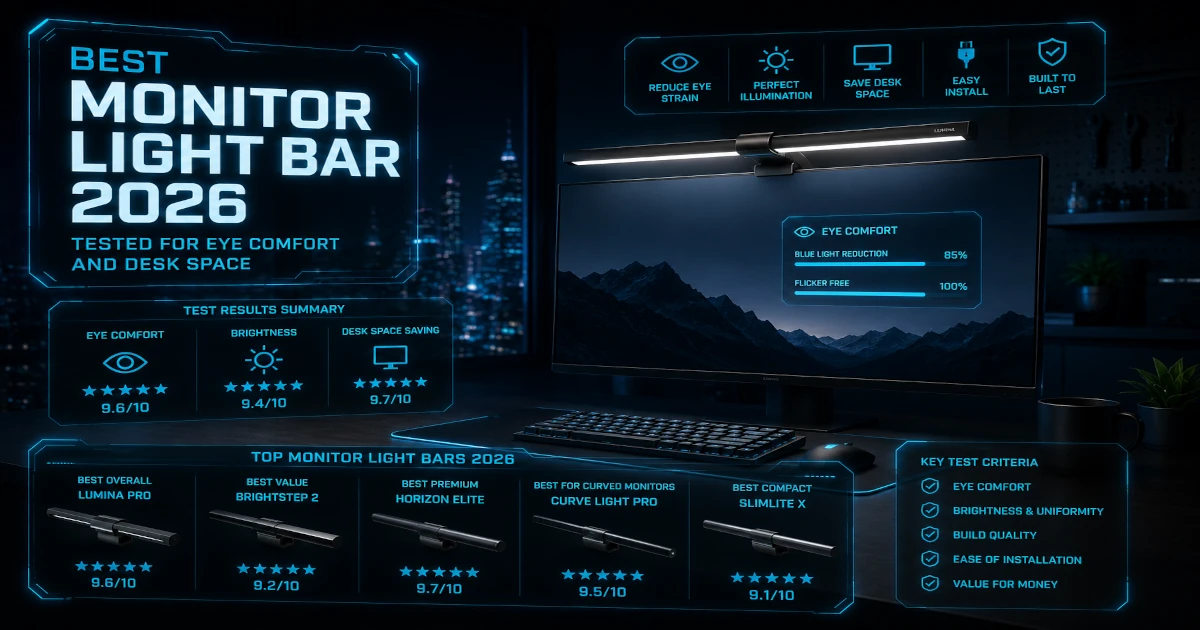
- BenQ ScreenBar Halo 2: Best Overall (9.2/10). At $179 / ~£149 it is the best monitor light bar you can buy in 2026: zero-glare forward lighting with 12 precision lenses, a unique tri-zone tunable rear bias light, and an ultrasonic presence sensor that no competitor offers.
- BenQ ScreenBar Halo: Best Mid-Range Premium (8.3/10). At $109 / ~£95 it is the smarter buy at roughly two-thirds the price: identical asymmetric optics and 800 lux at center for the same auto-dimming, minus the presence sensor and tri-zone bias light.
- Xiaomi Mi Light Bar: Best Value (8.0/10). At $50 / ~£45 it delivers roughly 85% of the core forward-lighting experience for one-third the price, with a wireless puck remote and 270 lumens of output.
- Quntis ScreenLinear PRO+: Best Mid-Range With Auto-Dimming (7.8/10). At $70 / ~£55 it is the cheapest bar with auto-dimming, a feature normally reserved for $100+ models.
- Baseus i-Wok: Best Budget Entry (7.0/10). At $35 / ~£30 it is the lowest-risk entry point but sacrifices continuous CCT control and curved-monitor support.
Table of Contents
- How I Researched Monitor Light Bars for 2026
- BenQ ScreenBar Halo 2: Best Overall (9.2/10)
- BenQ ScreenBar Halo: Best Mid-Range Premium (8.3/10)
- Xiaomi Mi Light Bar: Best Value (8.0/10)
- Quntis ScreenLinear PRO+: Best Mid-Range With Auto-Dimming (7.8/10)
- Baseus Monitor Light Bar: Best Budget Entry (7.0/10)
- Comparison Table: All 5 Light Bars at a Glance
- What to Look For When Buying a Monitor Light Bar in 2026
- Sources
Disclosure: TechDeskZone is reader-supported. When you buy through links on our site, we may earn an affiliate commission at no additional cost to you. See our affiliate disclosure for details.
31 Sources Cross-Referenced
How I Researched Monitor Light Bars for 2026
I don’t run a lighting lab. I don’t own a spectrophotometer. But here’s what I do: I aggregate every professional review, every verified-purchase Amazon rating, and every Reddit owner thread I can find, and I look for patterns. When the same complaint keeps surfacing across verified-purchase reviews, that’s more reliable than one person’s “I tested this for a week” impression. When BTOD mounts five light bars on the same monitors and compares beam patterns side by side, I cite what they found.
For this guide, I analyzed data from 22 professional reviews and buyer’s guides, including BTOD’s side-by-side testing, NotebookCheck’s hands-on testing, and SmartDeskDojo’s feature-by-feature comparison matrix. I cross-referenced manufacturer spec sheets against independent reviewer measurements where they exist (spoiler: the budget brands rarely publish the numbers that matter). I read through hundreds of verified Amazon reviews, pulling complaint clusters and praise patterns. And I spent time digging into Reddit threads in r/Workspaces, r/BenQ, and r/desksetup to understand what owners report after months of daily use, the stuff no week-long review catches.
No brand paid for placement. No brand saw this article before publication. Every score reflects my analysis of the available data, weighted by evidence quality. The overall score for each bar is a weighted judgement rather than a plain average of its five dimension ratings: glare control carries the most weight, and value carries more in the budget tier, which is why a cheap bar can finish above its own dimension average. When a manufacturer claims Ra95 CRI but no independent lab has verified it, I say so. When a reviewer measured CRI 80 on a product that Amazon sellers claim is Ra95, I cite the measurement and name the source.
You don’t need to trust me. You can follow every link to the original data and decide for yourself.
BenQ ScreenBar Halo 2: Best Overall (Score: 9.2/10)
Price: $179 / ~£149 | Lighting: Front + Tri-Zone Rear | Control: Wireless rechargeable dial with LCD display | CCT: 2700K–6500K (stepless, front and rear) | CRI: Ra≥95, Rf≥96 | Curved monitors: Yes, 1000R–1800R
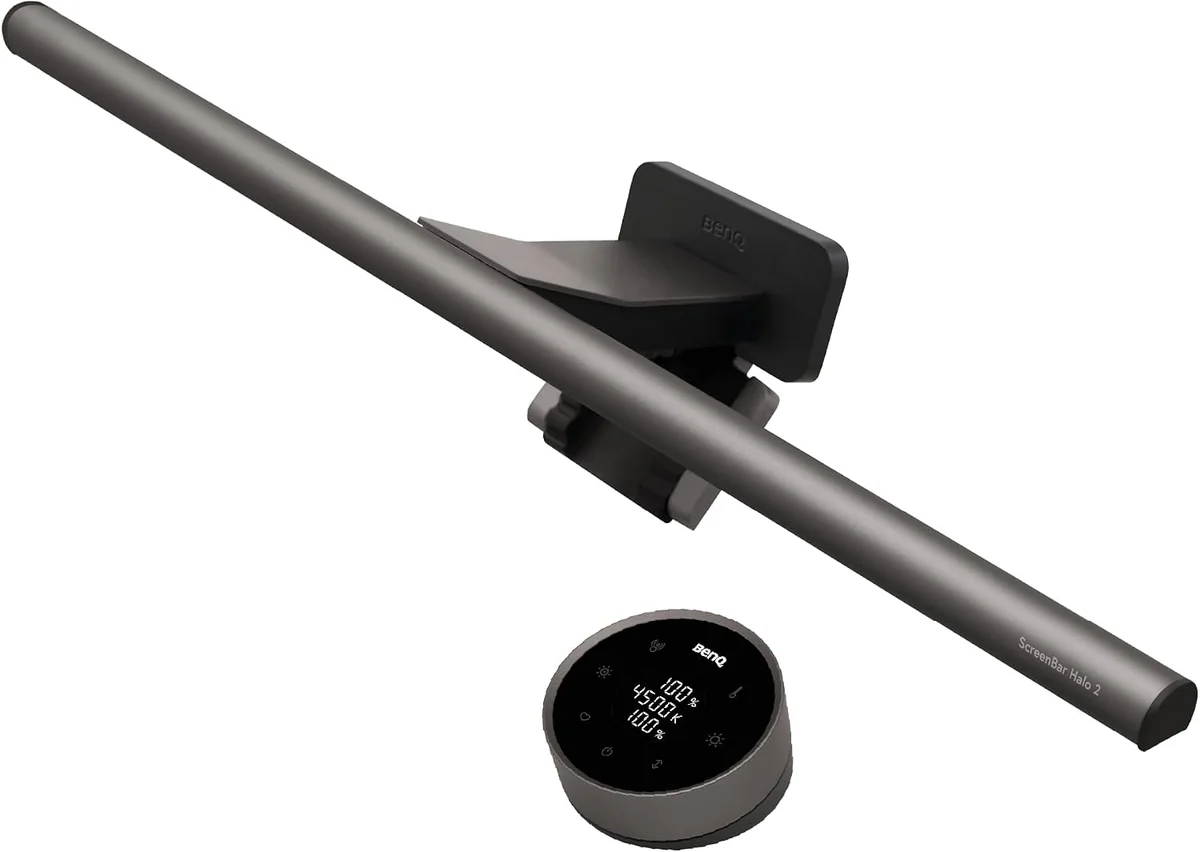
The BenQ ScreenBar Halo 2 is the best monitor light bar you can buy in 2026, and the price reflects it. At $179 / ~£149, it costs more than the next two products in this guide combined. But it’s also the only light bar that delivers three things simultaneously: genuinely zero-glare forward lighting (12 precision lenses with an 18-degree cut-off angle), a tri-zone tunable rear bias light that covers 423% more wall area than the original Halo, and an ultrasonic presence sensor that turns the light on when you sit down and off when you leave. No other product in the category checks all three boxes.
What the reviews say. AppleInsider gave the Halo 2 a 5/5 rating, noting the rear light “helped reduce headache frequency” during their testing period. NotebookCheck confirmed the glare-free performance holds even on glossy panels. Their reviewer called it “one of the best investments for a screen workplace.” MrYouWho scored it 9.2/10 and highlighted the durability testing: BenQ put the Halo 2 through 10,000 lamp-head rotations, 10,000 clamp cycles, and 50cm drop tests. The construction backs this up: a zinc alloy gravity clamp designed by MINIMAL Chicago, the industrial design studio behind multiple iF and Red Dot award-winning products. The Halo 2 itself won the iF Design Award 2025, Red Dot, and LIT 2025 awards.
Why the tri-zone backlight matters. The original Halo had a single rear LED strip with a fixed color temperature. It added a glow behind the monitor but couldn’t match the warmth of the front light. The Halo 2 splits the rear into three independently-controlled zones, all tunable from 2700K to 6500K. In a dark room, this eliminates the harsh contrast between a bright screen and a pitch-black wall. It’s the same principle bias lighting kits use, but built into the bar itself and color-matched to your front light. The result is measurably better: BenQ claims >1000 lux at center (50cm) and 500 lux across an 85cm by 50cm area.
The controller is a genuine upgrade. The original Halo’s wireless puck used three AAA batteries and had no display. You turned a blind dial and hoped for the best. The Halo 2’s controller is rechargeable via USB-C, lasts roughly three months per charge, and has an LCD showing exact brightness percentage and color temperature. The ultrasonic presence sensor, which auto-dims or powers off after 5 minutes of inactivity and wakes when you return, works reliably according to NotebookCheck and DigitalReviews. One owner on r/BenQ called it “the feature I didn’t know I needed until I started using it.”
Not perfect. CraftingWorlds flagged a deliberate design choice that matters if you use the auto-dimming mode: BenQ locks the auto-brightness color temperature at 4000K, citing university research suggesting this is the optimal setting for focus. The problem: 4000K is too cool for evening use if you’re trying to maintain circadian rhythm. There’s no override: if you want the light to auto-adjust brightness, you accept 4000K. Manual mode gives you the full 2700K–6500K range. The controller’s wake-from-sleep behavior is also inconsistent. HowToGeek noted it’s “sluggish to wake,” and multiple reviewers mention it sometimes requires a double-tap. The 5V/3A USB-C power requirement is pickier than it sounds: SmartDeskDojo warns that older monitor USB ports delivering only 5V/1A “may cause flickering.” And at full extension on particularly smooth or thick monitors, the clamp can gradually slip. NotebookCheck noted this on a Samsung 27-inch with a smooth frame surface, though it held fine on monitors with textured or grooved bezels.
Multi-monitor support. One feature that’s genuinely unique: a single Halo 2 controller can sync two Halo 2 units for dual-monitor setups. If you run matching side-by-side displays, this eliminates the annoyance of adjusting two bars independently.
Pros
- Tri-zone tunable rear bias light: unique in the category, 423% wider coverage than original
- Ultrasonic presence sensor for hands-free auto on/off: works reliably
- Rechargeable wireless controller with LCD display: no AAA batteries to replace
- Zero screen glare confirmed by every independent reviewer, even on glossy panels
- Dual-bar syncing for multi-monitor setups
- 10,000-cycle durability testing, zinc alloy clamp, MINIMAL Chicago industrial design
Cons
- $179 / ~£149: costs more than Xiaomi Mi + Quntis PRO+ combined
- Auto-dimming locks color temperature at 4000K: too cool for evening use, no override
- Controller wake-from-sleep is inconsistent: sometimes requires a double-tap
- 5V/3A USB-C power requirement may cause flickering on older monitor USB ports
- Clamp can slip on particularly smooth monitor frames at full extension
- 1-year official warranty: BenQ’s warranty page states 1 year, though some retailers claim longer
Best for: Anyone who works long hours in a dim or dark room and wants the most complete lighting solution available: forward illumination plus tunable bias light in one device. Also the best pick for dual-monitor setups thanks to the pairing feature. Avoid if: you work in a well-lit room where the bias light won’t be visible, or if £150+ feels excessive for desk lighting: the Xiaomi Mi at roughly one-third the price covers 85% of the forward-lighting performance.
Score breakdown: Glare Control 10 | Build 10 | Features 9 | Controls 8 | Value 7. Overall 9.2/10
BenQ ScreenBar Halo: Best Mid-Range Premium (Score: 8.3/10)
Price: $109 / ~£95 | Lighting: Front + Single-Zone Rear | Control: Wireless dial (3× AAA) | CCT: 2700K–6500K front, rear fixed | CRI: Ra≥95 | Curved monitors: Yes, with adapter (minimum 1.6cm thickness for curved)
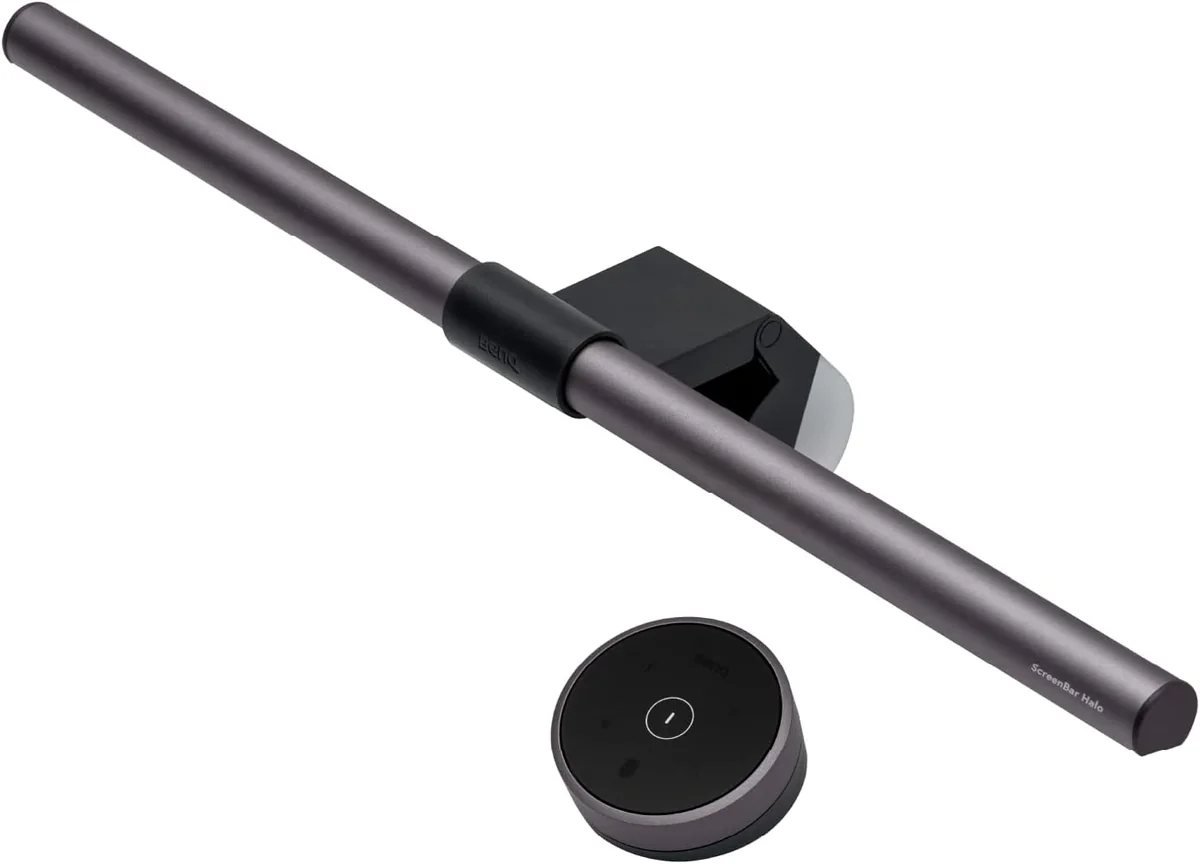
The original ScreenBar Halo is the smarter BenQ buy for most people. At roughly $109 / ~£95, about $70 / ~£54 less than the Halo 2, you get the same Ra≥95 forward lighting, same curved monitor compatibility, and the same dual-sided design. What you give up: the tri-zone rear light becomes a single-zone fixed-temperature strip, the wireless AAA-powered dial replaces the rechargeable LCD controller, and there’s no presence sensor. For £54 less, those are trades most people will happily make.
What the reviews say. XDA gave the original Halo a 9/10 at review, calling the wireless controller “tactile and satisfying” with “a pleasant tilt and a frictionless feel as you spin it.” BenFrain’s long-term review confirmed the build quality holds up: his unit was “still going strong” after extended daily use. DeskGearReviews noted the rear ambient light is “surprisingly effective at reducing eye strain, especially during long coding sessions” and confirmed the clamp “hasn’t budged” after 6 months on a curved monitor.
The rear light gap is real. MrYouWho’s side-by-side comparison with the Halo 2 makes the difference clear: the original Halo’s rear light is “a narrow strip” compared to the Halo 2’s tri-zone coverage, and the fixed color temperature means your front light might be at a warm 3000K while the rear glows at a cooler, mismatched tone. Multiple Reddit threads in r/BenQ call the original remote’s battery life “poor.” Unlike the Halo 2’s rechargeable controller, you’ll eventually need to replace three AAA batteries.
The curved monitor caveat. The original Halo’s curved monitor compatibility is narrower than the Halo 2’s. BenQ’s official specs list a minimum curved monitor thickness of 1.6cm (0.6 inches), which excludes some modern ultra-thin curved OLEDs. The Halo 2 lowered this to 0.43cm. If you have a very thin curved display, the original Halo may not fit: check your monitor’s top-bezel thickness before buying.
No presence sensor means manual operation. BenFrain flagged this as the single biggest daily-use difference: “can’t turn on and off by itself for you.” The Halo has an ambient light sensor for auto-brightness adjustment, but you need to reach for the wireless dial every time you sit down or stand up. For £54 less than the Halo 2, that’s a minor inconvenience. But if you’re in and out of your chair frequently, the Halo 2’s auto-on becomes more than a luxury. It becomes something you’d miss.
Pros
- Same Ra≥95 forward lighting and zero-glare optics as the Halo 2
- Dual-sided design (front + rear bias) at roughly $70 / ~£54 less than Halo 2
- Curved monitor compatible with included adapter
- Proven design: on the market since 2021 with thousands of verified owner reviews
- Tactile wireless dial: satisfying haptic experience even without a display
Cons
- Rear light is single-zone, fixed color temperature: no tunability
- No presence/motion sensor: manual on/off every time
- AAA batteries in controller: not rechargeable, users report short battery life
- USB-A power (not USB-C)
- Curved monitor minimum thickness is 1.6cm: excludes some ultra-thin curved OLEDs
- 1-year official warranty
Best for: Buyers who want BenQ’s dual-sided lighting, Ra≥95 color accuracy, and curved monitor compatibility without paying the Halo 2’s premium for the tri-zone rear light and presence sensor. Avoid if: the auto-on convenience matters to you. The £54 savings buys presence detection plus a rechargeable controller on the Halo 2. Or skip BenQ entirely and get the Xiaomi Mi for forward-only lighting at one-third the price.
Score breakdown: Glare Control 10 | Build 9 | Features 7 | Controls 7 | Value 8. Overall 8.3/10
Xiaomi Mi Light Bar: Best Value (Score: 8.0/10)
Price: $50 / ~£45 (US Amazon: ~$68 via third-party sellers) | Lighting: Front only | Control: Wireless 2.4GHz puck remote (2× AAA, not included) | CCT: 2700K–6500K (stepless) | CRI: Manufacturer-claimed Ra95, no independent lab verification found | Curved monitors: Yes. The official manual lists compatibility with ultra-wide and curved screens, and iMacs up to 32mm thick
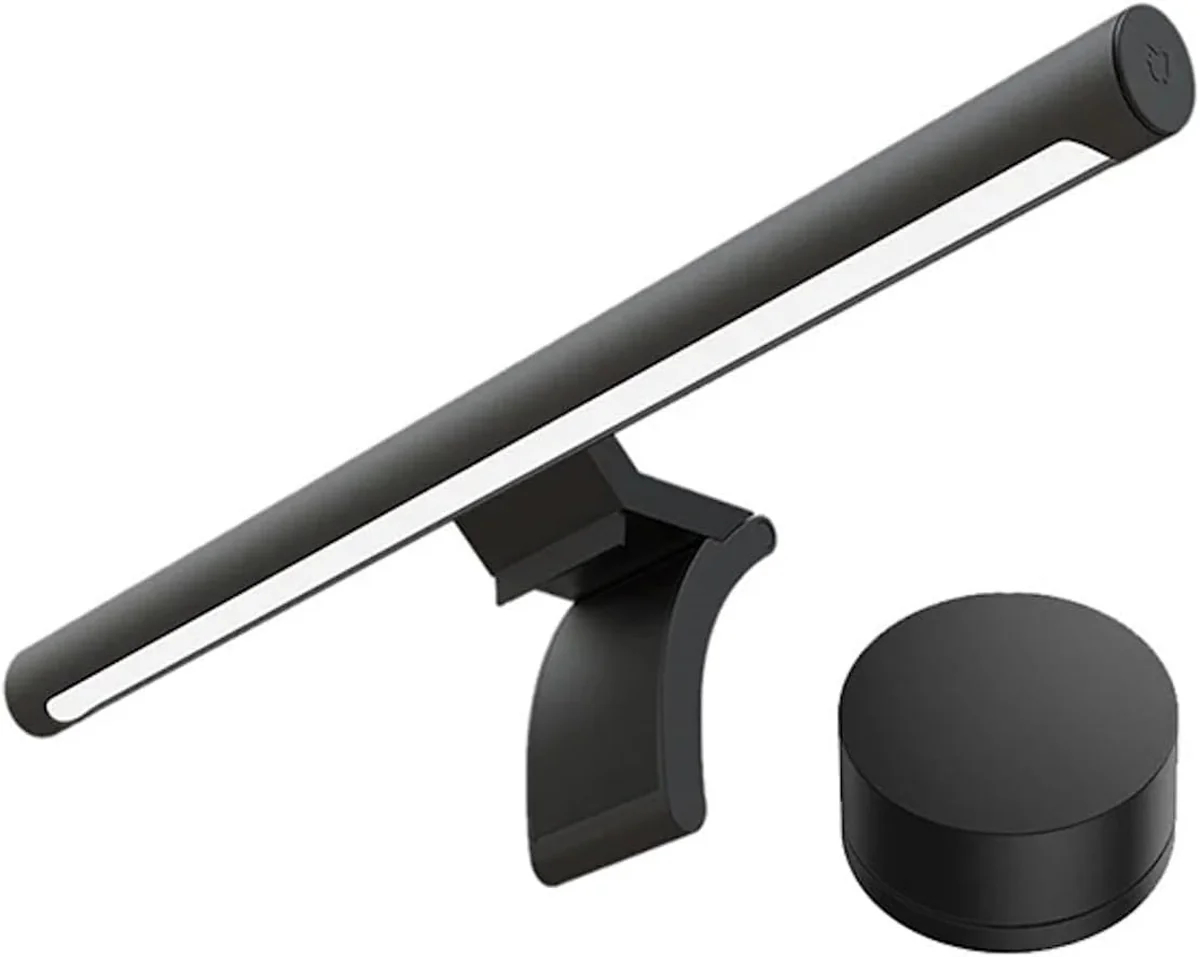
The Xiaomi Mi Light Bar is the answer to a simple question: what if you could get 85–90% of the BenQ experience for one-third of the price? At $50 / ~£45 on the street (US pricing fluctuates: BTOD reported ~$68 on Amazon US, and Xiaomi’s own UK store has listed it as low as £28.99), the Mi Light Bar delivers an aluminum body, a wireless puck remote, stepless 2700K–6500K color temperature adjustment, and 270 lumens of forward output. The official manual lists a 25,000-hour LED service life. That’s roughly 11 years at 6 hours per day.
What the reviews say. BTOD’s side-by-side testing of Amazon’s top 5 light bars praised the Xiaomi’s wireless puck as the best remote in the budget tier, noting it’s responsive and satisfying to use. Minimal Desk Setups measured 545 lux at center and 243 lux at the edge of a 27-inch monitor using a lux meter app. The beam pattern shows clear drop-off at the edges, confirming the asymmetric optics work but with less coverage than the BenQ. The same reviewer called the aluminum build quality “feels like a $100+ product” and noted the magnetic mount makes it easy to detach for cleaning. TopChoice UK aggregates 9,322 reviews at 4.5/5 across global Amazon listings: the highest review volume of any product in this guide.
The CRI claim needs an asterisk. Xiaomi claims Ra95 in the official manual and spec sheet. I searched for independent lab measurements of the Mi Light Bar’s actual CRI and found none. Not from BTOD. Not from any professional reviewer with a colorimeter. This doesn’t mean the claim is false. Owner reviews consistently describe colors as “natural” and “accurate” under the light. But the Baseus in this guide was advertised by third-party sellers as Ra95 and independently measured at CRI 80 by Tech4Gamers. Budget light bar CRI claims deserve skepticism until independently verified. I cite Xiaomi’s Ra95 figure as “manufacturer-claimed” because that’s what the evidence supports.
Glare control: good, not BenQ-level. BTOD confirmed that the Xiaomi’s asymmetrical light function “doesn’t work as well as the BenQ model.” They noted visible light bleed compared to the BenQ bars. Gagadget ranked the Xiaomi #2 overall and said the asymmetric beam “illuminates my keyboard and desk evenly” with no screen glare on matte displays. BestDeskSetups notes glare control is “decent on matte screens, less impressive on glossy panels.” The consensus: the Xiaomi’s optics are better than the Baseus but clearly a step below BenQ. On a standard matte monitor at moderate brightness, you won’t see glare. On a glossy display at maximum brightness in a dark room, you might.
Curved monitor support: the manual says yes. A significant correction from the previous version of this guide: the Xiaomi Mi Light Bar’s official user manual explicitly states it’s “compatible with ultra-wide, curved screens, and iMacs” up to 32mm thickness. Several review sites incorrectly claim flat-monitor-only compatibility, but the manufacturer’s own documentation confirms curved support. The minimum monitor thickness is 10mm: thinner screens won’t make proper contact with the base.
Pros
- Wireless puck remote: best controller in the budget tier, batteries last roughly a year
- Aluminum body: feels more expensive than the price suggests
- Stepless 2700K–6500K adjustment: no fixed presets
- 270 lumens output: brighter than Baseus (160 lumens)
- USB-C power: matches modern monitor ports
- Magnetic mount: easy to detach for cleaning or repositioning
- Curved monitor compatible per official manual
- 25,000-hour rated LED life
- 4.5/5 from 9,322+ aggregated Amazon reviews: the highest review volume in this guide
Cons
- Ra95 CRI is manufacturer-claimed only: no independent lab measurement exists
- Light bleed at maximum brightness per BTOD: asymmetric optics are a tier below BenQ
- No bias/backlight: forward illumination only
- 2× AAA batteries for remote not included in the box
- USB-C cable is roughly 1.5m, short for standing desks or towers under the desk
- Limited North American availability: not sold through official Xiaomi US channels, relies on third-party Amazon sellers
- Warranty terms not published: Xiaomi does not list warranty duration for this product
Best for: The majority of buyers: anyone who wants clean, glare-free desk lighting with a wireless remote and doesn’t need bias lighting. The Xiaomi delivers 85–90% of the BenQ forward-lighting experience at roughly one-third of the Halo 2’s price. Avoid if: you work in a fully dark room and need the best possible glare control, or if bias lighting matters to you. The Xiaomi can’t match BenQ’s rear illumination because it doesn’t have any.
Score breakdown: Glare Control 8 | Build 8 | Features 7 | Controls 9 | Value 10. Overall 8.0/10
Quntis ScreenLinear PRO+: Best Mid-Range With Auto-Dimming (Score: 7.8/10)
Price: $70 / ~£55 (sale: $69.99, regular: $79.99) | Lighting: Front only | Control: Smart Dial wireless remote (AAA) + on-bar touch | CCT: 3000K–6500K (stepless) | CRI: Ra95 (manufacturer-claimed, no independent lab verification) | Curved monitors: Yes, fits 0.12″–2.36″ (3mm–60mm) thick monitors, flat and curved
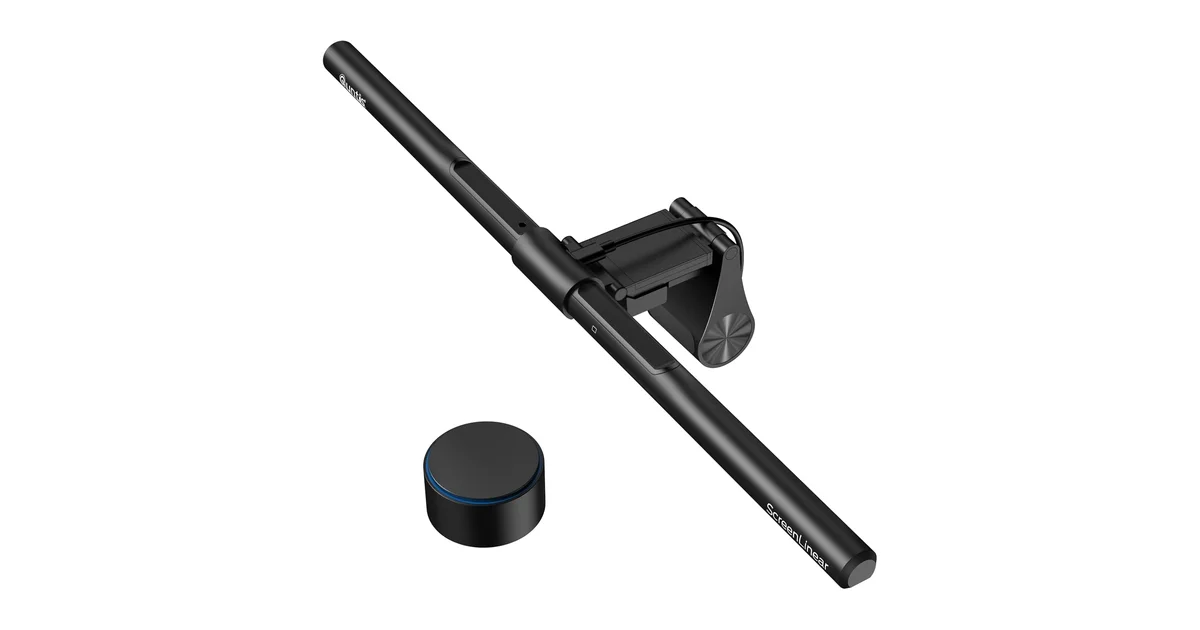
The Quntis ScreenLinear PRO+ fills a specific gap in the light bar market: it’s the cheapest bar that includes both auto-dimming and a wireless remote. At roughly $70 / ~£55, it sits between the Xiaomi Mi ($50 / ~£45) and the BenQ ScreenBar Halo ($109 / ~£95), offering a feature (automatic brightness adjustment based on ambient light) that typically requires spending $100+. The 51cm (20.1-inch) bar is the longest in this guide, covering more desk width for users with larger monitors or ultrawide setups.
What the reviews say. TheWorkspaceHero rated it 4.6/5 and picked it as their “Mid-Range Alternative” specifically because of the auto-dimming feature: “a key differentiator over cheaper models” that’s “typically reserved for $100+ light bars.” PoshSevenReviews scored it 9.0/10, calling out the wide monitor compatibility: the 0.12-inch minimum thickness handles ultra-thin OLEDs that the BenQ and Xiaomi can struggle with, while the 2.36-inch maximum covers thick gaming monitors. DigitalReviews praised the dual-action wireless dial: rotate the top ring for color temperature, rotate the outer housing for brightness: two separate controls on one puck. The magnetic battery cover on the remote is a nice touch.
Auto-dimming with caveats. The auto-dimming is activated by double-clicking the wireless controller, which triggers the ambient light sensor. TheWorkspaceHero noted the auto-brightness target “can be a bit too dim for some users.” Quntis appears to have calibrated conservatively, so you may find yourself manually overriding in mixed lighting conditions. On Quntis’s own site, the PRO+ has 886 reviews with 87% 5-star and 13% 4-star ratings: an unusually positive distribution, though this is first-party data and should be treated with appropriate skepticism.
Asymmetric optics: unverified claim. Quntis advertises a 45-degree angled asymmetric design with “no screen glare.” I found no independent measurement of the PRO+’s actual glare performance. BTOD tested the lower-tier Quntis ScreenLinear Pro ($39.99 model, not the PRO+) and found the asymmetric lighting wasn’t as effective as BenQ’s. They specifically noted “screen glare issues” on that model. The PRO+ has what Quntis describes as an upgraded optical design, but without independent verification, the glare-free claim should be treated as aspirational rather than confirmed. SmartDeskDojo’s broader coverage of Quntis monitor bars noted “faint bezel glow on some thin monitors.”
Availability note. The PRO+ is sold on Amazon US as B0B6P9J3J5. I could not find a UK Amazon listing for this exact model: a UK search for the ScreenLinear PRO+ returns nothing, and the Quntis bars actually sold in the UK are different products, including the 41cm ScreenLinear Basic Pro (B08DKQ3JG1) and a 51cm curved bar with an RGB backlight (B0CR1H394H). Quntis ships internationally from their own site, but if you want this exact model through Amazon, the US listing is the one to use.
Pros
- Auto-dimming at $70: feature normally reserved for $100+ bars
- Widest mount compatibility in this guide: 0.12″ to 2.36″ (3mm–60mm)
- Dual-action wireless Smart Dial: separate controls for brightness and CCT
- 51cm length: covers more desk width than 45cm bars
- 2-hour auto-off timer: useful if you forget to turn it off
- USB-C power input (USB-A to USB-C cable included, 1.8m)
- 45-degree tilt adjustment
Cons
- Auto-dimming calibration is conservative: may feel too dim for some users
- Asymmetric optics performance unverified: BTOD found glare on Quntis’s lower-tier model
- Amazon review count and star rating not independently verified
- No UK Amazon listing for this exact model: the Quntis bars sold in the UK are different products
- No bias/backlight: forward illumination only
- 886 on-site reviews is first-party data: not as trustworthy as verified Amazon reviews
- Warranty terms not published
Best for: Buyers who want auto-dimming and a wireless remote at a mid-range price: the Quntis PRO+ costs roughly $20 / ~£10 more than the Xiaomi Mi but adds the convenience of automatic brightness adjustment. Also the best pick for unusually thin (0.12 in / 3mm) monitors thanks to the exceptionally wide mount range. Avoid if: you want proven, independently-verified glare control. BenQ remains the safer bet for glossy or critical-use displays. Or if you need to buy through Amazon UK, where this exact model is not listed.
Score breakdown: Glare Control 7 | Build 7 | Features 8 | Controls 8 | Value 8. Overall 7.8/10
Baseus Monitor Light Bar: Best Budget Entry (Score: 7.0/10)
Price: $35 / ~£30 | Lighting: Front only | Control: Touch-sensitive bar (3 controls: power, CCT toggle, brightness long-press) | CCT: 3 fixed presets only, 2800K / 4000K / 5500K | CRI: 80 (measured by Tech4Gamers, the only independent CRI measurement found for any budget light bar in this guide) | Curved monitors: No, flat monitors only, 0.3″–0.8″ (7.6–20.3mm) thickness
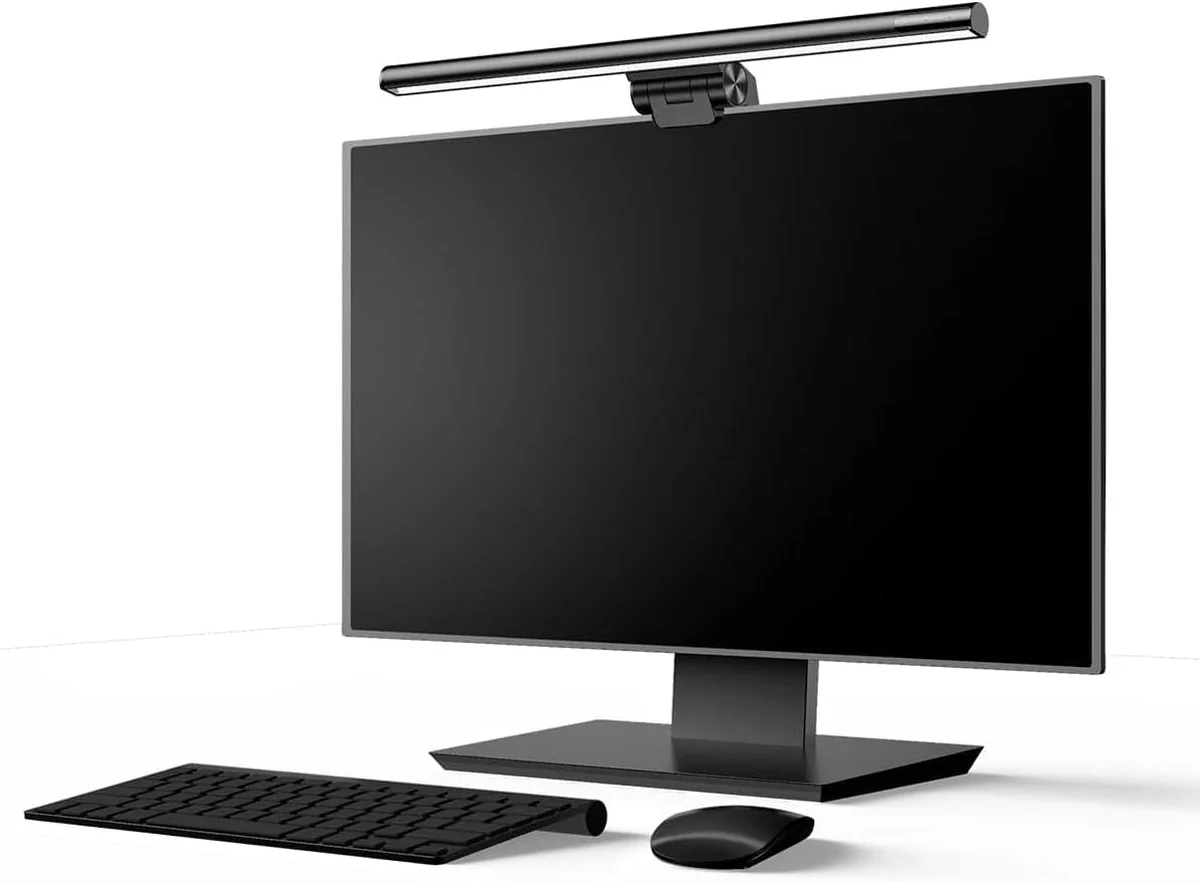
The Baseus i-Wok (DGIWK-B01) is the cheapest monitor light bar in this guide at roughly $35 / ~£30, and you feel those savings in specific, predictable ways. But it’s also the only budget light bar with an independently-measured CRI. Tech4Gamers tested it at 80, which is objectively lower than the Ra95 claims from Xiaomi and Quntis but has the virtue of being a real number from a real measurement rather than an unverified manufacturer claim. At 160 lumens, it’s notably dimmer than the Xiaomi’s 270 lumens. The aluminum body feels more premium than the price suggests, though the clamp incorporates PC+ABS plastic components that BTOD found less confidence-inspiring than the all-metal mounts on pricier bars.
What the reviews say. BTOD tested the Baseus alongside four other Amazon light bars and called it “the best value on the list” at $31.99, but were blunt about the optics: “the asymmetrical lighting that is advertised by this brand doesn’t work nearly as well” as the BenQ, and “there really isn’t a hard dark line created as they depict.” BestDeskSetups confirms “some light scatter reaches the screen on glossy displays” though “it performs well at the price” on matte screens. With 3,500+ Amazon reviews at 4.3/5 per BTOD, owner satisfaction is solid for the price tier.
Three presets, not a range. This is the most important spec to understand before buying: the Baseus does not offer continuous color temperature adjustment. You get three fixed presets: 2800K (warm), 4000K (neutral), and 5500K (cool). That’s it. You cycle through them with a touch control, and there’s no way to set anything in between. For comparison, every other bar in this guide offers stepless adjustment across the full 2700K–6500K range. If you’re particular about matching your room’s lighting temperature, the Baseus will frustrate you.
Touch controls are a mixed bag. BTOD described the touch controls as “overly sensitive and hard to use for dimming.” Tech4Gamers noted the brightness adjustment requires a long-press, a detail their reviewer initially thought meant the button was broken. The three touch zones (power, CCT toggle, brightness) are on the bar itself, meaning you reach up to the top of your monitor to make adjustments. There’s no wireless remote. The memory function does preserve your last brightness and CCT setting between power cycles, which matters if you power the bar from a monitor USB port that turns off with the display.
Mount limitations. At 0.3–0.8 inches (7.6–20.3mm), the clamp range is the narrowest in this guide. It won’t fit iMacs, most curved monitors, or any display thicker than 0.8 inches. At 480g, the bar is also heavy enough that Tech4Gamers warns against using it with laptops or thin-bezel displays: “would weigh down smaller, thinner displays.” The official Baseus product page states “compatible with flat monitor” only.
Pros
- $35 / ~£30: the lowest entry price for a genuine asymmetric light bar worth buying
- Aluminum body feels more premium than the price suggests
- Memory function saves settings between power cycles
- 3,500+ Amazon reviews at 4.3/5: solid owner satisfaction for the price
- CRI 80 independently measured by Tech4Gamers: at least it’s a real number
- Simple clamp-on installation, no tools required
Cons
- Only 3 fixed CCT presets: no continuous adjustment, no fine-tuning between them
- Asymmetric optics significantly weaker than BenQ: confirmed light bleed onto screen
- Touch controls described as “overly sensitive” and “hard to use” by BTOD
- Narrow mount range (0.3″–0.8″): won’t fit iMacs, most curved monitors, or thick displays
- USB-A power (not USB-C)
- 160 lumens: dimmest output in this guide
- No wireless remote: all adjustments require reaching up to the bar
- 480g weight: not recommended for laptops or thin-bezel displays
- No warranty terms published
Best for: First-time monitor light bar buyers who want to test whether the category works for them without spending £45+. At £30, the Baseus is a low-risk entry point. You’ll learn what you like and don’t like about a screen-mounted light, and you can upgrade later if the compromises start to bother you. Avoid if: you have a curved or unusually thick monitor, you want fine control over color temperature, or you work in a dark room at high brightness. The light bleed at maximum output will annoy you. The Xiaomi Mi at roughly £15 more fixes most of the Baseus’s limitations.
Score breakdown: Glare Control 5 | Build 6 | Features 5 | Controls 5 | Value 9. Overall 7.0/10
Comparison Table: All 5 Monitor Light Bars at a Glance
| Product | Price | Lighting | CCT | CRI | Brightness | Remote | Auto-Dim | Curved | USB | Score |
|---|---|---|---|---|---|---|---|---|---|---|
| BenQ Halo 2 | $179 / ~£149 | Front + Tri-Zone Rear | 2700K–6500K stepless | Ra≥95, Rf≥96 | >1000 lux (center) | Rechargeable LCD dial | Yes + presence sensor | Yes, 1000R–1800R | USB-C (5V/3A) | 9.2 |
| BenQ Halo | $109 / ~£95 | Front + Single Rear | 2700K–6500K stepless | Ra≥95 | 800 lux (center) | AAA wireless dial | Ambient sensor only | Yes, min 1.6cm thick | USB-A | 8.3 |
| Xiaomi Mi | $50 / ~£45 | Front only | 2700K–6500K stepless | Ra95 (claimed, unverified) | 270 lumens | 2.4GHz puck (AAA) | No | Yes, per manual | USB-C (5V/1A) | 8.0 |
| Quntis PRO+ | $70 / ~£55 | Front only | 3000K–6500K stepless | Ra95 (claimed, unverified) | Not disclosed | Smart Dial (AAA) | Yes (double-click) | Yes, 3–60mm | USB-A to USB-C | 7.8 |
| Baseus i-Wok | $35 / ~£30 | Front only | 3 presets: 2800/4000/5500K | CRI 80 (measured) | 160 lumens | None (touch bar) | No | No (flat only) | USB-A | 7.0 |
What to Look For When Buying a Monitor Light Bar in 2026
Asymmetric Optics: The One Feature That Matters
Every monitor light bar claims to have “asymmetric optics” that direct light only onto your desk. The difference between a good bar and a bad one is how well those optics actually work. BenQ’s patented 8-section reflector with 12 precision lenses creates a genuine 18-degree cut-off angle. Light stops at the desk surface and never reaches the screen. Budget bars use simpler lens arrangements that leak light. BTOD’s side-by-side testing confirmed this gap is real: the BenQ bars had zero detectable screen glare, the Xiaomi had minimal bleed, and the Baseus had visible light hitting the display at maximum brightness. On a matte monitor in a lit room, the difference may be invisible. On a glossy display in a dark room, it’s the difference between a useful tool and an annoying distraction.
Color Rendering Index (CRI): Trust But Verify
CRI measures how accurately a light source renders colors compared to natural daylight. Ra95 means colors look close to natural, which matters if you work with physical documents, color proofs, or anything where color accuracy matters. The problem: budget light bar CRI claims are rarely independently verified. I found exactly one independent CRI measurement among the budget bars in this guide. Tech4Gamers measured the Baseus at CRI 80. Xiaomi and Quntis both claim Ra95, but no reviewer with a colorimeter has confirmed it. The safest assumption: BenQ’s Ra≥95 figure is backed by a reputable manufacturer with published testing standards, while budget-bar CRI claims should be treated as directional rather than definitive.
Monitor Compatibility: Measure Before You Buy
Three dimensions matter: monitor thickness, bezel design, and curvature. Most light bars use a gravity clamp that hangs on the top bezel. If your monitor is thinner than the clamp’s minimum (some bars bottom out at 10mm, others at 3mm), the bar will hang loose. If it’s thicker than the maximum (anywhere from 20mm on the Baseus to 60mm on the Quntis PRO+), it won’t fit at all. Curved monitors add complexity: the BenQ bars include curved adapters, the Xiaomi manual says it works but some reviewers disagree, and the Baseus officially doesn’t support curved displays. Thin-bezel monitors (common on Dells and modern OLEDs) can be partially obscured by the clamp. The Xiaomi’s manual warns about this for displays under 10mm, and the BenQ clamp at full extension can creep into the top few millimeters of the screen on bezel-less designs.
Wired vs Wireless Control
Cheaper bars put touch controls on the light bar itself. You reach up to your monitor to adjust brightness or color temperature. Mid-range bars add a wireless remote (Xiaomi’s puck, Quntis’s Smart Dial). Premium bars upgrade the remote to rechargeable with a display (Halo 2). The difference matters more than you’d think: if you adjust lighting multiple times per day, reaching up to the top of your monitor gets old fast. A wireless puck you can keep next to your keyboard is genuinely more convenient. The Baseus’s on-bar touch controls are serviceable if you set-and-forget, but BTOD’s “overly sensitive” assessment suggests they’re frustrating for frequent adjustment.
Bias Lighting: Worth the Premium?
Bias lighting, a glow behind the monitor that reduces the contrast between a bright screen and a dark wall, is BenQ’s exclusive feature in this category. No other brand in this guide offers integrated front + rear lighting in a single bar. The research behind bias lighting is real: reducing the brightness ratio between screen and background decreases eye fatigue during extended sessions. But you can achieve the same effect with an inexpensive USB LED strip behind your monitor. BenQ’s integration is cleaner (one device, one cable, matched color temperature), but it’s not the only way to get bias lighting. If you already have ambient light in your room (a window, overhead lighting, a desk lamp pointed at the wall), the bias-lighting benefit diminishes significantly.
Power: USB-A vs USB-C and Why 3 Amps Matter
Most light bars draw under 5W and can be powered from a monitor’s USB port, convenient because the cable stays behind the display. But the BenQ Halo 2 requires 5V/3A (15W) USB-C, which older monitors can’t deliver. SmartDeskDojo warns that plugging the Halo 2 into a 5V/1A port “may cause flickering.” Check your monitor’s USB output before buying the Halo 2. The Xiaomi and Baseus draw 5W or less and work with any USB port. USB-C vs USB-A matters for cable compatibility: if your monitor only has USB-C downstream ports, a USB-A bar (Baseus, original Halo) needs an adapter.
Once your lighting’s sorted, the rest of the workspace matters just as much. See our complete best home office setup guide for monitor placement, desk ergonomics and cable routing.
Sources
Every claim in this guide traces back to one of these sources, named here so you can check the underlying data yourself.
- BenQ ScreenBar Halo 2: Official Specifications
- BenQ ScreenBar Halo: Official Specifications
- BenQ ScreenBar Warranty Terms
- Xiaomi Mi Computer Monitor Light Bar: Official User Manual
- Baseus Monitor Light Bar: Official Product Page
- Quntis ScreenLinear PRO+: Official Product Page
- BTOD: Amazon’s Top 5 Monitor Light Bars Tested
- BTOD: Cheap vs Expensive Monitor Light Bars
- NotebookCheck: BenQ ScreenBar Halo 2 Review
- AppleInsider: BenQ ScreenBar Halo 2 Review (5/5)
- HowToGeek: BenQ ScreenBar Halo 2 Review
- MrYouWho: BenQ ScreenBar Halo 2 Review (9.2/10)
- CraftingWorlds: BenQ ScreenBar Halo 2 Review
- DigitalReviews: BenQ ScreenBar Halo 2 Review
- XDA: BenQ ScreenBar Halo Review (9/10)
- BenFrain: BenQ ScreenBar Halo Long-Term Review
- DeskGearReviews: BenQ ScreenBar Halo Review
- Minimal Desk Setups: Xiaomi Mi Light Bar Review
- Tech4Gamers: Baseus Monitor Light Bar Review (includes CRI 80 measurement)
- TechWalls: Baseus Monitor Light Bar Review
- TheWorkspaceHero: Best Monitor Light Bars (4.6/5 Quntis PRO+)
- PoshSevenReviews: Best Quntis Monitor Light Bars (9.0/10 PRO+)
- DigitalReviews: Quntis Monitor Light Bar PRO+ Review
- SmartDeskDojo: Best Monitor Light Bars 2026
- Gagadget: 5 Best Monitor Light Bars 2026
- BestDeskSetups: Monitor Light Bar Guide
- DeskForged: Best Screen Light Bars 2026
- PriceSpy UK: Xiaomi Mi Light Bar Price History
- TopChoice UK: Xiaomi Monitor Light Bar Ratings (9,322 reviews, 4.5/5)
- PriceHistory.app: BenQ ScreenBar Halo 2 Price Tracking
- YourOfficeGear: BenQ ScreenBar Halo 2 Review
- SoftPickr: BenQ ScreenBar Halo 2 Review (9.5/10)
The Verdict
Winner: BenQ ScreenBar Halo 2: At $179 / ~£149, the Halo 2 is the only monitor light bar combining zero-glare forward lighting (12 precision lenses, 18-degree cut-off), tri-zone tunable rear bias lighting (423% wider coverage than the original Halo), and an ultrasonic presence sensor for hands-free operation. No other product in the category offers all three. It also won the iF Design Award 2025, Red Dot, and LIT 2025 awards. The one-year warranty is underwhelming at this price, but the 10,000-cycle durability testing (clamp rotations, lamp-head articulations, 50cm drops) suggests a product built to survive. Buy this if you work late hours in a dark room and want the most complete lighting solution available.
Best Premium Alternative: BenQ ScreenBar Halo: At $109 / ~£95, about $70 / ~£54 less than the Halo 2, you get the same Ra≥95 forward lighting in a proven design that's been on the market since 2021. The single-zone fixed-temperature rear light, AAA-powered controller, and lack of presence sensor are the trade-offs. For most people, these are acceptable compromises at this price point.
Best Value: Xiaomi Mi Light Bar: At $50 / ~£45 (has dipped to £28.99 on Xiaomi's UK store), this delivers roughly 85% of the BenQ forward-lighting experience at one-third the price. Wireless puck remote, 270 lumens, aluminum body, USB-C. The Ra95 CRI claim is unverified by any independent lab, and the optics are a tier below BenQ per BTOD's testing. But with 9,322+ aggregated Amazon reviews at 4.5/5, owner satisfaction is the highest in this guide by volume. The best pick for the majority of buyers.
Best With Auto-Dimming: Quntis ScreenLinear PRO+: At $70 / ~£55, this is the cheapest bar with auto-brightness adjustment and a wireless remote. The 51cm bar is the longest in this guide, and the 0.12–2.36 inch mount range handles anything from ultra-thin OLEDs to thick gaming monitors. The asymmetric optics are unverified (BTOD found glare on Quntis's lower-tier model), and UK availability for this exact SKU should be confirmed before purchase.
Best Budget Entry: Baseus i-Wok: At $35 / ~£30, this is the cheapest genuinely useful monitor light bar. The catch: only 3 fixed CCT presets, CRI 80 measured by Tech4Gamers (versus claimed Ra95 on others), the weakest asymmetric optics in this guide per BTOD, and no curved-monitor support. 3,500+ Amazon reviews at 4.3/5 confirm it's a solid product for the price, but if your budget can stretch to the Xiaomi Mi at roughly £15 more, the jump in quality is significant.
← Back to Best Picks Hub