I ranked the five mats in this guide on the three things that decide whether you keep using one: whether liquids bead or soak in, how the surface holds up after a year of daily mouse use, and what the manufacturer will commit to in writing. None of that is measured to a standard in this category, so this best desk mat 2026 guide rests on the manufacturer specification pages I checked myself, GearLab's instrumented mouse pad testing, and thousands of owner reports across Amazon and Reddit. The ergonomic case is real but narrower than the marketing: as CCOHS puts it, resting your wrists on a hard surface for long periods can put a lot of pressure on the carpal tunnel area, and a mat replaces that hard surface with a softer one, which is the whole of the benefit.
In a Hurry? Start Here
TL;DR: The Corsair MM350 Pro ($20–40 / ~£16–32) is the best overall desk mat in 2026: it is the only coated cloth mat here, so liquid beads on a sealed surface that Corsair specifies as spill-proof and stain-resistant, where every other cloth or felt option absorbs. The Afiing Leather + Cork ($20–40 / ~£16–32) is reversible (PU leather on one side, natural cork on the other) with the largest coverage in this guide at 1220 × 430mm: the best value for a leather-look mat. The Orbitkey Desk Mat ($80–120 / ~£65–95) is the only mat here with integrated cable management (magnetic zinc alloy cable holder + document hideaway pocket) and the only one with a published 2-year warranty: premium price, genuinely unique features. The Ktrio (under $20 / ~£16) is the lowest-risk entry point with stitched edges at a budget price, but expect a chemical odor from the rubber base out of the box (it dissipates in 48–72 hours). The Wolvende Felt ($20–40 / ~£16–32) looks beautiful on wood desks and dampens keyboard noise better than any cloth mat, but felt pills in the mouse zone, absorbs spills instantly, and cannot be machine washed.
Table of Contents
- How I Researched Desk Mats for 2026
- Corsair MM350 Pro Extended XL: Best Overall Spill-Proof Desk Mat (8.2/10)
- Afiing Leather + Cork: Best Budget Leather-Look Desk Mat (7.2/10)
- Orbitkey Desk Mat Large: Best Premium / Organizational (7.2/10)
- Ktrio Large Gaming Mouse Pad: Best Budget Cloth Desk Mat (7.0/10)
- Wolvende Premium Felt: Best Felt Desk Mat (6.6/10)
- Comparison Table: All 5 Desk Mats at a Glance
- What to Look For When Buying a Desk Mat
- Sources
Disclosure: TechDeskZone is reader-supported. When you buy through links on our site, we may earn an affiliate commission at no additional cost to you. See our affiliate disclosure for details.
How I Researched Desk Mats for 2026
Here’s something nobody tells you about desk mat reviews: nobody does instrumented testing. Not Wirecutter: they don’t even cover desk mats as a category (their “standing desk mat” guide is for anti-fatigue mats you stand on, not desk-surface mats). Not RTINGS: their peripheral testing covers mice, keyboards, and monitors but has no mouse pad or desk mat category at all. Not Tom’s Hardware, not TechRadar, not The Spruce. The closest thing to objective measurement is ProSettings.net’s mouse pad friction testing, which uses a digital force gauge to measure static friction (how much force it takes to start a mouse moving) and times dynamic friction with a digital stopwatch on a 10.75° incline. But that methodology has only been applied to gaming mouse pads, never to extended desk mats. So when a review site says a desk mat has “excellent glide,” that’s a human hand feeling it, not a number from an instrument.
What I can measure: verified owner feedback at scale, material properties that predict durability, and failure patterns that repeat across hundreds of Amazon reviews and Reddit threads. For this guide, I pulled aggregate review data from Amazon listings totalling over 80,000 verified purchases. I cross-referenced the independent review panels that do cover desk pads, including GearLab’s four-metric mouse pad testing (glide, noise, tracking and migration) across ten pads bought and compared side by side. I mapped material-specific failure patterns (felt pilling, PU leather cracking, cloth edge fraying on unstitched mats) by tracking complaint clusters and Reddit owner reports. And I read the actual ergonomic guidance: CCOHS’s wrist rest guidelines, Boyne Ergonomics’ assessment of contact stress, and the biomechanics literature on sustained forearm pressure. No brand paid for placement. No brand saw this article before publication. Every mat is scored on the same five dimensions and the overall score is their unweighted average, so no product gets a bonus category the others are measured against.
Corsair MM350 Pro Extended XL: Best Overall Spill-Proof Desk Mat (Score: 8.2/10)
Price: $20–40 / ~£16–32 | Material: Spill-proof coated micro-weave cloth + anti-skid textured rubber base | Size: 930 × 400 × 4 mm (36.6 × 15.7 × 0.16 in) | Edge: Stitched anti-fray | Colors: Black, Sails, Steel Azure, Steel Crimson (Azure and Crimson out of stock)
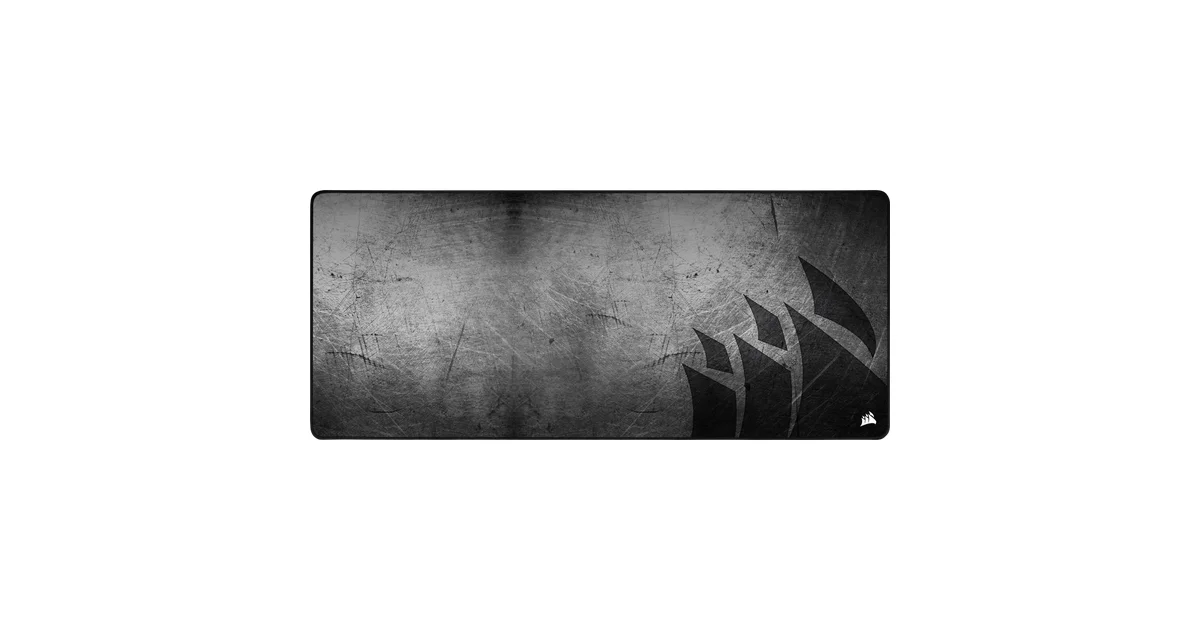
The MM350 Pro solves the single biggest failure point in cloth desk mats: liquid damage. Corsair’s coating creates a sealed surface where liquids bead rather than absorb: coffee, water, and soda sit on top for easy wipe-off rather than soaking into the fabric and staining permanently. This is not marketing language: the manufacturer’s own specification table lists the mat as spill-proof and stain-resistant, which is a claim Corsair puts its name to. The 4mm thickness lands in the consensus sweet spot: thick enough to cushion your wrists and cover minor desk imperfections, thin enough that your keyboard stays near its natural desk height. The stitching runs the full perimeter as a 360° anti-fray seam, binding the cloth and rubber layers together mechanically rather than leaving a raw adhesive edge to separate.
The construction is what you’re paying for. A coated micro-weave textile sits on top of an anti-skid textured rubber base: the woven surface gives optical and laser sensors a consistent field to track across, and the rubber holds position without adhesive, so the mat doesn’t creep during use but peels up cleanly when you reposition it. The coating is the part that separates this mat from every uncoated cloth option here, and it is the reason the MM350 Pro takes the top spot rather than simply the top surface score: a mat that survives a spilled mug is still the same mat in year three, while an uncoated one carries the stain permanently. Against that, the surface is a fast, smooth textile rather than a plush one, so if you prefer a softer, slower-feeling surface under your palm, this isn’t it.
The trade-off: gaming aesthetic. Corsair sells the MM350 Pro in four colorways: Black, Sails, Steel Azure and Steel Crimson, though both Steel options were out of stock when I checked. The Corsair logo sits in the bottom-right corner, subtle for a gaming peripheral but still present, and the palette is a gaming palette rather than a neutral one: there is no felt-look, gray or natural finish. If your desk setup is built around natural wood tones or a strict minimalist palette, the MM350 Pro’s aesthetic is functional rather than beautiful. The 930 × 400mm size is the standard Extended XL format. It fits a full keyboard, mouse, and some desk items on a 1200mm-wide desk without overhang. On a 1000mm desk, the mat spans nearly edge to edge. Corsair does not publish a warranty duration for desk mats anywhere on the product page, a transparency gap worth flagging on a mat at this price.
Pros
- Spill-proof and stain-resistant coated surface: liquids bead rather than absorb
- 930 × 400mm Extended XL: full keyboard, mouse and desk items without overhang on a 1200mm desk
- 4mm thickness: sweet spot between cushioning and low profile
- 360° anti-fray stitched perimeter: cloth and rubber bound mechanically, not glued and left raw
- Anti-skid textured rubber base: grips without adhesive and peels up cleanly
- Consistent micro-weave textile: reliably tracks both optical and laser sensors
Cons
- Gaming palette rather than neutral: no gray, felt-look or natural finish; Steel Azure and Steel Crimson out of stock at time of writing
- Gaming branding (Corsair logo): not ideal for minimalist/professional desk setups
- Warranty duration not published by Corsair for desk mats
- Sits a full price tier above the Ktrio for a similar cloth feel
- 930 × 400mm may overhang smaller desks under 1000mm wide
Best for: Anyone who eats or drinks at their desk, works in a household with kids or pets, or simply wants the most durable cloth desk mat available. The spill-proof coating is the single feature that separates the MM350 Pro from every other cloth mat in this guide, and it’s the reason this mat holds the top spot. Avoid if: your desk aesthetic is minimalist, natural, or color-coordinated, or your desk is narrower than 1000mm. The Ktrio below is narrower at 800mm and a tier cheaper; the Wolvende felt option trades durability for aesthetics.
Score breakdown: Surface Quality 9 | Durability 9 | Mouse Tracking 9 | Aesthetics 6 | Value 8. Overall 8.2/10
Afiing Leather + Cork: Best Budget Leather-Look Desk Mat (Score: 7.2/10)
Price: $20–40 / ~£16–32 | Material: PU leather top + natural cork backing, reversible | Size: 1220 × 430 mm / 1200 × 600 mm (48 × 17 in / 48 × 24 in) | Thickness: ~2 mm | Edge: Cut (no stitching) | Colors: Black, Brown, Dark Green, Ivory, multiple sizes
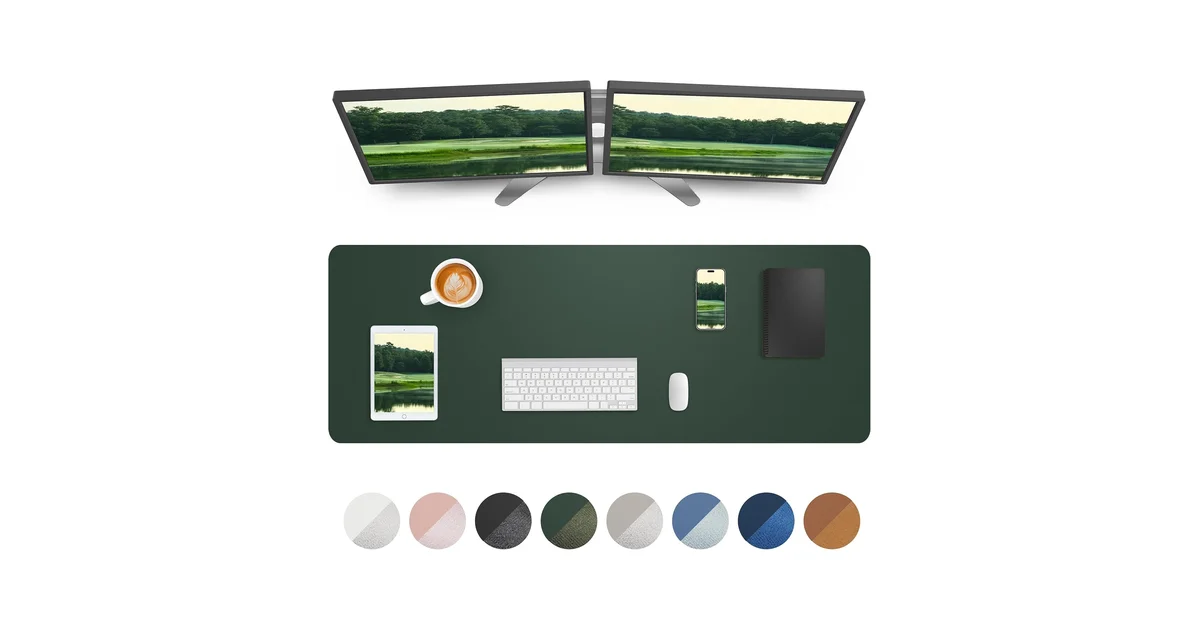
The Afiing is a reversible PU leather desk mat with a genuine natural cork backing. Flip it over, and you have a cork desk mat. At $20–40 / ~£16–32 for the 1220 × 430mm size, it delivers more surface area per pound than anything else in this guide. The leather side is waterproof: liquids bead and wipe off with a cloth. The cork side grips harder the longer the mat sits. It’s naturally anti-slip without adhesives and leaves no residue when moved. The reversibility is what earns this mat second place: the waterproof surface is the one you’ll actually use, and the cork underneath is the one that outlasts it. I placed it second on the material timeline rather than the surface: PU leather cracks on a predictable 12–24 month curve, and the cork underneath is the layer I expect to still be working in year five.
PU leather: benefits and the inevitable timeline. PU (polyurethane) leather is a synthetic material: a fabric backing coated with a plastic layer textured to look and feel like leather. It’s waterproof. It’s easy to clean. It’s significantly cheaper than genuine leather. It also degrades predictably: the plastic coating eventually separates from the fabric backing, producing the surface cracking pattern familiar to anyone who’s owned a PU leather chair or bag for more than two years. The timeline is 12–24 months of daily use. The cork backing, however, does not degrade: cork is a natural material that resists moisture, hides scratches, and actually grips better with age as the surface microscopically conforms to the desk texture. In practice, the reversible design means when the PU side eventually cracks, you flip it over and have a cork mat that will last indefinitely.
Size options and the overhang warning. The Afiing is available in 1220 × 430mm and 1200 × 600mm, both significantly larger than the standard 900 × 400mm. The 600mm depth is deep enough to overhang the front edge of most desks. A mat deeper than your desk will curl upward at the front within days, creating a permanent lip that catches your arms and looks terrible. Measure your desk depth before ordering. On a standard 600mm-deep desk, the 430mm depth is correct. On an 800mm-deep desk, the 600mm depth fits. The 1220mm width covers a 1200mm desk edge-to-edge. Useful if you want full-desk protection, overwhelming if your desk is narrower. The mat arrives rolled and takes “several days to fully flatten” per multiple reviews. This is common to all PU mats, not an Afiing-specific issue. Weighting the corners with books overnight accelerates the process.
Pros
- Largest coverage in this guide: 1220 × 430mm covers more desk area than any other mat here
- PU leather is waterproof: coffee and water bead on surface and wipe clean instantly
- Reversible: natural cork backing = second usable surface with excellent grip
- Cork grips harder with age: the one component here that improves rather than degrades
- Multiple color and size options: far more choice than single-option competitors
- $20–40 / ~£16–32: genuine leather aesthetic for well under the Orbitkey’s price
Cons
- PU leather degrades: expect surface cracking at 12–24 months of daily use (material property, not defect)
- ~2mm thickness: thinnest in this guide; minimal cushioning, won’t hide desk imperfections
- Arrives rolled tightly: takes 2–4 days with weighted corners to fully flatten
- No stitched edges: cut edges may show wear faster than stitched cloth equivalents
- Cork side may shed small particles when initially unboxed (temporary)
- No published warranty
Best for: Anyone who wants a leather-look desk mat at a budget price, needs extra-large coverage for a deep desk, or wants the flexibility of two surfaces in one product. The reversible cork backing is genuinely unique at this price point. No other budget leather mat offers it. Avoid if: the 12–24 month PU degradation timeline is a dealbreaker, you need thick cushioning (2mm is minimal), or you’re sensitive to initial unboxing flattening time. For a leather-look mat with better long-term durability and integrated cable management, the Orbitkey is the premium alternative, at several times the price.
Score breakdown: Surface Quality 6 | Durability 6 | Mouse Tracking 7 | Aesthetics 8 | Value 9. Overall 7.2/10
Orbitkey Desk Mat Large: Best Premium / Organizational (Score: 7.2/10)
Price: $80–120 / ~£65–95 | Material: Premium vegan leather top + 100% recycled PET felt base | Size: 896 × 423 × 4.9 mm (35.3 × 16.7 × 0.19 in) | Edge: Cut (no stitching, clean profile) | Colors: Black, Stone | Warranty: 2-year limited + 30-day money-back guarantee
The Orbitkey Desk Mat is the only desk mat in this category that does more than cover your desk: it organizes it. Along the top edge, a channeled toolbar holds pens, a phone, and small accessories. A magnetic zinc alloy cable holder, repositionable anywhere along the toolbar, keeps charging cables in place and within reach instead of sliding behind the desk. Between the vegan leather top and PET felt base, a document hideaway pocket stores loose papers and notes. These are organizational features, not desk-surface features, which makes the Orbitkey a fundamentally different product from everything else in this guide. It’s a desk organization system with a mat attached, not a mat with organizational aspirations.
Build: premium with documented flaws. The 4.9mm thickness is the most substantial in this guide. It provides genuine wrist cushioning and covers serious desk imperfections. The vegan leather top is water-repellent (not waterproof: dolpa.me’s long-term review reports permanent coffee stains despite the water-repellent claim) and provides a smooth, consistent surface for both writing on paper and mouse tracking. The recycled PET felt base is an eco-conscious choice, but it has a real functional drawback: dolpa.me reports the bottom layer “slides terribly on my desk,” a complaint that matters more on glass or smooth laminate surfaces than on textured wood. The same review notes a visible wear patch from mouse movement with “slightly different texture” after extended use, confirming that vegan leather, like PU leather, degrades in high-friction zones over time, though the 4.9mm construction should delay structural separation compared to the 2mm Afiing. The mat arrives rolled and takes several days to flatten, the same pattern as every desk mat in this category.
The warranty matters. The Orbitkey is the only desk mat in this guide with a clearly published warranty: 2 years against manufacturing defects in materials, workmanship, and functional failures, plus a 30-day money-back guarantee. No other manufacturer in this category (not Corsair, not Ktrio, not Wolvende, not Afiing) publishes a warranty duration for their desk mats. At $80–120 / ~£65–95, a published 2-year warranty is not a luxury: it’s the minimum you should expect, and the Orbitkey delivers it. I checked each of those claims against Orbitkey’s own product page, and the 2-year limited warranty, the 30-day money-back guarantee, the 4.9mm construction, the recycled PET felt and the Black and Stone colorways all appear there. The one specification the page does not state is the edge finish.
Pros
- Integrated cable management: magnetic zinc alloy cable holder, repositionable along toolbar
- Document hideaway pocket: stores papers and notes between mat layers
- 4.9mm thickness: most substantial cushioning in this guide; covers desk imperfections well
- 2-year published warranty + 30-day money-back guarantee: the only mat here with documented coverage
- Two colors (Black, Stone): both neutral and professional
- Recycled PET felt base: environmentally conscious material choice
- Smooth vegan leather surface works for both writing and mouse tracking
Cons
- $80–120 / ~£65–95: the most expensive mat here, several times the Ktrio’s price
- PET felt base slides on smooth/glass desks: confirmed by long-term owner review
- Permanent staining possible despite water-repellent claim: coffee stains reported
- Mouse wear patch develops over time: visible texture change in primary mouse zone
- Arrives rolled: takes several days to flatten (common to all desk mats)
- Document hideaway adds complexity: more parts to potentially fail over time
Best for: Anyone building a premium desk setup where organization matters as much as surface protection. The cable management and document hideaway are genuinely unique features. If you use them daily, the premium over a standard mat feels like desk furniture, not a desk accessory. Avoid if: your desk surface is smooth glass or high-gloss laminate (the PET felt base slides), you eat or drink at your desk (staining is real), or organization isn’t a priority for you. At several times the price of the Afiing, the Orbitkey needs to earn its keep through the organizational features, not the desk-surface quality alone.
Score breakdown: Surface Quality 7 | Durability 7 | Mouse Tracking 7 | Aesthetics 9 | Value 6. Overall 7.2/10
Ktrio Large Gaming Mouse Pad: Best Budget Cloth Desk Mat (Score: 7.0/10)
Price: Under $20 / ~£16 | Material: Micro-weave cloth + non-slip rubber base | Size: 800 × 400 × ~3 mm (31.5 × 15.7 in) | Edge: Stitched | Colors: Black
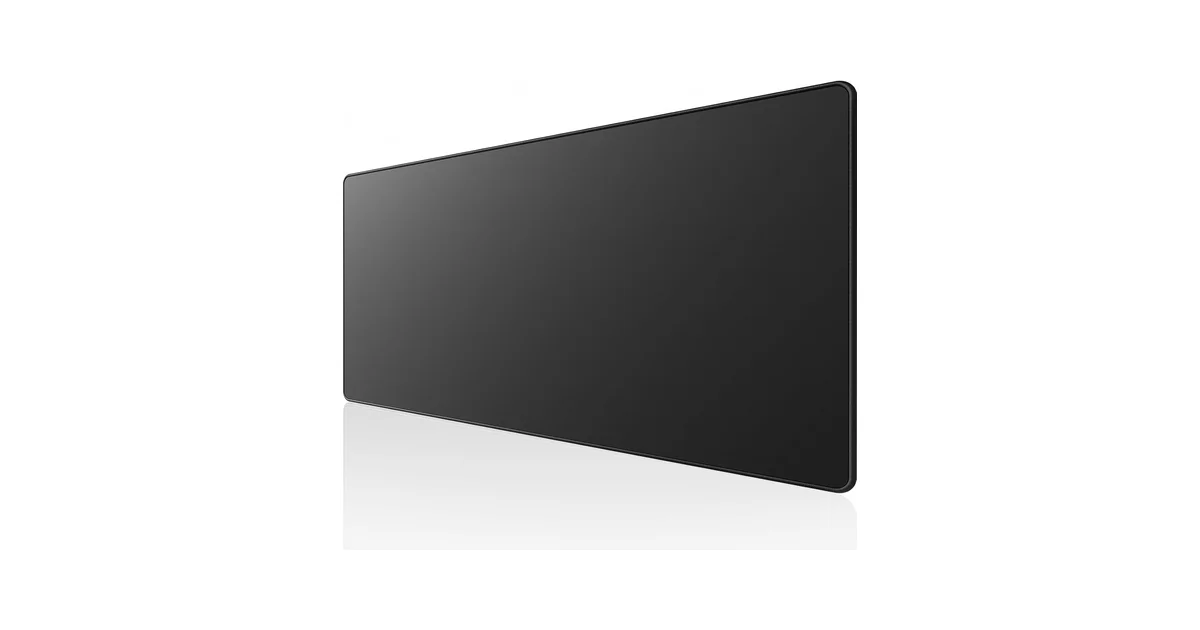
The Ktrio is the desk mat you buy when you’re not sure you want a desk mat. At under $20 / ~£16, the cost of making the wrong decision is trivial. It’s a micro-weave cloth surface on a non-slip rubber base with stitched edges, in the standard 800 × 400mm format. There is no coating, no multi-layer construction, and no premium material story. It is a straightforward cloth-and-rubber mat at the lowest price point that still includes stitched edges. And based on aggregate owner feedback, it works for the majority of people who buy one. I scored the Ktrio 10 on Value because nothing else here comes close on price, and 6 on Durability because the coating, the rubber base and the thickness are all the budget versions of what the mats above use.
The stitched edges are what make this viable. At the very bottom of the price range, desk mats typically use raw cut edges: fabric bonded directly to rubber with no binding. Those edges fray within weeks. The Ktrio’s stitched edges are the minimum viable durability feature, and their presence at this price is what separates this from a disposable product. The micro-weave cloth surface provides consistent tracking for both optical and laser mice: modern sensors (PMW3360 and newer) track reliably on almost any cloth surface, so the budget surface hasn’t been a dealbreaker for the better part of a decade.
What you give up. The water-resistant coating in the product title is a light treatment, not the sealed spill-proof surface of the Corsair. Spilled coffee will soak through on the Ktrio. The rubber base is synthetic rather than natural, which is the source of the “chemical smell” that appears in a meaningful percentage of Amazon reviews. The smell typically dissipates within 48–72 hours of unboxing, but it’s real and it’s unpleasant. The 3mm thickness (approximate, Ktrio does not publish an exact thickness spec) is thinner than the Corsair’s 4mm, offering less cushioning and less coverage for desk imperfections. Ktrio also sells a separate PU leather desk mat, but that is a different product with a different ASIN, and the cloth version reviewed here is what the B0819ZNG4H listing delivers.
Pros
- Under $20 / ~£16: lowest entry price for a stitched-edge desk mat
- Micro-weave cloth tracks reliably with modern optical and laser sensors
- Stitched edges prevent the fraying that kills unstitched budget mats within weeks
- Standard 800 × 400mm format: fits most desks from 1000mm wide
- Low-risk way to try a desk mat before committing to a more expensive purchase
Cons
- No spillproof coating: liquids absorb into fabric rather than beading
- Synthetic rubber base causes chemical odor out of box (dissipates 48–72 hours)
- ~3mm thickness: less cushioning than 4mm mats, less coverage for desk imperfections
- Thickness not published by Ktrio: spec uncertainty at purchase
- Single color option (black); gaming-branded aesthetic
- No published warranty
Best for: First-time desk mat buyers, anyone furnishing a home office on a tight budget, or secondary desk setups that don’t justify a more expensive mat. At this price, the cost of replacing it after 12–18 months is negligible. Avoid if: spills are a realistic risk, you’re sensitive to chemical rubber odors, or your desk has noticeable surface imperfections that need a thicker mat to hide. The Corsair MM350 Pro above solves all three at roughly double the price.
Score breakdown: Surface Quality 7 | Durability 6 | Mouse Tracking 7 | Aesthetics 5 | Value 10. Overall 7.0/10
Wolvende Premium Felt: Best Felt Desk Mat (Score: 6.6/10)
Price: $20–40 / ~£16–32 | Material: Premium felt over a non-slip rubber base (fiber composition not published) | Size: 900 × 400 mm (35.4 × 15.7 in) | Thickness: Not published | Edge: Not published | Colors: Dark Grey, Light Grey, Medium Grey
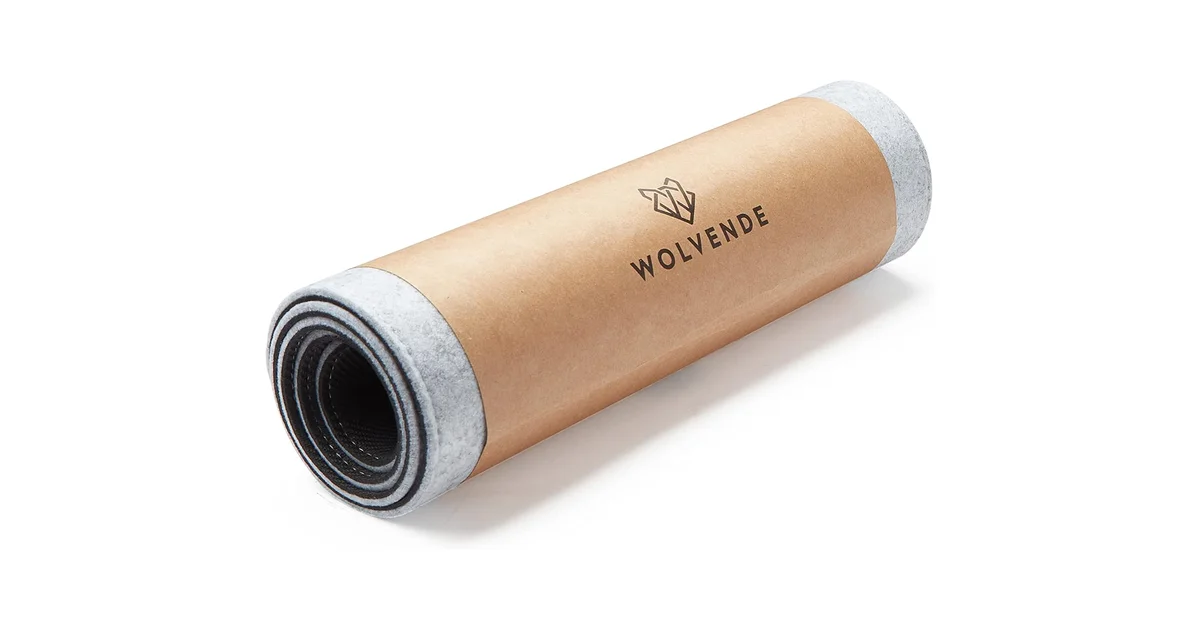
Felt desk mats exist because they look good in photos. That’s not a criticism: it’s the category’s reason for being. Neoprene cloth mats look like gaming peripherals. A gray felt mat on a wooden desk photographs like an interior design catalog spread. The Wolvende is the most affordable entry point into felt at $20–40 / ~£16–32, well below the Grovemade Wool Felt Desk Pad at $80–170 and competing with options like the FireBee felt pad. Wolvende’s own store lists the 40 × 90cm size at about $37 / ~£29, so the band holds on the manufacturer’s own pricing rather than only on marketplace listings. The 900 × 400mm format covers a standard desk’s keyboard-and-mouse zone with a hand feel that’s warmer and softer than cloth or leather. The dense fiber structure also dampens keyboard noise: a genuine, observable acoustic benefit that cloth and leather mats don’t provide.
The pilling problem is real. Felt is a loose fiber structure. Friction concentrates on the same 15cm × 15cm zone where your mouse moves. The fibers eventually mat down, pill up, or both. That is a material property rather than a manufacturing defect, which is why it turns up on felt mats at every price point, including Grovemade’s at $80+. I could not find a published long-term felt-owner account that measures it, so treat the timeline as the material consequence of the structure rather than a tested figure: expect to replace a felt desk mat every 18–24 months if you mouse heavily in one zone, or accept the pilling as the aesthetic cost of the look. The separate, well-documented complaint about felt is unevenness rather than wear: How-To Geek’s reviewer, who bought a wool felt pad for themselves, noted that “gamers might scoff at the slightly irregular surface for a mouse.”
Mouse tracking on felt: adequate, variable. Both laser (Logitech MX Master 3S) and optical (Razer DeathAdder) sensors track on felt, but felt is an uneven surface, so tracking is less consistent than on a smooth cloth mat. A How-To Geek reviewer wrote that their felt pad “doesn’t really affect my mouse’s performance at all,” crediting the adaptive sensors on modern high-end mice. That’s a truthful reflection of sensor capability, not a guarantee that all mice track identically on all felt mats. Denser felt tracks more consistently than loose felt; the variable is the density of the material under the sensor, not the brand. If mouse precision is your absolute priority (CAD work, competitive FPS gaming), cloth is the correct surface. If aesthetics and keyboard acoustics matter more and your mouse tracking needs are standard productivity work, felt works fine.
Pros
- Natural, warm aesthetic: photographs beautifully on wood desks, no gaming branding
- Keyboard noise dampening: denser fiber structure absorbs keystroke resonance
- Soft hand feel: warmer and more tactile under the palm than cloth or leather
- 900 × 400mm: slightly wider than the 800mm standard, better coverage on 1200mm desks
- Three gray shades: more color choice than the all-black cloth options
- A fraction of the price of Grovemade’s wool felt mat ($80–170)
Cons
- Pilling in high-friction mouse zones: a property of loose felt fibers, not a brand defect
- Mouse skates can snag on loose/pilled fibers: varies by mouse skate material and felt density
- Absorbs spills instantly: coffee, water, anything liquid stains permanently
- Cannot be machine washed: vacuum and spot clean only
- Thickness and edge finish not published by Wolvende: you cannot confirm specifications before buying
- Surface texture is inconsistent compared to smooth cloth: introduces micro-variability to mouse glide
Best for: Anyone building a visually-driven desk setup: natural wood tones, neutral color palettes, minimalist aesthetic. The keyboard noise dampening is a genuine functional benefit for mechanical keyboard users. Avoid if: you eat or drink at your desk, mouse precision is critical, you want a mat that looks the same after 12 months as it does on day one, or the idea of your mouse skates occasionally catching on a fiber would annoy you. For spill-prone users, the Corsair MM350 Pro above is the safer choice; for a natural aesthetic with better durability, the Afiing cork-backed leather above offers a different trade-off.
Score breakdown: Surface Quality 6 | Durability 5 | Mouse Tracking 6 | Aesthetics 9 | Value 7. Overall 6.6/10
Comparison Table: All 5 Desk Mats at a Glance
| Product | Price (USD) | Price (GBP) | Material | Size (mm) | Thickness | Edge | Waterproof | Warranty | Colors | Score |
|---|---|---|---|---|---|---|---|---|---|---|
| Corsair MM350 Pro | $20–40 | ~£16–32 | Coated cloth + textured rubber | 930 × 400 | 4mm | Stitched anti-fray | Spill-proof | Not published | 4 (2 in stock) | 8.2 |
| Afiing | $20–40 | ~£16–32 | PU leather + natural cork | 1220 × 430 | ~2mm | Cut | Waterproof | Not published | 4+ (Black, Brown, Green, Ivory) | 7.2 |
| Orbitkey Desk Mat | $80–120 | ~£65–95 | Vegan leather + PET felt | 896 × 423 | 4.9mm | Cut (clean profile) | Water-repellent* | 2 years | 2 (Black, Stone) | 7.2 |
| Ktrio | Under $20 | ~£16 | Micro-weave cloth + synthetic rubber | 800 × 400 | ~3mm | Stitched | Water-resistant* | Not published | 1 (Black) | 7.0 |
| Wolvende Felt | $20–40 | ~£16–32 | Premium felt | 900 × 400 | Not published | Not published | Absorbs instantly | Not published | 3 (Gray shades) | 6.6 |
Every mat is scored on the same five dimensions: Surface Quality, Durability, Mouse Tracking, Aesthetics and Value. The overall score is their unweighted average, so no product is measured against a category the others don’t share. Where two mats score identically, the cheaper one ranks first: that is why the Afiing sits above the Orbitkey. Water-repellent and water-resistant claims come from manufacturer product pages; starred (*) entries indicate real-world owner reports of staining or absorption despite the manufacturer claim. All prices approximate. Amazon pricing fluctuates daily. Manufacturer specifications and warranty data checked September 2026.
What to Look For When Buying a Desk Mat
Material: The Only Decision That Matters
Desk mat materials differ in ways that become apparent within the first week of use, and ways that take 12 months to surface. Here’s the breakdown based on aggregated owner feedback and material properties:
| Material | Mouse Tracking | Spill Safety | Lifespan (daily use) | Cleanability | Aesthetic | Best For |
|---|---|---|---|---|---|---|
| Coated cloth | Best | Excellent | 3+ years | Wipe clean | Functional | Spill-prone desks, maximum durability |
| Uncoated cloth | Best | Poor | 2–3 years | Machine wash (air dry) | Functional | Budget setups, secondary desks |
| Vegan/PU leather | Good | Very good | 2–4 years | Wipe clean | Premium | Professional aesthetic, easy cleaning |
| Felt | Adequate | Terrible | 1.5–2 years | Vacuum + spot clean | Beautiful | Visual desk setups, keyboard dampening |
| Cork | Adequate | Poor | Indefinite | Spot clean | Natural | Natural grip, warm aesthetic, longevity |
The Ergonomic Reality: What a Desk Mat Does and Doesn’t Do
There is exactly zero clinical research on desk mats as an ergonomic intervention. No study has measured the effect of a 3mm cloth mat versus a bare laminate desk on wrist strain, carpal tunnel pressure, or forearm fatigue. The closest evidence comes from CCOHS’s wrist rest guidelines and Boyne Ergonomics’ assessment of contact stress: resting your wrists or forearms on any hard surface for extended periods creates contact pressure on the carpal tunnel and restricts blood flow. A desk mat replaces that hard surface with a softer one. That is the entire ergonomic justification, and it is a thinner argument than desk mat marketing suggests. CCOHS notes that any support should contact the heel or palm, not the wrist joint itself, and should be “relatively soft and rounded to minimize pressure.” A desk mat achieves the “soft” part but not the “rounded” part. Boyne Ergonomics is blunt about the limit: “whether it is foam or gel, this does not eliminate pressure on the wrists,” and a mat “might be softer than a desk surface but it is still contact stress.” Softness spreads the load and takes the hard edge off the desk; it does not remove the load. Boyne’s own measure is height rather than softness, which is why it recommends a purpose-built wrist rest for keyboard use rather than for mouse use. The desk mat is a comfort product and a desk protection product that makes the surface under your forearms less punishing. It is not a medical device.
Thickness: 3mm Is the Line Between Exists and Disappears
Desk mats range from 2mm to 6mm. At 2mm (Afiing), the mat is essentially a surface layer: it changes the texture and waterproofing of your desk but adds negligible cushioning. At 4mm (Corsair), you start feeling genuine give under your wrists. At 4.9mm (Orbitkey), the cushioning is noticeable and the mat covers moderate desk imperfections: scratches, minor gouges, uneven veneer seams. At 6mm (SteelSeries QcK Heavy, a gaming mouse pad, not a full desk mat), your mouse feet “sink in somewhat,” per ProSettings, which affects fine mouse control. For productivity work, 3–4mm is the sweet spot: cushioning without mouse sink. For gaming where mouse control precision matters, 3mm or thinner is preferred. The trade-off is straightforward: thicker = more comfort, thinner = more precise mouse control.
Stitched Edges: The $4 / ~£3 Feature That Doubles Lifespan
On any cloth or neoprene mat, unstitched edges will fray. The fabric top and rubber base are bonded with adhesive, and the edge where they meet is the failure point: repeated arm contact and desk movement gradually separate the layers. Stitched edges bind the two layers together mechanically rather than chemically. This is a $4 / ~£3 manufacturing step that doubles the functional lifespan of a cloth mat. Every cloth mat under $12 / ~£10 has unstitched edges and will fray within months. Every cloth mat over $18 / ~£15 should have stitched edges: if it doesn’t, it’s overpriced.
Desk Fitment: The Measurement Most People Skip
Standard desk widths are 1000mm, 1200mm, 1400mm, and 1600mm. Standard desk depths are 600mm and 800mm. A 900 × 400mm desk mat fits perfectly on a 1200mm desk with 150mm of desk visible on each side and 100mm at the front. The 930 × 400mm Corsair fits the same class. The 1220 × 430mm Afiing edge-to-edge covers a 1200mm desk, no visible desk surface on the sides. The critical warning: a mat deeper than your desk will overhang the front edge and curl upward within days, creating a permanent lip. A mat wider than your desk hangs off the sides and looks terrible. Measure your desk depth before ordering. If your desk is 600mm deep, even the 430mm depth of the Afiing leaves 170mm of desk at the front, comfortable. The 423mm Orbitkey leaves 177mm. The 400mm Corsair and Wolvende leave 200mm. All are safe for standard 600mm-deep desks.
Warranty: A Gratifyingly Low Bar
Of the five desk mats in this guide, only one (the Orbitkey) publishes warranty terms on the manufacturer’s own website. Corsair, the largest company represented, does not publish a warranty duration for its desk mats at all. This does not mean the products are bad, but it is a transparency gap worth flagging. When a company won’t publish how long they stand behind a product, you’re buying on reputation rather than a contractual commitment. At the bottom of this guide’s price range, that’s understandable. In the middle tier, it’s worth noting. At $80–120 / ~£65–95, the Orbitkey’s 2-year warranty is the minimum you should expect, and it’s the only mat here delivering it.
Once the surface under your hands is sorted, the rest of your workspace should be too. See our complete best home office setup guide for the monitor height, chair and lighting that keep you pain-free.
Sources
These are the outside sources behind this guide, listed by name so you can look them up yourself.
- Corsair: MM350 Pro Extended XL Official Product Page
- Orbitkey: Desk Mat Official Product Page
- Wolvende: Premium Felt Desk Mats Official Page
- GearLab: The Best Mouse Pad, Tested and Ranked (glide, noise, tracking, migration)
- dolpa.me: Orbitkey Desk Mat Review (A Premium Addition to My Workspace)
- How-To Geek: I Bought a Felt Desk Pad and Now I Feel Like a Fancy Boy
- ProSettings.net: How We Test Mousepads
- Boyne Ergonomics: Wrist Rests, Ergo Friend or Foe?
- CCOHS: Wrist Rests (Office Ergonomics): Contact Stress and Carpal Tunnel Pressure
The Verdict
Winner: Corsair MM350 Pro Extended XL (Score: 8.2/10): At $20–40 / ~£16–32, the MM350 Pro's spill-proof coated cloth surface solves the single biggest failure mode in desk mats: liquid damage. Coffee, water, and soda bead on the surface and wipe away instead of soaking in and staining. It is the only mat here that pairs a cloth surface with a sealed spill-proof coating. The Afiing matches it on waterproofing, but does so with PU leather rather than a coated textile. The 4mm thickness lands in the sweet spot, cushioning without mouse sink, and the 360° anti-fray stitching binds the cloth and rubber layers together instead of leaving a raw adhesive edge to separate. Corsair publishes no warranty duration for desk mats, which is a transparency gap at this price, but the coating and the construction together make this the safest recommendation in the category. Buy this if you eat or drink at your desk, have kids or pets nearby, or want the mat that has to survive the most.
Best Budget Leather-Look: Afiing Leather + Cork (Score: 7.2/10): At $20–40 / ~£16–32, the Afiing is reversible: PU leather on one side (waterproof, smooth, easy clean) and natural cork on the other (exceptional grip, warm texture, hides scratches, lasts indefinitely). The 1220 × 430mm format covers more desk area than any competitor. The trade-off: PU leather cracks at 12–24 months, a material property, not a defect. When it does, flip it over. The ~2mm thickness is the thinnest here: minimal cushioning but also no mouse sink. Buy this for the largest coverage at the best price, with the built-in backup surface when the leather side ages out. It carries the same overall score as the Orbitkey below it for a fraction of the money, which is why it ranks ahead.
Best Premium / Organizational: Orbitkey Desk Mat Large (Score: 7.2/10): At $80–120 / ~£65–95, the Orbitkey does things no other desk mat can: a magnetic zinc alloy cable holder keeps charging cables in place instead of sliding behind the desk, a document hideaway pocket stores papers between the mat layers, and a stationery toolbar runs along the top edge. 4.9mm thickness provides the most substantial cushioning here. The 2-year published warranty is the only one in this guide. At this price, it should be. Real-world owner reports flag two issues: the PET felt base slides on glass/smooth desks, and coffee stains can become permanent despite the water-repellent claim. Buy this if desk organization matters as much as desk protection. At several times the price of the Ktrio, the Orbitkey needs to earn its keep through the cable management and document features, not the mat surface alone.
Best Budget Cloth: Ktrio Large Gaming Mouse Pad (Score: 7.0/10): At under $20 / ~£16, the Ktrio is the lowest-risk desk mat purchase available. Stitched edges prevent the fraying that kills unstitched budget mats within weeks. Micro-weave cloth tracks reliably with modern optical and laser sensors. The synthetic rubber base creates chemical odor out of the box (dissipates in 48–72 hours) and absorbs spills instantly. This is not the Corsair's spill-proof surface. Buy this for a first-time desk mat, a secondary desk, or any setup where a premium surface feels like too much to spend on something you might not like. At this price, the cost of replacing it after a year is negligible.
Best Felt: Wolvende Premium Felt (Score: 6.6/10): At $20–40 / ~£16–32, the Wolvende delivers the warm, natural aesthetic that photographs beautifully on wood desks and dampens mechanical keyboard noise better than any cloth surface. The trade-offs are material-specific and unavoidable: felt pills in high-friction mouse zones, absorbs spills instantly and permanently, and cannot be machine washed (vacuum + spot clean only). These failure modes follow from what felt is, a loose fiber structure under concentrated friction, and they show up on felt mats at every price point rather than being specific to any one brand. Buy this if desk aesthetics and keyboard acoustics are your priority and you are willing to accept the trade-offs. Avoid entirely if you eat or drink at your desk.
← Back to Best Picks Hub