Typing wrist pain rarely starts in the keyboard. It starts in where your hands sit relative to it: wrists bent upward for hours, forearms unsupported, the same small movements repeated all day. Most people reach for a wrist rest or a replacement keyboard first, and often make things worse, because the underlying positioning problem is still there.
In a Hurry? Start Here
- Free fixes first: → Jump to Quick Posture Fixes, free posture fixes that remove most of the ache
- Need support? → Jump to Fix 3: Wrist Rest, £12 / ~$15 memory foam set
- Pain persists? → Jump to Fix 4: Ergonomic Keyboard, Logitech Ergo K860 for persistent pain
- Mouse-hand pain? → Jump to Fix 5: Vertical Mouse, often the real culprit
Disclosure: TechDeskZone is reader-supported. When you buy through links on our site, we may earn an affiliate commission at no additional cost to you. See our affiliate disclosure for details.
- Why Typing Wrist Pain Happens (It’s Not the Keyboard)
- Quick Posture Fixes: 2 Minutes, Zero Cost
- Fix 1: Float Your Wrists When You Type
- Fix 2: Tilt Your Keyboard the Right Way
- Fix 3: Add a Wrist Rest (But Only For Resting)
- Fix 4: When Wrist Pain Persists, Switch to an Ergonomic Keyboard
- Fix 5: Your Mouse Might Be the Real Culprit
- What to Buy When Free Fixes Aren’t Enough
- The Verdict: What Actually Stops Wrist Pain
The fix is not usually a new keyboard; it is changing how your hands are positioned. What follows is the order worth trying: free posture fixes first, then wrist support, then an ergonomic keyboard, then a look at your mouse.
Why Typing Wrist Pain Happens (It’s Not the Keyboard)
Typing wrist pain has two root causes, and neither of them is “your keyboard isn’t expensive enough.”
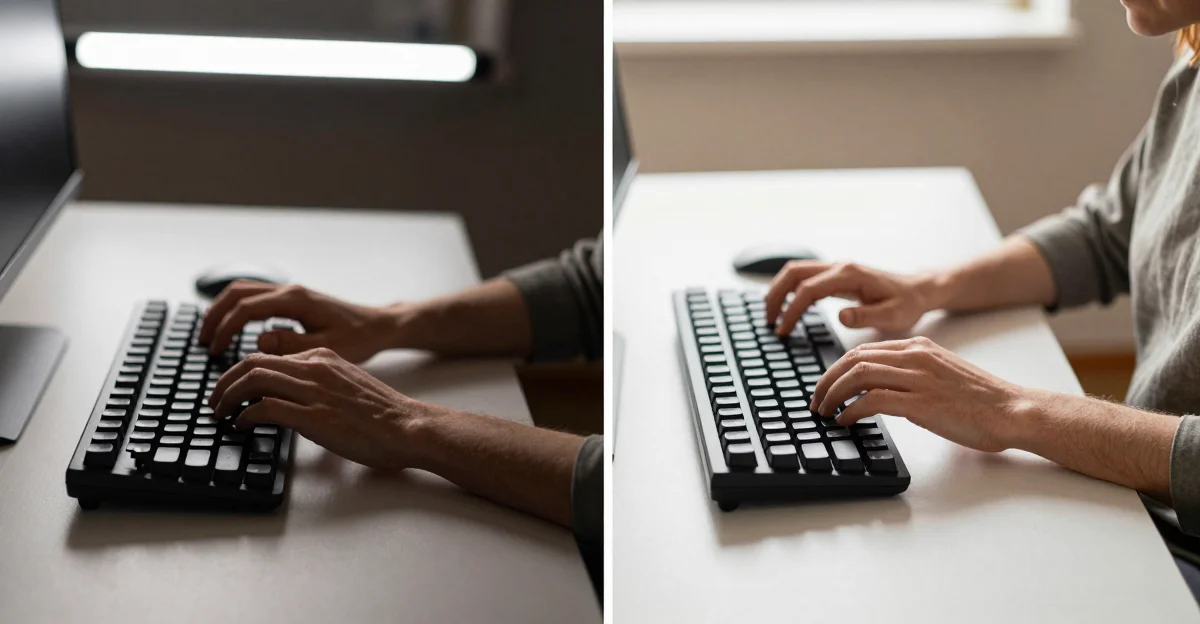
Wrist extension: your wrists are bent upward. Most people rest their palms on the desk and angle their fingers up to reach the keys. This position (called wrist extension) compresses the carpal tunnel and strains the tendons that control your fingers. Do this for eight hours a day and your body will let you know. The fix is floating your wrists so they stay straight, in line with your forearms.
Ulnar deviation: your wrists are bent sideways. Standard keyboards force your hands closer together than your shoulders. To compensate, you bend your wrists outward at an angle. This sideways bend (ulnar deviation) is the second major cause of typing pain. Split keyboards and tented keyboards fix this by letting your hands sit at shoulder width.
The Mouse Might Be the Real Problem
If your pain is worse in one wrist (usually the right), it’s probably the mouse, not the keyboard. A standard mouse forces your forearm into pronation (palm flat, twisting the radius and ulna). A vertical mouse keeps your hand in a handshake position, which eliminates that twist entirely.
Quick Posture Fixes: 2 Minutes, Zero Cost
Do these before buying anything. For most people, posture alone removes a large share of the ache.
- Elbows at 90 degrees. Adjust your chair height so your elbows form a right angle when your fingers rest on the keyboard. If your elbows are below the desk, you’re reaching up, so your wrists bend. If they’re above, you’re reaching down, so your wrists bend the other way.
- Feet flat on the floor. If your feet dangle, you slump forward. Slumping changes your shoulder position, which changes your arm angle, which changes your wrist angle. Everything’s connected. Get a footrest if your chair is too high.
- Monitor at eye level. Looking down at a laptop screen tilts your entire spine forward, collapsing your shoulders inward. That collapse travels down your arms to your wrists. Raise your screen so the top edge is at eye level, and a monitor arm makes this adjustment effortless and frees up desk space for your keyboard.
- Shoulders back, relaxed. Roll your shoulders back and let them drop. If they creep up toward your ears while typing (and they will, constantly), catch yourself and reset. Tension in your shoulders translates directly to tension in your wrists.
Fix 1: Float Your Wrists When You Type
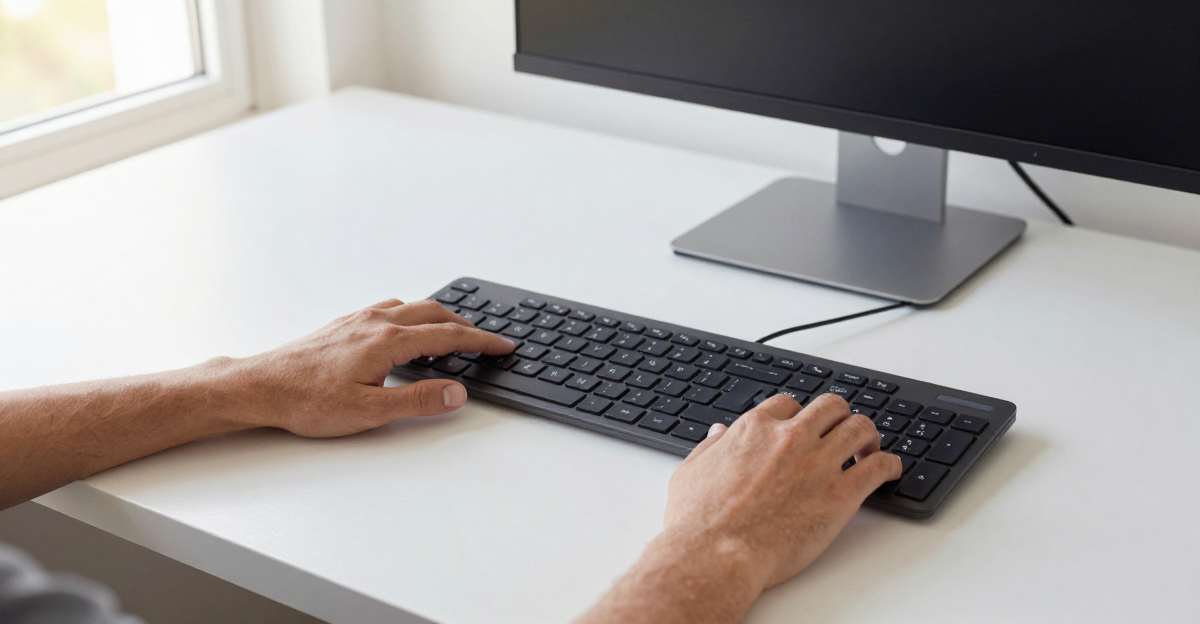
This is the single most important fix and it costs nothing. When you type, your wrists should hover above the desk, not rest on it. Your palms float. Your fingers do the work. Your wrists stay straight, in line with your forearms, like a pianist playing a keyboard.
Yes, this feels weird at first. Expect to remind yourself every few minutes for the first week. Your shoulders will tire, because you are using muscles that resting your wrists on the desk let you bypass. By week two it feels normal, and by week three the ache is noticeably reduced.
The wrist rest is for resting, not typing. A wrist rest should support your palms during pauses: between typing bursts, while reading, while thinking. It should never be under your wrists while you’re actively typing. Typing with your wrists on a rest forces them into extension. Use it as a palm rest, not a typing platform.
Fix 2: Tilt Your Keyboard the Right Way
Almost every keyboard comes with little flip-out feet at the back. Most people flip them up immediately, thinking “angled toward me = more comfortable.” That tilt angles the keyboard upward toward you, which forces your wrists to bend backward even more to reach the keys. It’s ergonomically backwards.
Keep the keyboard flat, or tilt it away from you. The ideal keyboard angle is flat (parallel to the desk) or slightly tilted away from you (negative tilt). A negative tilt keeps your wrists in a more neutral, slightly flexed position that opens the carpal tunnel rather than compressing it. If your keyboard has flip-out feet, try putting them at the front instead. This creates negative tilt on most keyboards.
If you use a laptop: You can’t change the keyboard angle, but you can change your chair height (see Quick Posture Fixes above). Raise your chair until your elbows are slightly above the keyboard, so your wrists angle down naturally rather than bending up to reach.
Fix 3: Add a Wrist Rest (But Only For Resting)
If you’ve fixed your posture and your wrists still ache during pauses, a wrist rest bridges the gap. But the type matters more than the brand.
Memory foam beats gel. Gel wrist rests feel cool at first but they’re too firm. They create a pressure point on your wrist that can actually make pain worse over long sessions. Memory foam distributes weight evenly and conforms to your palm shape. Look for a rest that’s 15-20mm thick: thick enough to support, thin enough that it doesn’t push your wrists up into extension.
Width matters. Your wrist rest should be at least as wide as your keyboard minus the number pad. A rest that’s too short forces your mouse hand to bridge the gap, which is worse than no rest at all. Full-size keyboard users need a wide rest or a separate mouse wrist rest.
Best budget pick: Any memory foam keyboard wrist rest set (keyboard + mouse) for £12 / ~$15. At this price point as of June 2026, the foam quality is consistent across brands. What matters is the dimensions matching your setup. Measure your keyboard width before ordering. Our keyboard and mouse setup guide has more detail on matching rests to specific keyboard sizes.
Fix 4: When Wrist Pain Persists, Switch to an Ergonomic Keyboard
If posture fixes, floating wrists, and a wrist rest haven’t solved the problem after two weeks, the keyboard itself is the bottleneck. Here are the three that make the biggest difference.
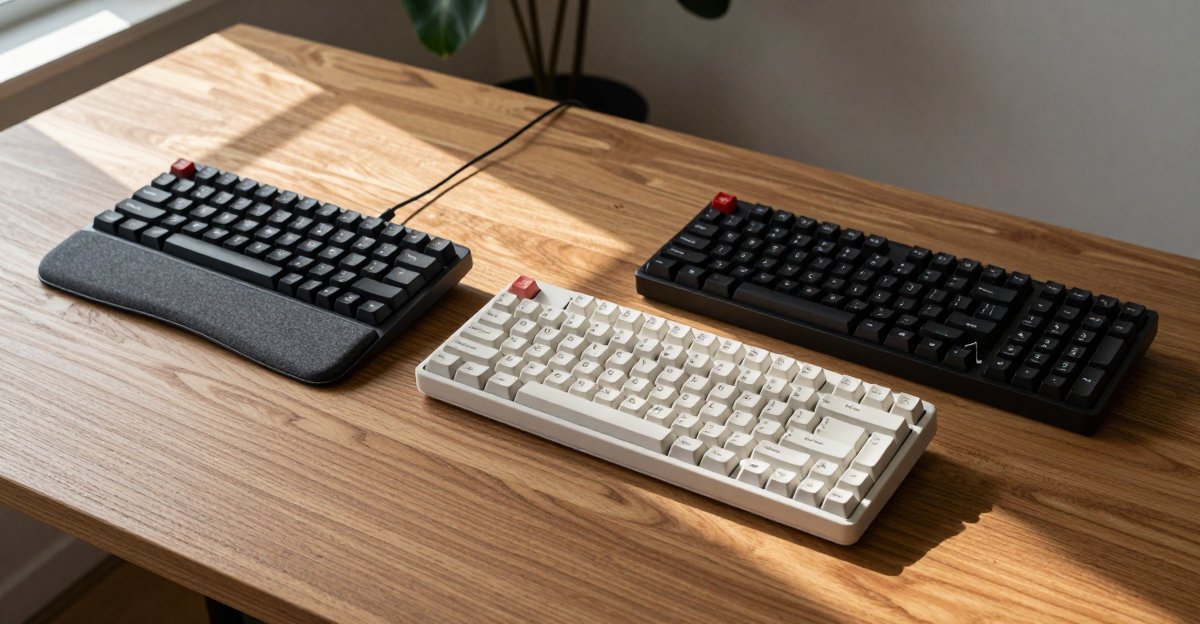
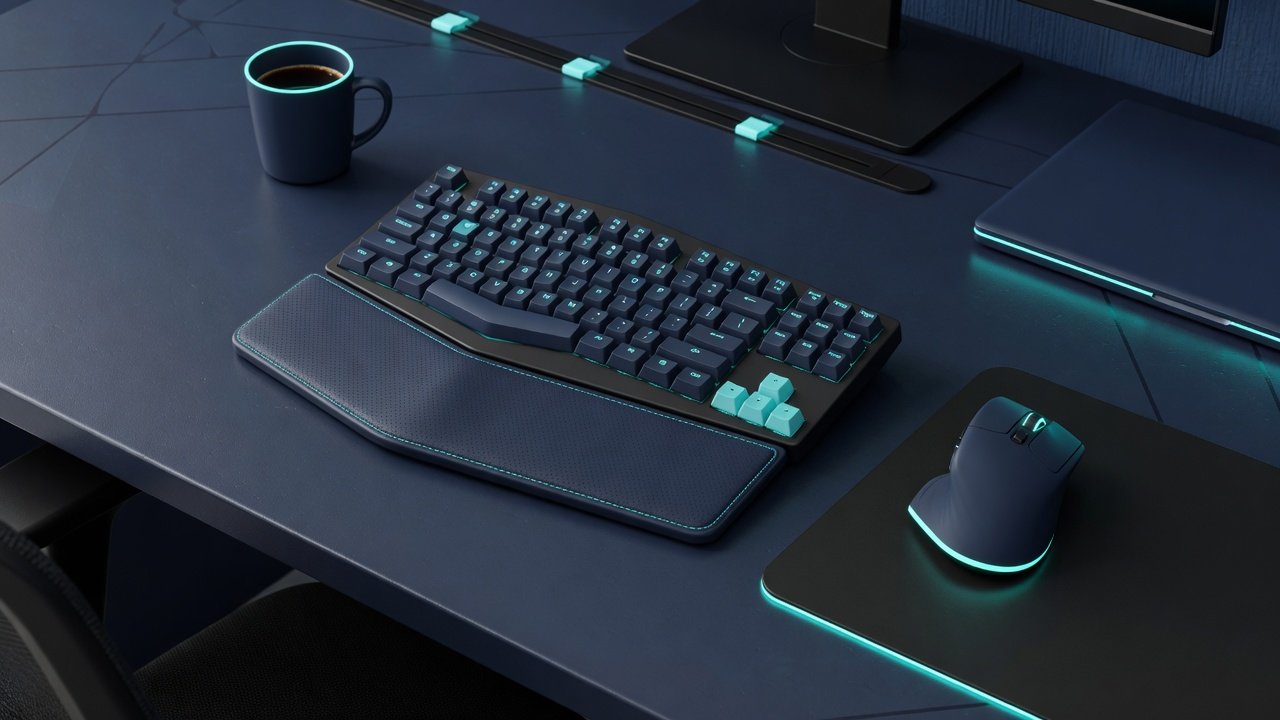
Logitech Ergo K860, Best All-Round (£110 / ~$130)
Specs: Split curved layout, integrated memory foam wrist rest, Bluetooth + USB dongle, 2x AAA battery (2-year life), Windows/Mac, full-size with number pad
The K860 is the ergonomic keyboard to start with if you have never used one. The split curve looks dramatic but most people adapt within 3-4 days, after which a standard keyboard starts to feel cramped. The integrated wrist rest is memory foam, not gel, and it’s wide enough to support your entire palm span. The keys have a satisfying scissor-switch feel: not mechanical, but substantially better than the mushy membrane keyboards most offices supply.
Typing speed typically recovers within a few weeks on the K860, and the gain comes from the wrist angle rather than the switch type. The key insight: the K860 doesn’t just feel different, it forces your hands into the correct position. You can’t bend your wrists sideways on this keyboard because the curve won’t let you.
Pros: Genuinely eliminates wrist pain, integrated wrist rest is excellent, 2-year battery life, dual wireless (Bluetooth + dongle), UK layout available
Cons: Takes up significant desk space (full-size with number pad), not mechanical (some typists miss the feel), expensive at £110 / ~$130, learning curve is real (3-7 days)
Best for: Anyone with persistent typing wrist pain who’s tried posture fixes. This is the keyboard that actually works.
Avoid if: You need a mechanical switch feel or a compact layout. This is large and membrane-based
Logitech Wave Keys, Best Compact (£60 / ~$70)
Specs: Wave-shaped layout (not split), integrated memory foam wrist rest, Bluetooth + USB dongle, 2x AAA battery (3-year life), Windows/Mac, compact (no number pad)
The Wave Keys is the K860’s smaller, cheaper sibling. It’s not a true split keyboard (the keys are arranged in a gentle wave rather than two separate halves) but the wrist position is substantially better than a flat keyboard. At 60% of the K860’s price and roughly 70% of its desk footprint, it’s the ergonomic keyboard for people who don’t want a full ergonomic keyboard.
The compact layout means your mouse sits closer to your body, which reduces shoulder strain, a benefit the full-size K860 can’t offer. The integrated wrist rest is the same memory foam as the K860, just narrower. Battery life is absurd at three years from two AAAs.
Pros: Affordable, compact (frees up mouse space), excellent battery life, easier to adapt to than a full split, integrated wrist rest
Cons: Not a true split (still some ulnar deviation), no number pad, membrane switches (not mechanical), less wrist-pain relief than the K860
Best for: Mild to moderate wrist discomfort, smaller desks, anyone who wants ergonomic benefits without a dramatic split layout
Avoid if: You have significant wrist pain. Go straight to the K860 or a true split keyboard
Kinesis Freestyle2, Best for Serious Pain (£120 / ~$150)
Specs: True split design (two separate halves connected by cable), Cherry MX Brown mechanical switches, optional palm supports (£39 / ~$50 extra), programmable hotkeys, Windows/Mac, wired USB only
The Freestyle2 is not a keyboard; it’s a medical device that happens to have keys. The two halves separate to shoulder width, which completely eliminates ulnar deviation. You can position each half independently: angle them, space them, even mount them to your chair arms if you’re going full ergo-warrior. This is the layout ergonomics guidance favours, and for good reason.
The trade-offs are real. It’s wired only (no wireless), the separate halves mean twice the desk footprint, and the learning curve is steep. Expect 1-2 weeks of slower typing while your brain rewires. The Cherry MX Brown switches are a joy to type on (tactile feedback without the loud click of Blues), but they’re not silent. Your office neighbours will hear you.
Pros: Complete elimination of ulnar deviation, mechanical switches feel great, full adjustability per half, programmable keys, build quality is exceptional
Cons: Wired only, expensive (£120 + £39 for palm supports), steep learning curve, large desk footprint, no wireless option
Best for: Anyone with diagnosed RSI, carpal tunnel symptoms, or chronic wrist pain that hasn’t responded to other fixes. Programmers and writers doing 10,000+ words per day.
Avoid if: You need wireless, have a small desk, or are looking for a mild ergonomic improvement. This is the nuclear option
Fix 5: Your Mouse Might Be the Real Culprit
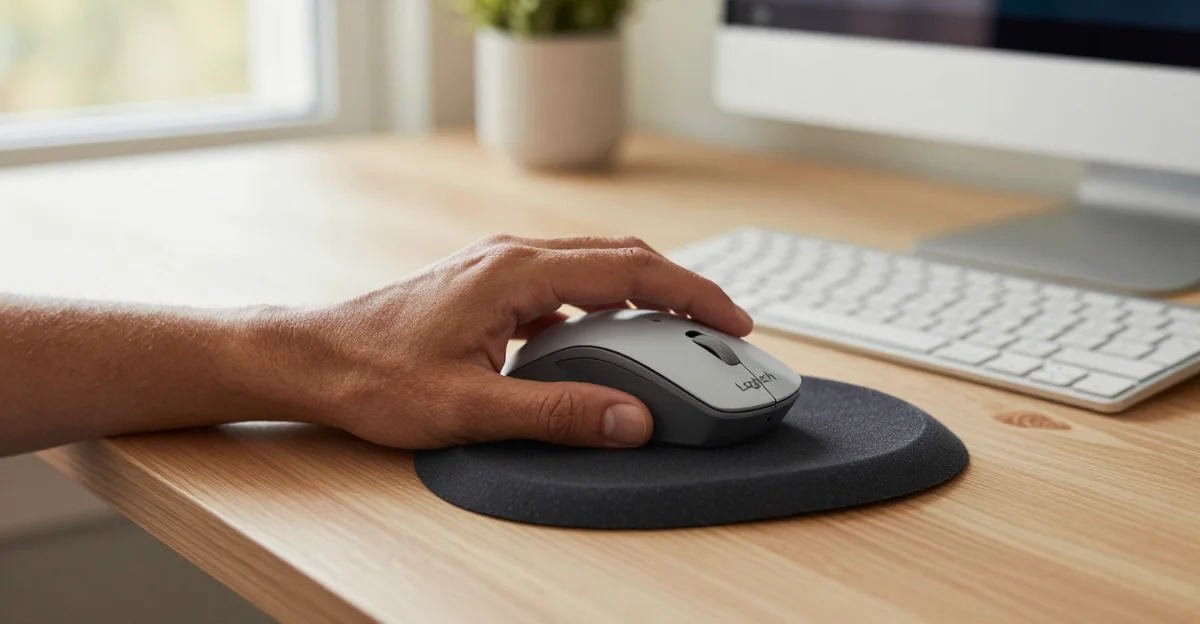
If your wrist pain is worse on one side (usually your mouse hand), the keyboard isn’t the problem. A standard horizontal mouse forces your forearm into pronation (palm flat, twisting the radius and ulna bones). Do that for eight hours and your wrist will complain.
A vertical mouse keeps your hand in a handshake position. Your forearm bones stay parallel instead of crossed. The movement comes from your elbow and shoulder, not your wrist. It looks weird. It feels weird for the first three days. Then you try using a normal mouse and can’t believe you ever tolerated it.
The Logitech MX Vertical (£89 / ~$105) is the reference pick in this category. The 57-degree angle is the sweet spot: not fully vertical (some people find 90 degrees uncomfortable), but angled enough to eliminate forearm twist. Battery lasts about four months. The scroll wheel is metal and satisfying. If your typing wrist pain is actually mouse wrist pain, our gaming mouse for productivity guide has more options including budget vertical mice around £25 / ~$30.
What to Buy When Free Fixes Aren’t Enough
| Product | Type | Price | Key Feature | Best For |
|---|---|---|---|---|
| Memory Foam Wrist Rest Set | Rest | £12 / ~$15 | Memory foam, keyboard + mouse set | First thing to buy: try before a new keyboard |
| Logitech Wave Keys | Keyboard | £60 / ~$70 | Wave layout, compact, 3yr battery | Mild discomfort, small desks, budget ergo |
| Logitech Ergo K860 | Keyboard | £110 / ~$130 | Split curved layout, integrated wrist rest | Persistent wrist pain: the one that works |
| Kinesis Freestyle2 | Keyboard | £120 / ~$150 | True split, mechanical switches, fully adjustable | RSI, carpal tunnel, heavy typists |
| Logitech MX Vertical | Mouse | £89 / ~$105 | 57° vertical angle, 4-month battery | Mouse-hand pain: often the real culprit |
The Verdict: What Actually Stops Wrist Pain
Float your wrists first. It is free and it removes a large share of the pain. Changing how you hold your hands (wrists straight, palms floating) makes more difference than any product. Do this for two weeks before spending money. If you don’t see improvement, the keyboard is likely the bottleneck.
Try a wrist rest before a new keyboard. A £12 / ~$15 memory foam set is a fraction of the cost of an ergonomic keyboard and helps immediately during pauses. Just remember: it’s for resting, not typing.
If free fixes don’t work, get the Logitech Ergo K860. At £110 / ~$130 as of June 2026, it is the keyboard to buy when posture fixes and wrist support have not been enough. The Wave Keys at £60 / ~$70 is a good budget alternative for mild discomfort. The Kinesis Freestyle2 at £120 / ~$150 is the nuclear option: only necessary if you have diagnosed RSI or carpal tunnel.
Don’t ignore your mouse. If your pain is one-sided, a vertical mouse might solve the problem without changing your keyboard at all. The Logitech MX Vertical at £89 / ~$105 is the reference pick here. Wrist pain from typing is often wrist pain from mousing. Check which hand hurts before you buy anything.
Your wrists are one part of an ergonomic setup. If your chair or desk height is off too, our ergonomic office chair roundup will help you get the foundation right. And for the full mouse + keyboard picture, see the keyboard and mouse setup guide.
← Back to Keyboards & Mouse Hub