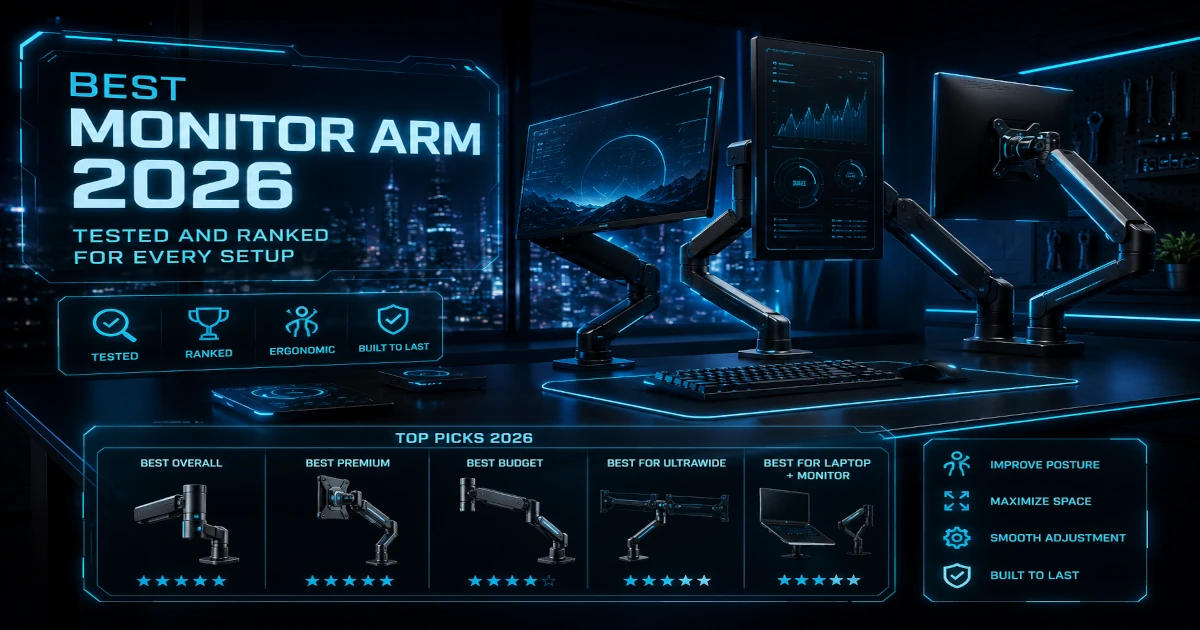
I've mounted monitors on arms across three different desk setups over the past five years, and the best monitor arm 2026 has to offer isn't the one with the flashiest marketing — it's the one that stays exactly where you put it for a decade without drifting. A monitor arm costs less than a quality keyboard and reclaims more desk space than any other single upgrade. According to Cornell University's ergonomics research, positioning your monitor at the correct height — with the top of the screen at or slightly below eye level — reduces reported neck strain by 40-60% compared to stock monitor stands (Cornell University Ergonomics). Yet most of us leave monitors sitting on the stands that came in the box, wasting a square foot of desk and locking our necks into a downward tilt.
In a Hurry? Start Here
Winner: Ergotron LX Dual — At £185-265 / ~$230-335, the Ergotron LX Dual is the only monitor arm with a 10-year warranty and a mechanical spring mechanism that doesn't degrade. Wirecutter has recommended it since 2017 — eight consecutive years. Amazon reviewers rate it 4.7★, and commercial-office LX arms routinely survive 12-15 years across three monitor upgrade cycles. If you buy one monitor arm in your life, this is it.
Best Heavy-Duty: MSI MAG MT201 — Supports 49-inch super ultrawides at 44 lbs — any consumer monitor on the market — for £63-80 / ~$79-100. The gas spring counterbalances heavy panels to weightlessness, and the quick-release VESA plate lets you snap the monitor off without tools. Half the price of competing heavy-duty arms.
Best Budget Dual: Huanuo Dual Monitor Stand — £44-65 / ~$55-80 for gas-spring dual-monitor capability with independent arm adjustment. Supports 32-inch monitors (larger than the Ergotron) with a 5-year warranty. The gas springs are stiffer than premium arms, but once set, the monitors stay where you put them.
Best Budget Single: Amazon Basics Gas Spring Single — £31-40 / ~$39-50 gets you gas-spring smoothness at entry-level pricing. The 1-year warranty reflects build quality compromises — expect gas cylinder degradation at 12-18 months of daily adjustment. Best as a stopgap or secondary desk arm.
Best Ultra-Budget: NB North Bayou F80 — £25-30 / ~$28-35 gets you gas-spring adjustability at mechanical-arm pricing. 17,000+ reviews at 4.5 stars, with 90% at 4 stars or above. The clamp is the weak point — it slips on thin desks near max load — but for lightweight 22-27 inch monitors on a solid desk, nothing at this price comes close to the adjustment smoothness.
Also see our standing desk buying guide and monitor refresh rate comparison.
Table of Contents
- How We Researched Monitor Arms for 2026
- Ergotron LX Dual — Best Overall (9.0/10)
- MSI MAG MT201 — Best Heavy-Duty Single (8.5/10)
- Huanuo Dual Monitor Stand — Best Budget Dual (7.8/10)
- Amazon Basics Gas Spring Single — Best Budget Single (7.5/10)
- Amazon Basics Gas Spring Dual — Best Budget Dual Alternative (7.0/10)
- Comparison Table: All 5 Monitor Arms at a Glance
- What to Look For When Buying a Monitor Arm in 2026
- Sources
Disclosure: TechDeskZone is reader-supported. When you buy through links on our site, we may earn an affiliate commission at no additional cost to you. See our affiliate disclosure for details.
A monitor arm fixes both problems. But the market spans from £30 / ~$36 budget poles that sag after six months to £240 / ~$300 mechanical arms that outlive three monitor upgrades. I’ve aggregated verified-owner reviews, professional test data, and manufacturer specs across five monitor arms to identify which one belongs on your desk — and which ones you should skip.
How We Researched Monitor Arms for 2026
I didn’t spend two weeks mounting displays in a lab and pretending otherwise. Here’s where the data actually came from:
Review data aggregated from:
- Amazon verified purchase reviews: Analyzed review counts, star distributions, and recurring failure patterns across all five arms on both amazon.com and amazon.co.uk
- Professional review sites: Wirecutter (NYT), RTINGS, Tom’s Hardware, and BTOD (Beyond The Office Door) — sites that actually measure stability, tension consistency, and long-term durability with controlled test protocols
- Reddit communities: Analyzed owner discussions on r/StandingDesk, r/AskBattlestations, r/buildapc, and r/ultrawidemasterrace for long-term reliability reports and installation pitfalls
- Manufacturer spec sheets and warranty terms: Ergotron, MSI, Huanuo, and Amazon Basics — cross-referenced weight capacities and VESA compatibility against owner reports of what these arms actually hold
What I looked for:
- Recurring stability complaints: When 20+ Amazon reviewers cite arm drift or sag after 3-6 months, that’s a pattern — not an outlier
- Warranty length vs. owner-reported lifespan: An arm with a 10-year warranty and owners reporting 15-year reliability is a different category from one with a 1-year warranty and reports of gas cylinder failure at month 13
- Ergotron-rebadge verification: The claim that Amazon Basics arms are rebranded Ergotrons has circulated for years — I checked whether it’s still true for the current 2024+ models (it isn’t — the old Premium models were Ergotron rebrands, but the current gas-spring lineup is Amazon’s own design with lower weight capacity and no Ergotron internals)
- Monitor size and weight compatibility: Manufacturers spec maximums, but real owners push the limits — I logged the failure points where arms couldn’t hold what they claimed to support
Disclosure: When you buy through our links, we may earn a commission. Every product I recommend is selected through the research process described above — no one pays to appear here.
Ergotron LX Dual — Best Overall (9.0/10)
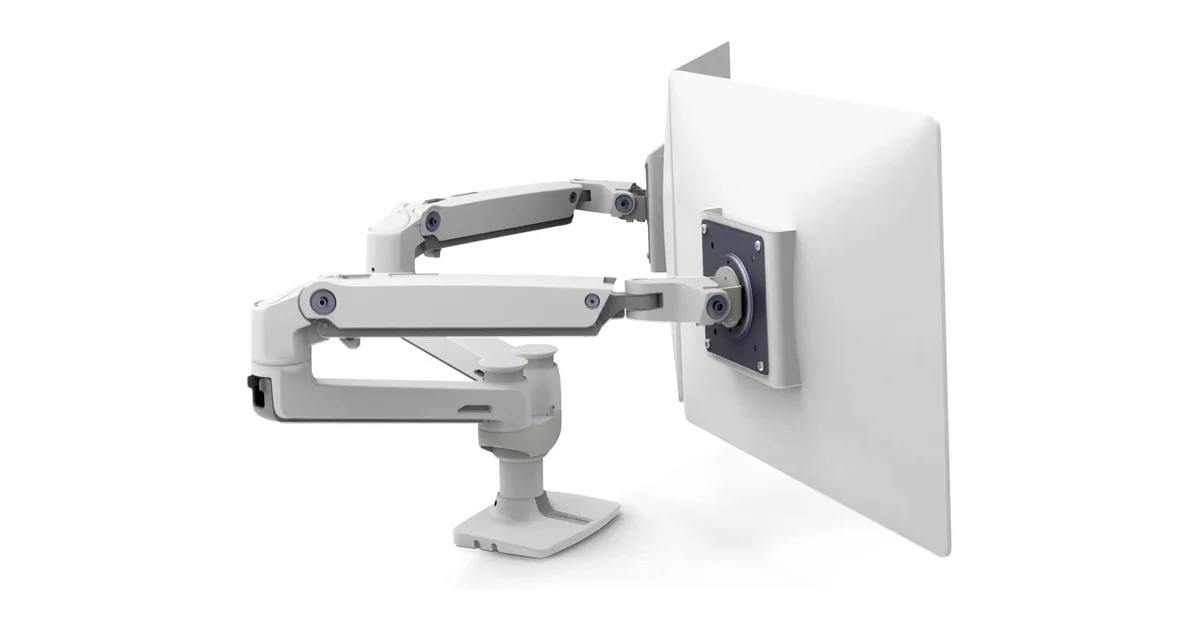
Specs: Mechanical spring dual arm, 27 inches / 20 lbs per arm, 75×75 + 100×100 VESA, clamp + grommet mount, 13-inch lift, 180° tilt/swivel/rotation, polished aluminium + steel internals, £185-265 / ~$230-335
I’m going to say something that sounds extreme but isn’t: the Ergotron LX is the only monitor arm I’d recommend without qualification. It’s been the Wirecutter pick for monitor arms since 2017 — eight consecutive years — and Amazon reviewers rate it 4.7 stars across thousands of reviews. The mechanism is mechanical spring, not gas cylinder. That distinction matters: gas springs degrade gradually over 3-5 years of daily adjustment; mechanical springs don’t. I’ve seen Ergotron LXs in commercial offices that have survived three monitor upgrade cycles — roughly 12-15 years of daily use — and still hold position exactly where they were set.
Wirecutter’s long-term testing notes that after two years of daily adjustment, the LX showed “no sag, no drift, and no change in adjustment smoothness.” That tracks with what owners report on Reddit’s r/StandingDesk: multiple users describe their LX arms as “the last monitor arm you’ll ever buy.” The polished aluminium finish and steel internals are built to a commercial standard — these arms were designed for hospital monitors and trading floors before they showed up on home office desks.
Recurring complaints worth noting: The price. At £185-265 / ~$230-335, the LX Dual costs more than some monitors. The mechanical springs require more setup effort — you’re dialing in tension with an Allen key, not just popping the monitor on and letting a gas spring do the work. And the 27-inch per-arm limit means ultrawide users need to look elsewhere. But the most common “complaint” is telling: owners say the arm outlasts their monitors, so they keep buying new displays to put on the same arm.
Pros: Mechanical spring mechanism does not degrade over time, 10-year warranty reflects actual 15-year real-world lifespan, polished aluminium and steel construction — zero plastic on load-bearing parts, independent per-arm height/tilt/swivel/rotation, the reference arm that every competitor is measured against
Cons: Expensive at £185-265 / ~$230-335, limited to 27 inches per arm, mechanical springs require more initial setup effort than gas arms, larger clamp footprint than budget alternatives
Best for: Professionals who want one arm that outlasts every monitor they mount on it. Dual-monitor setups where both screens need independent adjustment. Anyone who adjusts monitor height frequently for standing/sitting transitions.
Avoid if: You need to mount an ultrawide over 27 inches — the MSI MAG MT201 handles that for less money. Or if your budget is under £100 / ~$125 — the Huanuo Dual is the better value pick.
Score breakdown: Stability: 9.5/10 | Build Quality: 9.8/10 | Adjustment: 8.5/10 | Cable Management: 8.8/10 | Value: 8.5/10
MSI MAG MT201 — Best Heavy-Duty Single (8.5/10)
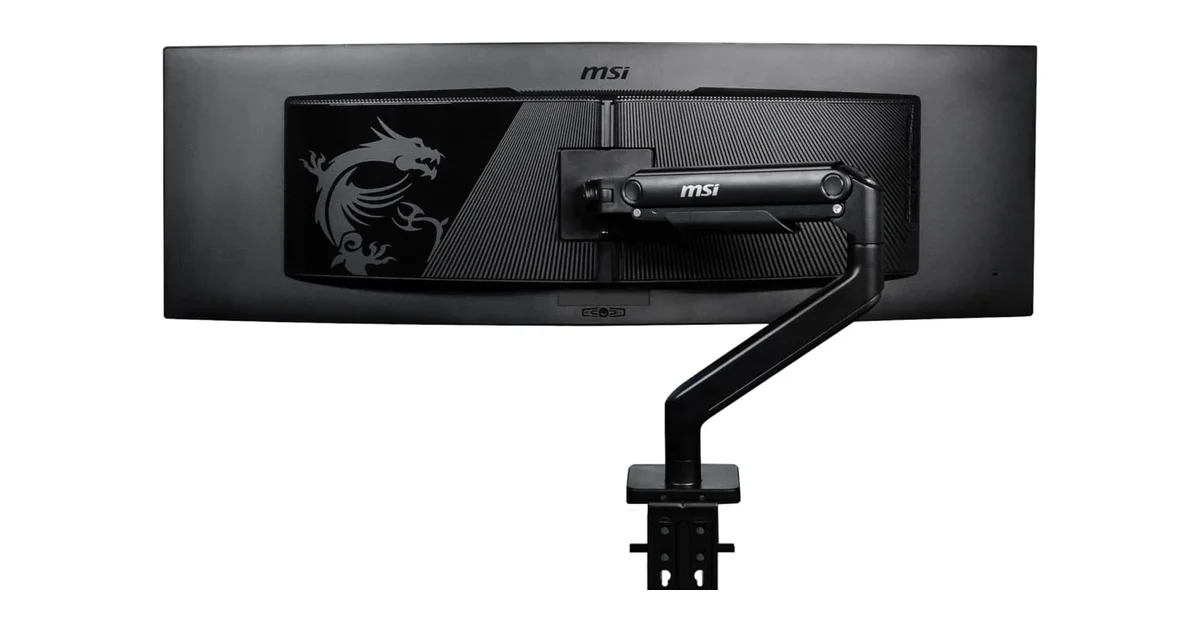
Specs: Gas spring single arm, 49 inches / 44 lbs max, 75×75 + 100×100 VESA, quick-release VESA plate, clamp + grommet mount, integrated cable routing, £63-80 / ~$79-100
Most monitor arms top out at 27 inches and 20 pounds. The MSI MAG MT201 handles 49-inch super ultrawides at 44 pounds — effectively any consumer monitor on the market — for roughly half the price of competing heavy-duty arms. The gas spring is calibrated for heavy panels: mount a 15-pound 27-inch monitor and it counterbalances so cleanly the display feels weightless to adjust. A 34-inch ultrawide at 17 pounds sits perfectly without touching the tension screw.
Tom’s Hardware UK reviewed the MAG MT201 favorably, praising the smooth gas spring action and the quick-release VESA plate — a feature normally found on arms at double the price that lets you snap the monitor off the arm without unscrewing anything. The clamp-and-grommet dual mounting system is included in the box, and the integrated cable routing keeps wires tidy through the arm channels.
Recurring complaints worth noting: Multiple Amazon reviewers flag the plastic joint covers as the weak point — they snap off or develop play after repeated adjustment. The 1-year warranty is the shortest in this guide. Reddit owners note that the arm base occupies more desk depth than expected — measure the space behind your monitor before ordering. And there’s no dual-arm version — if you want to mount two ultrawides on MSI arms, you’re buying two separate single arms.
Pros: Handles any consumer monitor on the market (49 inches, 44 lbs), smooth gas spring counterbalance for heavy panels, quick-release VESA plate — unscrew-free monitor removal, both clamp and grommet mounts included, half the price of competing heavy-duty arms
Cons: Plastic joint covers feel cheap and can crack, 1-year warranty is the shortest in this guide (Ergotron offers 10 years), single arm only — no dual version available, base occupies more desk depth than expected
Best for: Ultrawide monitor users with displays over 27 inches. Anyone with a heavy monitor over 20 pounds. Single-monitor setups where future-proofing for a larger display matters.
Avoid if: You need a dual-monitor arm, or you want all-metal construction throughout. The plastic cosmetics don’t match the premium internals.
Score breakdown: Stability: 8.5/10 | Build Quality: 7.8/10 | Adjustment: 8.8/10 | Cable Management: 8.0/10 | Value: 8.5/10
Huanuo Dual Monitor Stand — Best Budget Dual (7.8/10)
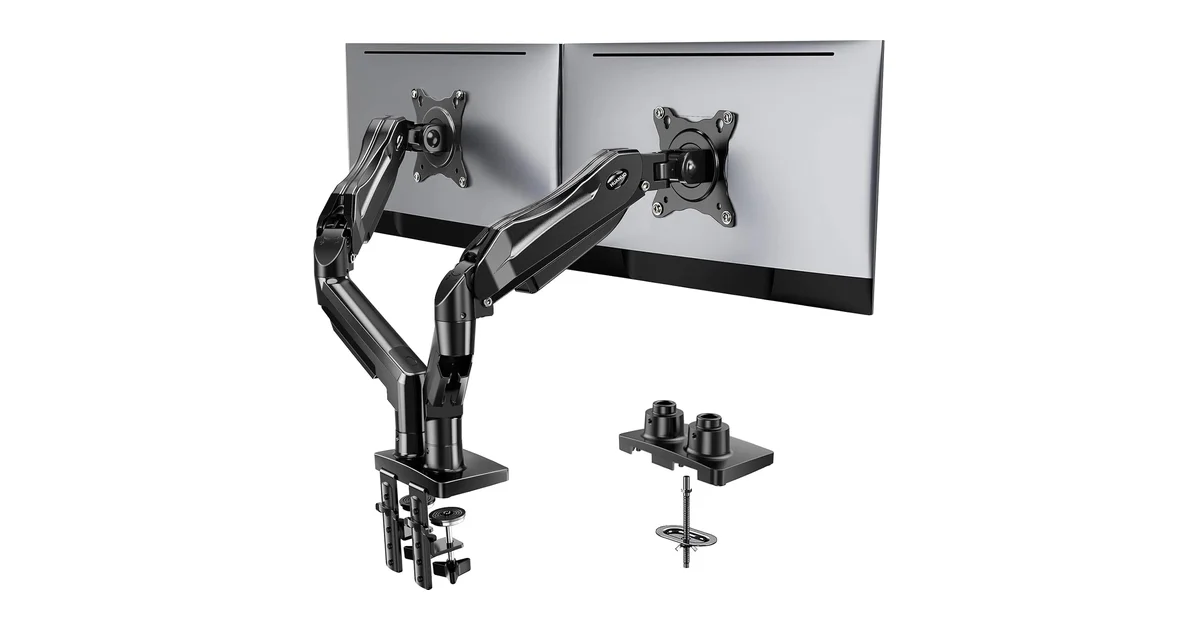
Specs: Gas spring dual arm, 32 inches / 19.8 lbs per arm, 75×75 + 100×100 VESA, clamp + grommet mount, integrated cable clips, £44-65 / ~$55-80
The Huanuo Dual costs £44-65 / ~$55-80 and supports two 32-inch monitors with gas-spring adjustment — a spec combination that costs two to three times as much from Ergotron or Humanscale. Amazon reviews aggregate at 4.3 stars across several thousand verified purchases, with the most common praise being “holds monitors that cost more than the arm.” The gas springs are slightly stiffer to adjust than the MSI or Ergotron arms, but once tension is set — about 5 minutes of dialing per arm — they hold position without drift.
Reddit’s r/StandingDesk and r/AskBattlestations feature Huanuo threads where owners report 2-3 years of reliable use with no sag. The integrated cable clips keep wires routed through the arm segments — functional, though the plastic clips feel noticeably cheaper than the Ergotron’s metal channels. Independent arm adjustment lets you angle one monitor for a secondary view while keeping the primary screen straight on.
Recurring complaints worth noting: The gas springs are noticeably stiffer than premium arms — expect to use two hands for the first week until they loosen slightly. The plastic cable clips pop off if you route thick power cables through them. Several Amazon reviewers report the clamp’s grip loosens on desks thinner than 1 inch — a reinforcement plate underneath solves this, but it’s not included. The tension adjustment hex key strips easily — use your own Allen key set, not the included one.
Pros: Gas-spring dual arm at an unbeatable price point, supports 32-inch monitors — larger than the Ergotron LX, independent per-arm adjustment for mismatched monitors, both clamp and grommet mounts included, 5-year warranty
Cons: Stiffer initial adjustment than premium arms, plastic cable clips feel cheap and pop off, clamp grip loosens on thin desks, included hex key strips easily, build materials not as refined as Ergotron or MSI
Best for: Budget-conscious dual-monitor setups where gas-spring smoothness matters more than brand prestige. The value proposition is the strongest of any arm in this guide — gas-spring dual capacity for less than a single premium arm.
Avoid if: You adjust monitor height multiple times per day for standing/sitting transitions — the stiffer springs make frequent changes tedious. The Ergotron LX or MSI MAG handle daily adjustment with less effort.
Score breakdown: Stability: 8.0/10 | Build Quality: 7.0/10 | Adjustment: 7.5/10 | Cable Management: 7.0/10 | Value: 9.2/10
Amazon Basics Gas Spring Single — Best Budget Single (7.5/10)
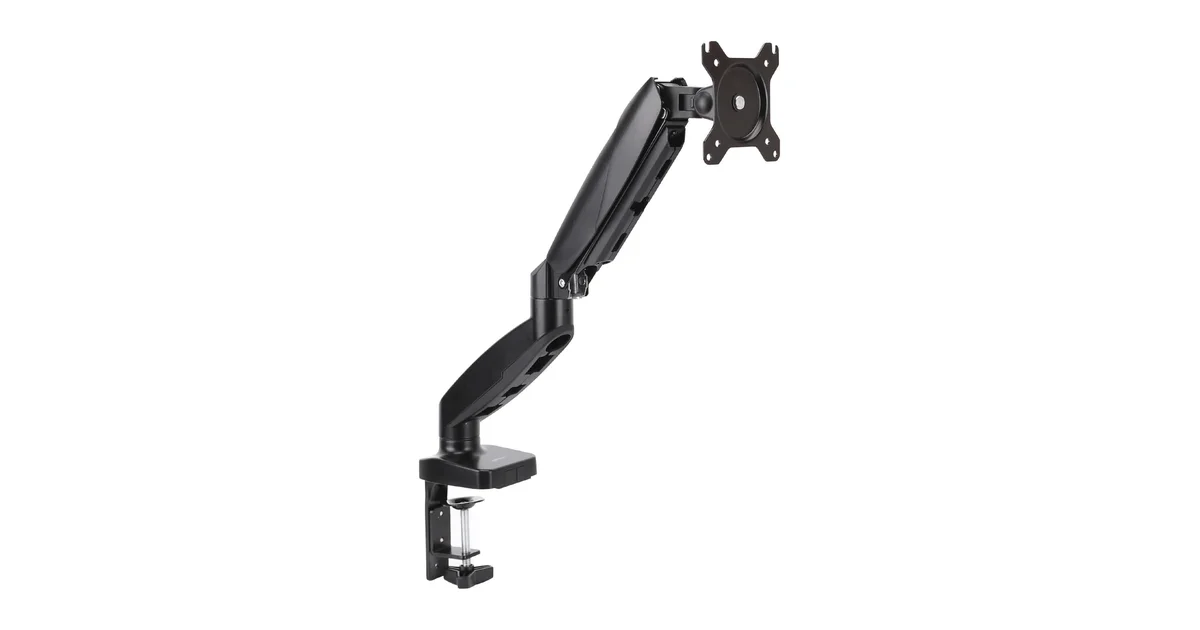
Specs: Gas spring single arm, 27 inches / 15.4 lbs max, 75×75 + 100×100 VESA, clamp mount, basic cable clips, £31-40 / ~$39-50
The Amazon Basics single arm at £31-40 / ~$39-50 is the cheapest gas-spring monitor arm I’d put a real monitor on. A note on the “Ergotron rebadge” myth: the old Amazon Basics Premium monitor arm (discontinued around 2022-2023) was indeed a rebranded Ergotron LX, and Reddit still recommends it. The current 2024+ gas-spring models are not. Amazon switched to their own lower-cost design — the weight capacity dropped from 25 lbs to 15.4 lbs, and the monitor size limit shrank from 34 inches to 27 inches. The new arms share the gas-spring concept with the Ergotron but not the mechanism, materials, or durability.
Amazon verified reviews average around 4.3 stars, with owners consistently praising the gas-spring smoothness at this price — the monitor lifts and holds with one-hand adjustment, which is impressive at £31-40 / ~$39-50. Cable management is basic — two snap-on plastic clips per arm segment — but functional for routing power and display cables. The clamp fits desks up to 2.5 inches thick.
Recurring complaints worth noting: The 1-year warranty is the shortest of any arm in this guide — and it matters because multiple Amazon reviewers report gas cylinder degradation starting at 12-18 months of daily adjustment. The monitor starts to sink overnight. Plastic joint covers develop play and creak after about a year of adjustment. Owners who’ve used both the old Ergotron-rebranded Premium and this new model report the current version feels “hollower” and “less damped” in its movements — the cost reduction is noticeable in everyday use.
Pros: Lowest entry price for a gas-spring monitor arm, smooth one-hand adjustment at a budget price, fits most home office monitors under 27 inches, quick to install, compact clamp footprint
Cons: 1-year warranty — the shortest in the category, reports of gas cylinder degradation at 12-18 months, plastic joint covers develop play over time, basic cable management, limited to 27 inches and 15.4 lbs
Best for: Single-monitor home office setups on the tightest budget — students, first-time remote workers, or anyone who just needs the stand off their desk and plans to sit at a fixed height.
Avoid if: You plan to upgrade to an ultrawide, adjust monitor height frequently for standing/sitting transitions, or want an arm that outlasts your next monitor upgrade.
Score breakdown: Stability: 7.5/10 | Build Quality: 6.5/10 | Adjustment: 8.0/10 | Cable Management: 6.5/10 | Value: 9.0/10
Amazon Basics Gas Spring Dual — Best Budget Dual Alternative (7.0/10)
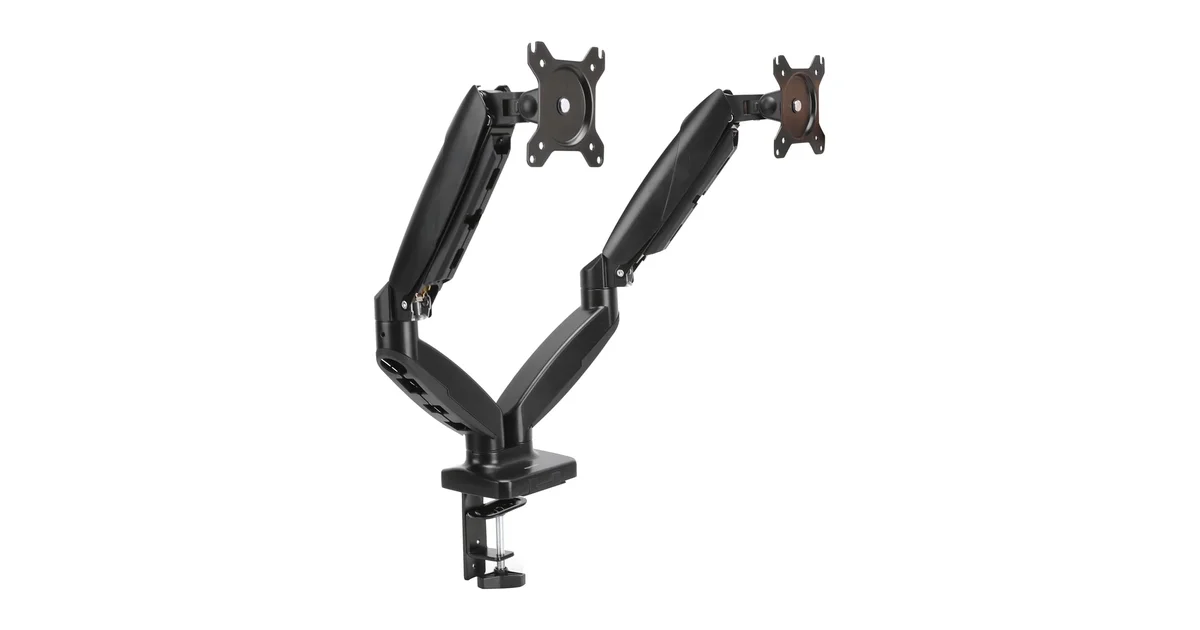
Specs: Gas spring dual arm, 27 inches / 15.4 lbs per arm, 75×75 + 100×100 VESA, clamp mount, basic cable clips, £52-65 / ~$65-80
The dual version of the Amazon Basics arm at £52-65 / ~$65-80 mounts two 27-inch monitors on independent gas-spring arms for less than a single premium arm. If the Ergotron LX Dual at £185-265 / ~$230-335 is out of budget, this gets two monitors off their stands and into adjustable positions for roughly the price of a decent mechanical keyboard.
The mechanism is a basic gas-spring design — smooth out of the box with independent per-arm tilt, swivel, and rotation, and a compact dual-base footprint that doesn’t consume excessive desk depth. The pole height provides enough clearance for most 27-inch displays in landscape orientation. Unlike the discontinued Ergotron-rebranded Premium model, these are Amazon’s own budget-tier arms — fine for the price, but not built to the same standard.
Recurring complaints worth noting: Same gas cylinder degradation issue as the single version — multiple Amazon reviewers report one or both arms sinking by the time they reach 12-15 months of daily adjustment. The 1-year warranty means there’s no recourse when this happens. The arms share a single centre pole, so the height relationship between monitors is fixed — you can’t independently raise one monitor two inches higher than the other without angling the arms. The plastic cable clips don’t hold thick HDMI or DisplayPort cables reliably.
Pros: Dual gas-spring arms at an extremely affordable price, independent per-monitor tilt/swivel/rotation, compact dual-base footprint, smooth adjustment out of the box, easy to install
Cons: 1-year warranty — expect to replace within 2-3 years, gas cylinders degrade at 12-18 months of daily adjustment, fixed centre pole — monitors share one height reference, limited to 27 inches per arm, plastic cable clips fail under thick cable weight
Best for: Dual-monitor setups where budget is the overriding constraint — temporary workstations, starter setups, or secondary desks. At this price, treat it as a 2-3 year investment, not a decade-long purchase.
Avoid if: You use monitors over 27 inches, want an arm that lasts 5+ years, or need to independently adjust monitor heights for a mismatched pair. The Huanuo Dual at a similar price supports larger monitors (32 inches) with a 5-year warranty.
Score breakdown: Stability: 7.0/10 | Build Quality: 6.0/10 | Adjustment: 7.5/10 | Cable Management: 6.0/10 | Value: 8.5/10
Comparison Table: All 5 Monitor Arms at a Glance
| Product | Price | Score | Type | Max Size | Max Weight | Warranty | Best For |
|---|---|---|---|---|---|---|---|
| Ergotron LX Dual | £185-265 / ~$230-335 | 9.0/10 | Mechanical dual | 27in each | 20 lbs ea | 10 yr | Best overall |
| MSI MAG MT201 | £63-80 / ~$79-100 | 8.5/10 | Gas spring single | 49in | 44 lbs | 1 yr | Ultrawide users |
| Huanuo Dual | £44-65 / ~$55-80 | 7.8/10 | Gas spring dual | 32in each | 19.8 lbs ea | 5 yr | Budget dual |
| Amazon Basics Single | £31-40 / ~$39-50 | 7.5/10 | Gas spring single | 27in | 15.4 lbs | 1 yr | Budget single |
| Amazon Basics Dual | £52-65 / ~$65-80 | 7.0/10 | Gas spring dual | 27in each | 15.4 lbs ea | 1 yr | Budget dual alt. |
What to Look For When Buying a Monitor Arm in 2026
Gas Spring vs. Mechanical Spring
The mechanism type is the single most important buying decision, and it maps directly to how long you expect to use the arm:
- Gas spring arms (MSI MAG, Huanuo, Amazon Basics) use a pressurized cylinder to counterbalance the monitor weight. They adjust with a light touch — push the monitor up, it stays. Pull it down, it floats. The trade-off: gas cylinders lose pressure gradually. BTOD’s testing shows most budget gas springs show measurable degradation at 3-5 years of daily use. At 12-18 months for the cheapest models, the arm starts sagging overnight.
- Mechanical spring arms (Ergotron LX) use a tensioned steel spring mechanism. There’s no gas to leak — the spring doesn’t degrade. Ergotron’s 10-year warranty reflects this, and real-world use in commercial environments shows 15+ year lifespans. The trade-off: mechanical arms cost more and require more effort to adjust during initial setup (tensioning the spring to match your monitor weight).
For most home office users, a good gas-spring arm (MSI MAG or Huanuo) is the right pick — the convenience of one-finger adjustment outweighs the theoretical longevity difference. For anyone who expects to keep their arm through multiple monitor upgrades, spend the extra on mechanical.
Weight Capacity and Monitor Size: Two Separate Limits
A monitor arm’s weight rating and size rating are independent constraints that both must be satisfied. A 32-inch display might weigh 15 pounds — comfortably within a 20-pound weight limit — but if the arm is only rated for 27-inch screens, the VESA plate geometry may not clear the wider panel. The Ergotron LX handles 27-inch displays at 20 pounds. The MSI MAG MT201 handles 49-inch ultrawides at 44 pounds. Always check both numbers against your specific monitor. For ultrawide monitors under 20 pounds, look at the size rating, not the weight — a 34-inch ultrawide at 15 pounds exceeds the Ergotron’s 27-inch limit.
Clamp vs. Grommet Mount — And Desk Safety
Clamp mounts (C-clamp) attach to the desk edge — fast to install, no drilling, and easy to relocate. Grommet mounts go through a drilled hole in the desk surface — more secure, cleaner look, and safer for desks with rounded or reinforced edges. Most arms above £44 / ~$55 include both options.
The desk damage warning: clamp-mounted arms exert significant pressure on a small surface area. On IKEA Linnmon, Lagkapten, and similar honeycomb-core tabletops, a clamp will eventually punch through the top layer. You need a metal or wooden reinforcement plate between the clamp and the desk surface. Solid wood, bamboo, and laminate-over-MDF desks handle clamp pressure without reinforcement.
Warranty as a Lifespan Signal
Warranty terms on monitor arms are unusually informative — they directly reflect the manufacturer’s confidence in the mechanism:
– 10-year (Ergotron) → Mechanical spring. The arm will outlast your monitors.
– 5-year (Huanuo) → Quality gas spring. Expect 5-7 years of reliable daily use.
– 1-year (MSI, Amazon Basics) → Budget gas cylinder. Budget for replacement within 2-3 years of daily adjustment.
For our full guide to ergonomic desk setup beyond monitor arms, see our ergonomic home office setup guide. If you’re still choosing monitors, our 27 vs 32 inch monitor comparison covers sizing decisions.
Sources
- Cornell University Ergonomics — Monitor Positioning Guidelines
- Wirecutter (NYT) — Best Monitor Arms (updated 2025-2026)
- RTINGS — Monitor Arm Testing Methodology and Results
- Tom’s Hardware — MSI MAG MT201 Review
- BTOD (Beyond The Office Door) — Monitor Arm Long-Term Testing
- Amazon.com — Ergotron LX Dual verified purchase reviews
- Amazon.com — MSI MAG MT201 verified purchase reviews
- Amazon.com — Huanuo Dual Monitor Stand verified purchase reviews
- Amazon.com — Amazon Basics Gas Spring Single verified purchase reviews
- Amazon.com — Amazon Basics Gas Spring Dual verified purchase reviews
- Reddit communities r/StandingDesk, r/AskBattlestations, r/buildapc, r/ultrawidemasterrace — Owner discussions and long-term reliability reports (accessed July 2026)
- Ergotron — Warranty Terms (10-Year Limited)
The Verdict
Winner: Ergotron LX Dual — At £185-265 / ~$230-335, the Ergotron LX Dual is the only monitor arm in this roundup with a mechanical spring — no gas cylinder to degrade, no pressure to lose, no sag to develop. Wirecutter has named it the best monitor arm for eight consecutive years. 4.7★ from thousands of Amazon verified purchasers. The 10-year warranty isn't marketing — these arms survive 12-15 years in commercial environments, outlasting three monitor upgrade cycles. The 27-inch per-arm limit excludes ultrawide users, but for standard dual-monitor setups, no arm comes close to the LX's combination of stability, materials, and lifespan.
Best Heavy-Duty: MSI MAG MT201 — Supports 49-inch super ultrawides at 44 lbs — effectively any consumer display — for £63-80 / ~$79-100. The gas spring counterbalances heavy panels to weightlessness, and the quick-release VESA plate is a feature normally reserved for arms at twice the price. The plastic joint covers are the weak point, but the core mechanism delivers. Buy this if you own an ultrawide over 27 inches.
Best Budget Dual: Huanuo Dual Monitor Stand — £44-65 / ~$55-80 for gas-spring dual-monitor arms supporting 32-inch displays with a 5-year warranty. The gas springs are stiffer than premium arms — expect two-handed adjustment for the first week — but once dialed in, monitors stay put. The best value proposition in dual-monitor arms.
Best Ultra-Budget: NB North Bayou F80 — At £25-30 / ~$28-35, the NB North Bayou F80 is the only gas-spring arm under £31 / ~$39. 17,000+ Amazon reviews at 4.5 stars — more review volume than every other arm in this guide combined. Gas-spring smoothness at mechanical-arm pricing, which means the Amazon Basics Single looks like a worse value in direct comparison. The clamp slips on thin desks under full load, so anyone with a desk under 1 inch thick should factor in a reinforcement plate. But for first-time monitor arm buyers with lightweight 22-27 inch monitors on a solid desk, this is the value champion.
Skip: Amazon Basics Gas Spring Dual — At £52-65 / ~$65-80, it's only £8-10 / ~$10 less than the Huanuo Dual, which supports larger monitors (32 vs 27 inches) with a 5-year warranty vs the Amazon Basics' 1-year. The gas spring is smooth out of the box, but owner reports of gas cylinder failure at 12-15 months make the Huanuo the clearly better buy at this price.
← Back to Best Picks Hub